My kommunikasie
On-the-fly translation for XMPP Chat, Email, SMS, Fediverse Social Networks, WhatsApp, and Telegram — in your native language. One account, one app: your unified communication & suite of apps.
XMPP Chat Vertaling
Real-time message translation in any group or one-to-one chat — in our web app or the mobile and desktop apps.
E-pos vertaling
Inkomende e-posse word outomaties vertaal na jou voorkeurtaal via Roundcube & SnappyMail.
WhatsApp-brug
WhatsApp messages bridged to XMPP with translation via the XMPP/SIP/WebRTC Gateway.
Telegrambrug
Telegram messages bridged to XMPP with translation via the XMPP/SIP/WebRTC Gateway.
Fediverse Social Networks
Post and follow across Fediverse social networks (Mastodon, ActivityPub) with on-the-fly translation, bridged to XMPP.
Stem en beeld
Stuur 'n stemnota en kry dit getranskribeer en vertaal. Stuur 'n foto en kry die teks daarin voorgelees. Antwoorde kan as gesproke oudio terugkom.
Voice Calls & SMS
Make voice calls and send SMS to any phone number from your XMPP chat. Send a number to the translator bot and choose call or SMS. Your cell rings first, then connects via the PSTN gateway.
Semantiese Analise (RAG)
Elke vertaalde e-pos ontvang ook 'n gepaardgaande e-pos met semantiese analise. Onttrekkingsaangevulde generering (RAG) in Langflow klassifiseer die inhoud — byvoorbeeld Afrika-reg, Sekuriteit, Regering, en meer — sodat u in 'n oogopslag kan sien waaroor u e-pos werklik gaan.
- Geen gebruikers- of toestelspoorders nie — 0 van 432 bekende spoorderhandtekeninge opgespoor
- Privaatheidsrisiko-gradering: geen — geen advertensie- of profielopstel-SDK's ingebou nie
- Geen ernstige kwesbaarhede in statiese kode-ontleding gevind nie
- Geen verkeerde sekuriteitskonfigurasies van die netwerk nie
- Geen blootgestelde Firebase- of wolkdatabasis nie
- Geen vasgekodeerde geheime, wagwoorde of API-sleutels nie
- Geen webdomeine wat met bekende malware geassosieer word nie
- Minimale toestemmings: slegs internet, kamera en mikrofoon — geen toegang tot ligging, kontakte, SMS of lêerberging nie
- Digitaal ondertekende installasiepakket (APK Signature Scheme v2)
Email Security & Standards Compliance (internet.nl)
Gehuisves in die huis - Jou data bly joune
Elke deel van hierdie diens loop op ons eie bedieners: die XMPP-bediener, die posbediener, die WhatsApp- en Telegram-brûe, die vertaalenjin en die spraak- en beeldmodelle. Jou boodskappe word nie na 'n derdeparty-wolkverskaffer gestuur om vertaal te word nie.
- Data-soewereiniteit: jou gesprekke en e-pos bly op infrastruktuur wat ons besit en bedryf, onder ons eie bestuursreëls.
- Self-gasheervertaling: ons eie taalmodelle doen die vertaling intern, so boodskapinhoud word nie aan 'n eksterne diens oorhandig nie.
- Geen derdeparty-profilering nie: ons verkoop, myn of deel nie jou boodskappe nie, en daar is geen advertensie-spoorsnyers nie.
- Oop standaarde: XMPP en e-pos is oop protokolle, so jy is nooit by een verkoper toegesluit nie.
- End-tot-end-enkripsie is beskikbaar met OMEMO in enige XMPP-kliënt wat dit ondersteun.
- Om af te skryf is eenvoudig: dit ontkoppel net u WhatsApp- of Telegram-brug van u rekening — en verwyder u gebruikersdata (boodskappe, vertalings en taalvoorkeure) van ons bedieners.
Translation Quality & Training Transparency
Jou regstreekse vertalings loop geheel en al op ons eie bedieners deur gebruik te maak van taalmodelle wat self aangebied word. Jou boodskappe verlaat nooit ons infrastruktuur tydens normale werking nie.
Om die vertaalakkuraatheid voortdurend te verbeter, verfyn ons ons modelle gereeld deur QLoRA-fynafstelling. Tydens hierdie ongereelde opleidingsiklusse kan anonieme boodskapmonsters deur veilige, beste kwaliteit eksterne taalmodelverskaffers verwerk word om opleidingsdata van hoë gehalte te genereer. Dit gebeur slegs tydens modelverbeteringsfases, nie tydens jou daaglikse gebruik nie.
- Regstreekse vertaling: 100% self aangebied. Jou boodskappe bly op ons bedieners.
- Modelopleiding: kom selde voor, gebruik anonieme data en neem veilige eksterne verskaffers in diens vir die beste gehalte resultate.
- Opleidingsdata word uitsluitlik gebruik om vertaalakkuraatheid vir Afrikatale te verbeter.
- Ons verkoop, profileer of deel nooit jou inhoud met derde partye vir advertensie- of kommersiële doeleindes nie.
- Die oorgrote meerderheid van die tyd word jou boodskappe uitsluitlik deur ons eie infrastruktuur verwerk.
Single Sign-On & Two-Factor Authentication
Sign in once to securely access mycloud (Nextcloud), email via SnappyMail & Roundcube webmail, and the Learning Management System (Moodle). One account, protected by Two-Factor Authentication, covers all of these services.
- Enkelaanmelding word verskaf deur Authelia met behulp van OpenID Connect (OIDC).
- Bestuur jou rekening- en aanmeldinstellings deur die rekeningportaal by
myaccount.ngportal.com. - Twee-faktor-verifikasie (2FA) gebruik tydgebaseerde eenmalige wagwoorde (TOTP) en is versoenbaar met enige verifikasie-toepassing.
- Die identiteitsverskaffer word ten volle self aangebied, so jou geloofsbriewe bly op ons eie infrastruktuur.
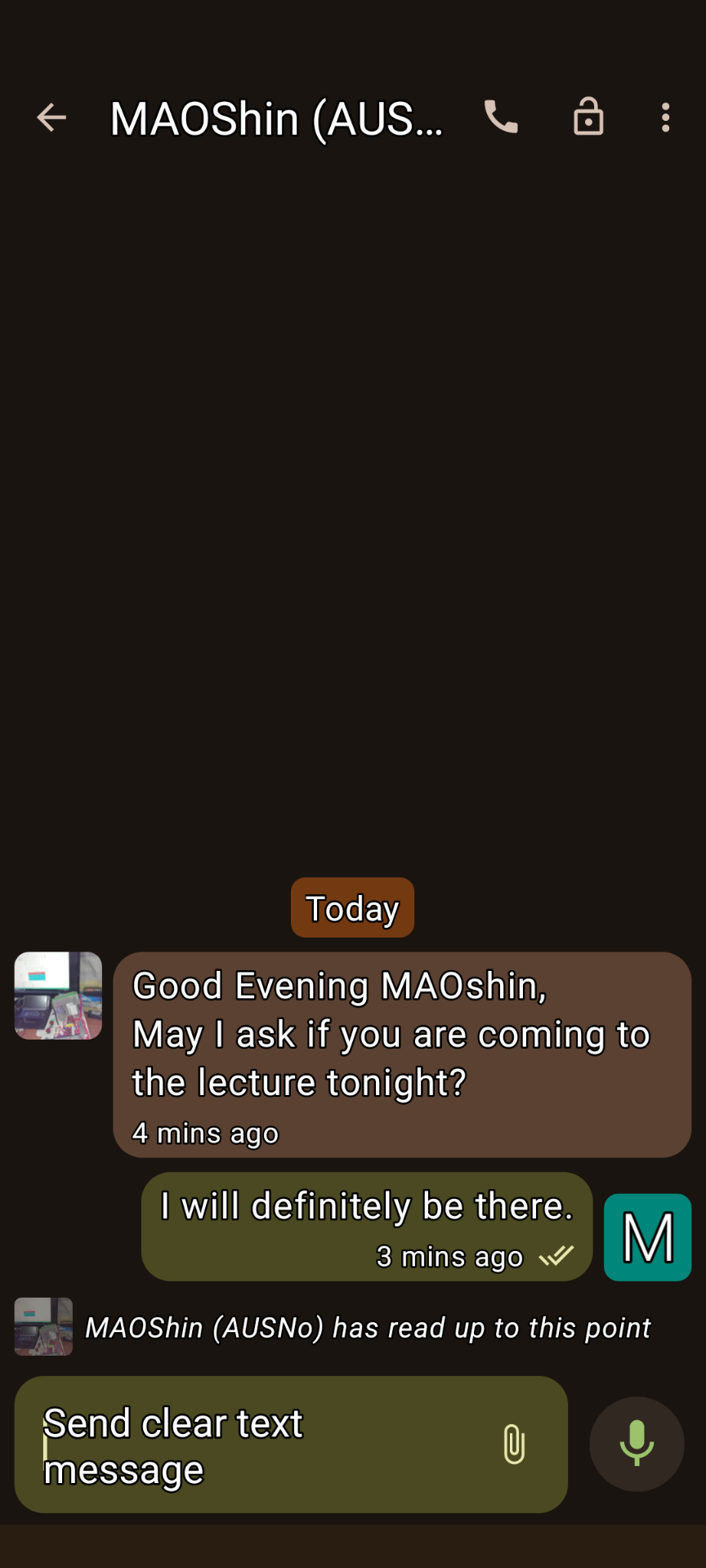
XMPP Conversations 1
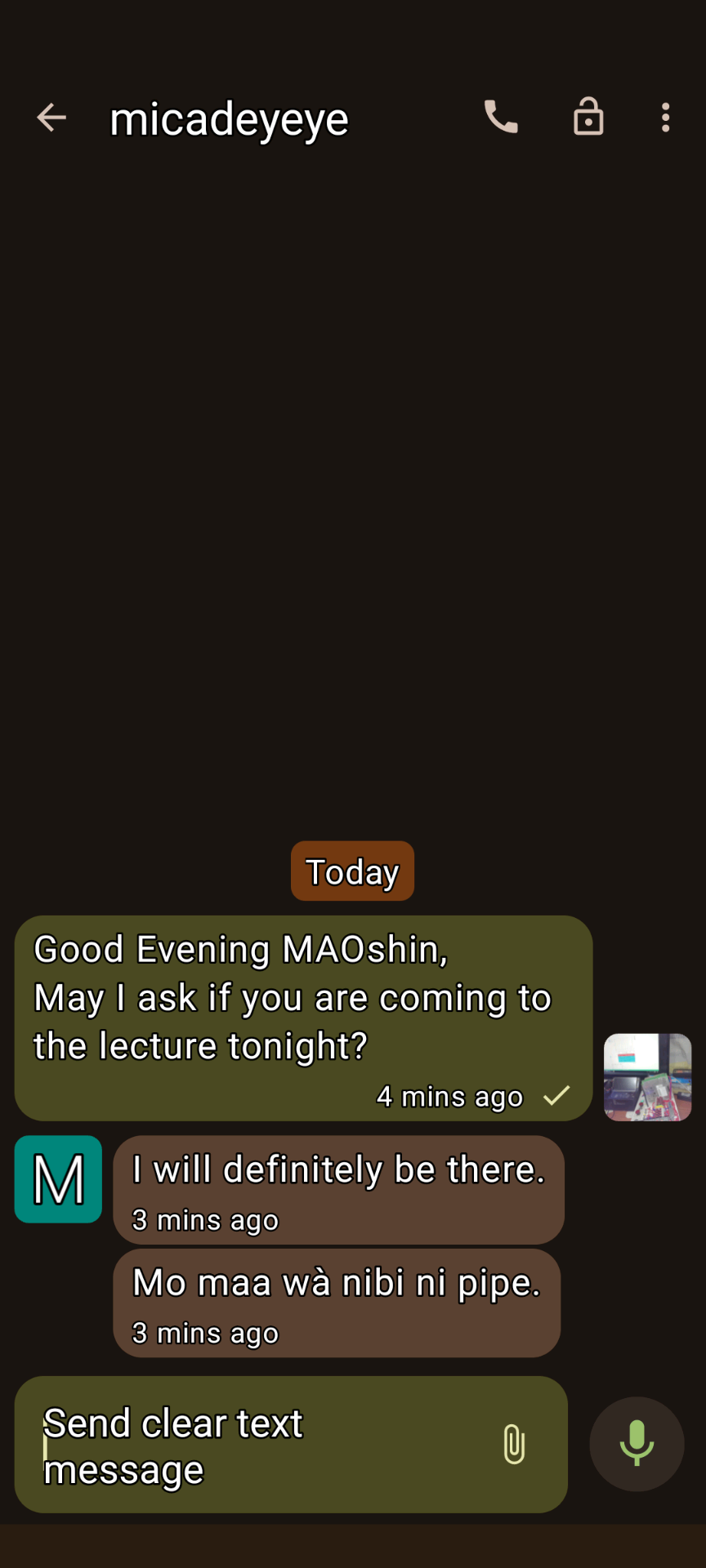
XMPP Conversations 2
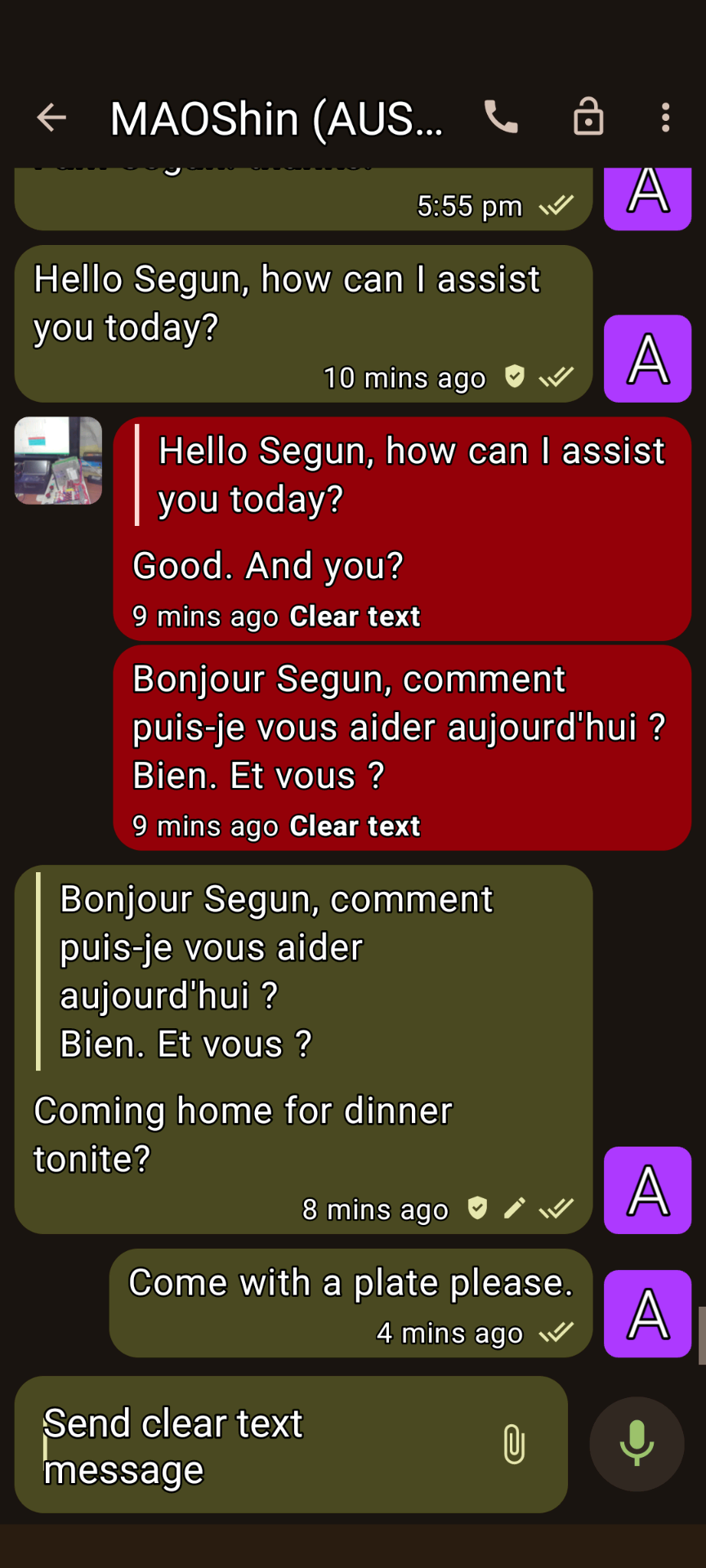
XMPP Conversations 3
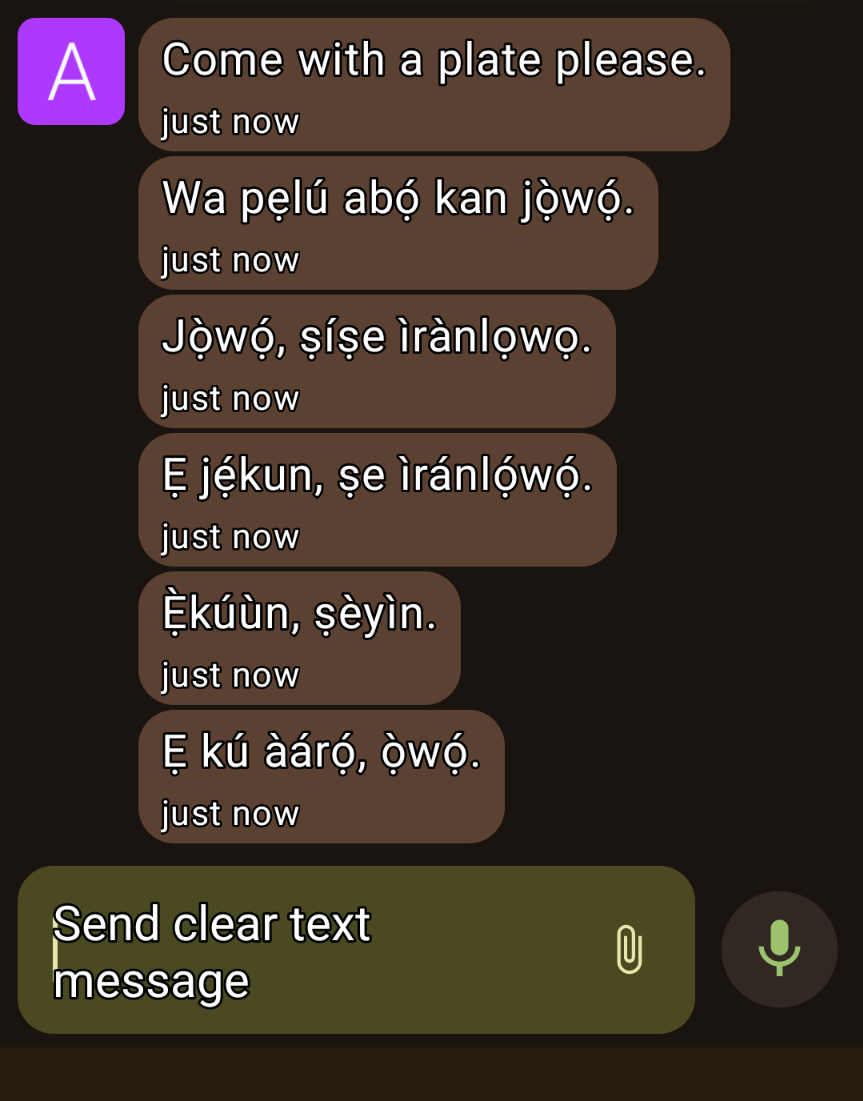
XMPP Conversations 4
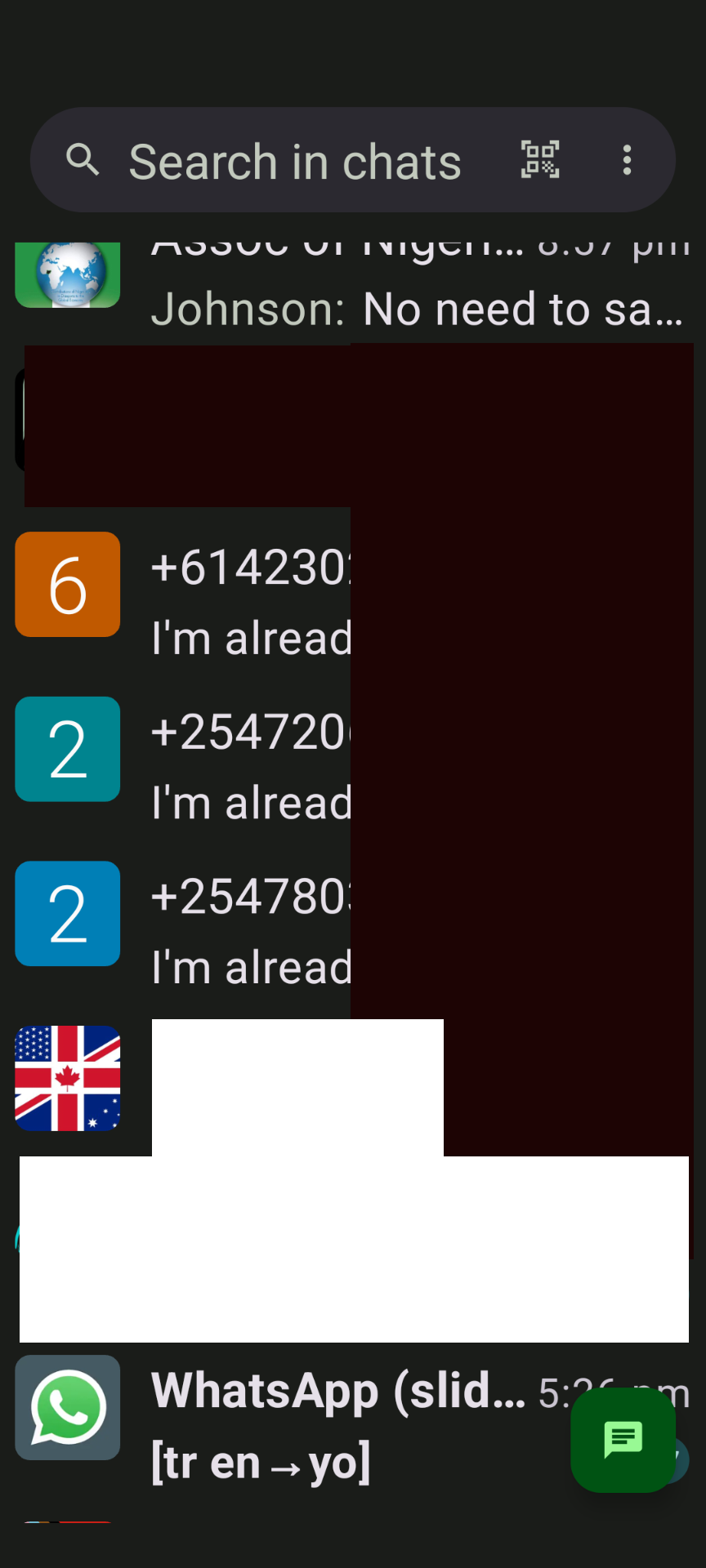
XMPP-gesprekke 5
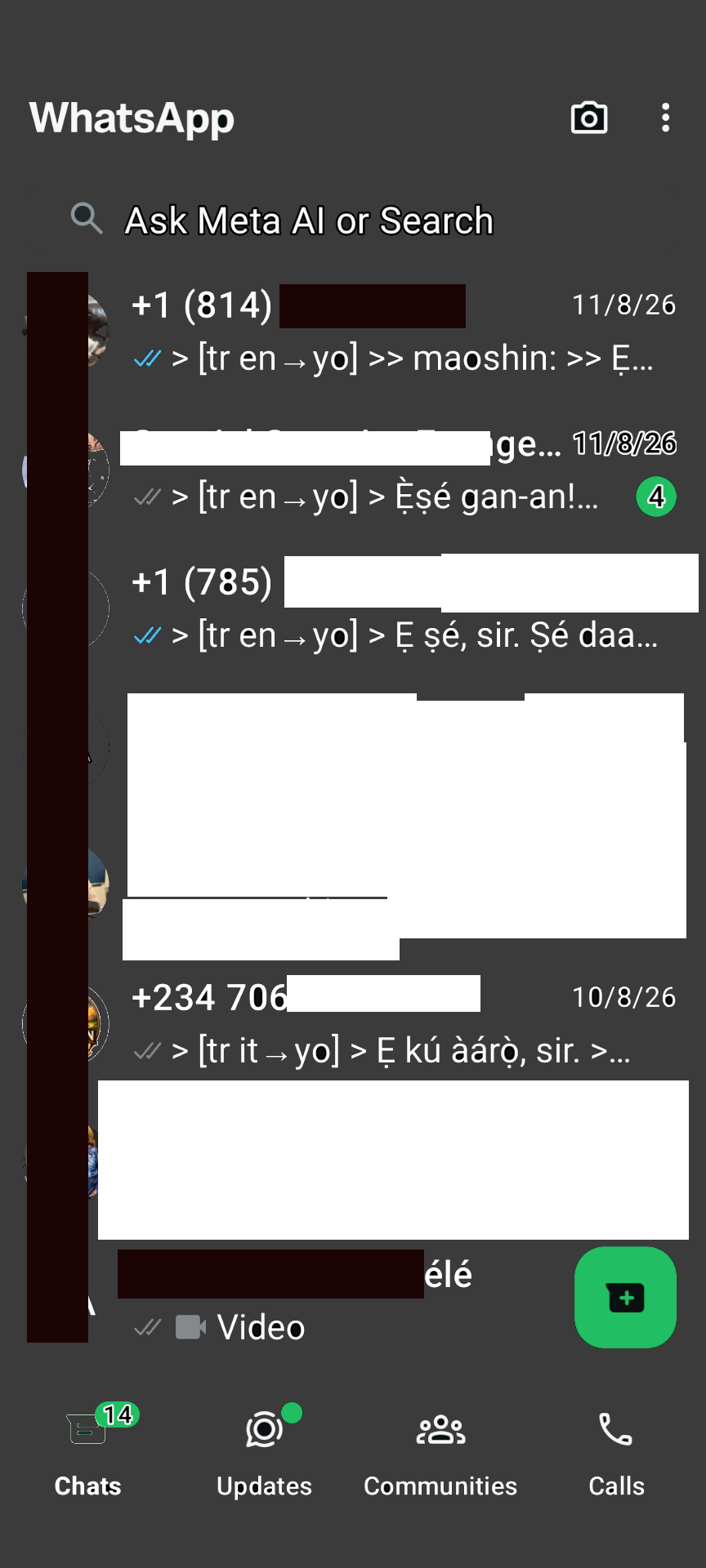
WhatsApp-brug
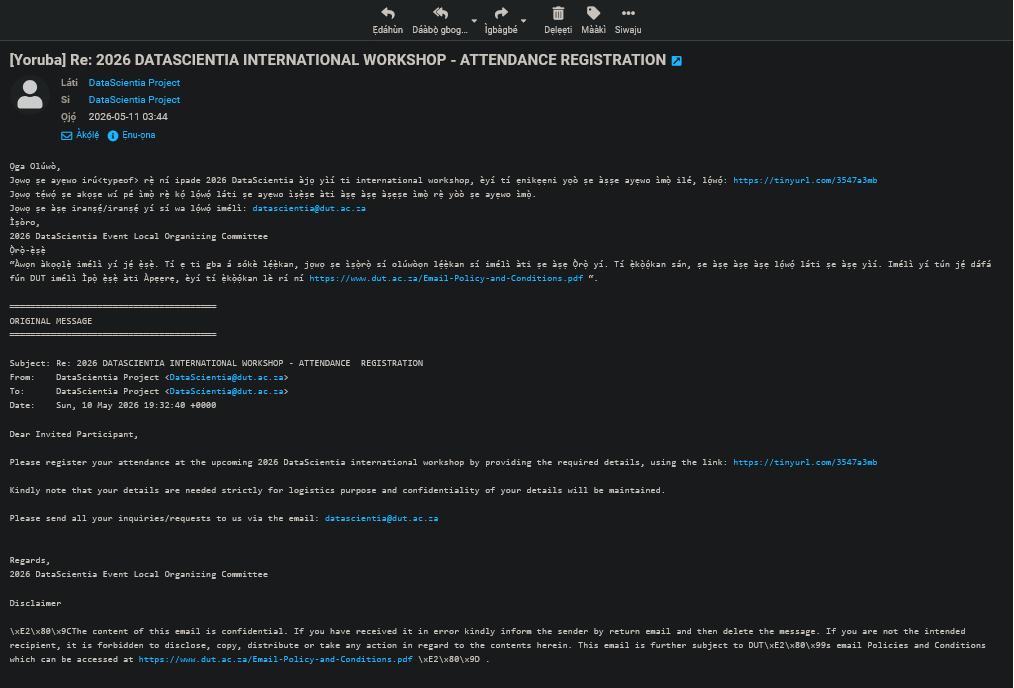
Roundcube email translation
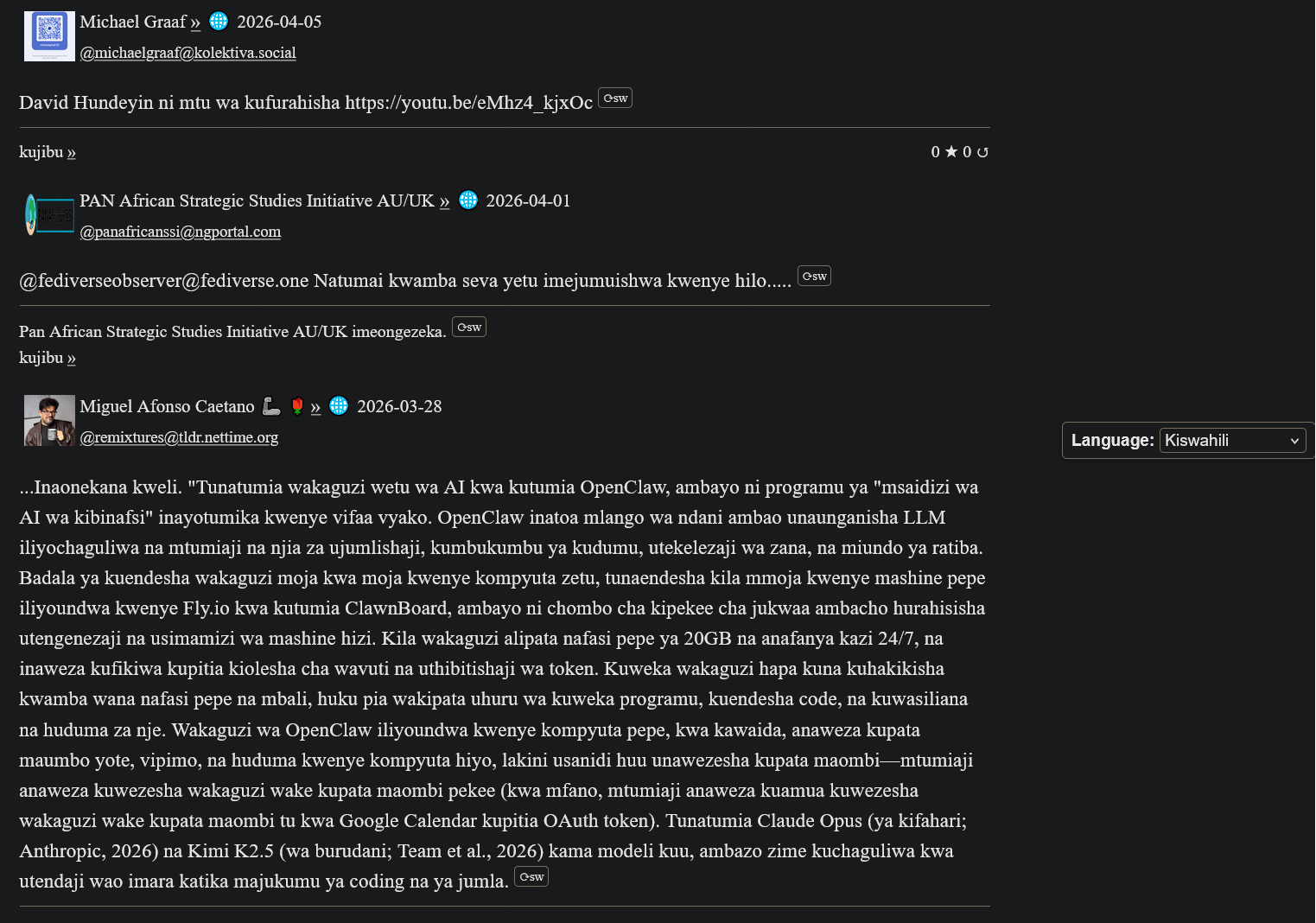
ActivityPub Swahili-vertaling
My(A)SyncComms Getuienisse
"Thanks for the translation to Yoruba. Lol. Remain blessed. Amen"
— Nkechi (Prof.)

(Animated Image Response to Arabic)
— Sbraheem (Engr.)
"I think my phone has been hacked, when did you learn Igbo"
— Emmanuel (CPEng)
Aan die gang
1. Registreer 'n XMPP-rekening
Create a free account on our XMPP server at ngportal.com via the Web Registration Form or the request form below, then sign in with any client:
For security, you cannot create an account directly inside the chat apps. The easiest way is the request form below — a single request creates all your accounts at once, including your email.
Creating a chat account automatically creates your email account too — with email translation, semantic analysis, and offline messages from your chats delivered straight to your inbox.
Versoek 'n rekening
Step 1 - Create your account here FIRST, then download an app. Apps cannot sign you up.
Vul die vorm in om 'n XMPP-kletsrekening aan te vra. Ons sal ook 'n bypassende e-posrekening vir jou skep - onmiddellik outomaties voorsien.
PANAfricanSSI Chat for Tablets & Phones (Android)
Gesprekke (Android)

betaald op Google Play, maar gratis op F-Droid
Monocles (Android)
Also available on F-Droid or via QR download at monocles.chat
aTalk (Android)
Yaxim (Android)
PANAfricanSSI Chat for iPhone & iPad (Apple iOS)
ChatSecure (Apple iOS/iPhone)

Monal (Apple iOS/iPhone)
Astral (Apple iOS/iPhone)
Currently in beta testing
PANAfricanSSI Chat — Unified Communication & Suite of Apps
- Start here — create your account with the request form below on this page: one single request creates all your accounts together — chat, email and the WhatsApp/Telegram bridges
- IMPORTANT: create your account FIRST — before you download or sign in to any app. The apps have nothing to connect to until your account exists.
- You can also create your account with our web registration form (works in your browser, no app needed — no port number: use this if your network blocks non-standard ports)
- Then sign in — open the PANAfricanSSI Chat APP — your unified communication & suite of apps for tablets, phones and desktop: chat, email, SMS, voice, WhatsApp/Telegram bridges and the Translator, all in one place, no installation needed
- The same app, no port needed — use this if some networks block ports
- Chat in your browser: Our Converse.js or Our Converse.js — no port needed (use this if your network blocks ports) — as an alternative, there is also the public Converse.js web app
Installeer Ons Mobiele Toep
Gesels, vertaal en stuur boodskappe in jou moedertaal — een toep vir al ons dienste.
PANAfricanSSI Chat APP for tablets and phones — our Android app (APK file)
PANAfricanSSI Chat APP for iPhone and iPad — our iPhone/iPad support project
The app is currently available to users installing from source, e.g. F-Droid (Android) or our app project download (iPhone/iPad). It has been submitted and is under review for inclusion in both the Google Play Store and the Apple App Store.
Werkskerm (opsioneel): Windows/Linux desktop app, another Windows/Linux desktop app (Desktop)
For phones and tablets we recommend the mobile app above. On a desktop or laptop, our web app is the best choice — no installation needed.
Advanced: connect a desktop app
Host: xmsgs.ngportal.com
Port: 5222
2. Set Your Cell Phone Number
To use voice calls and SMS via the translator bot, register your cell phone number once. This number is used as the callback when placing a call — your phone rings first, and when you answer, the call connects to your destination.
Open a chat with translator@ngportal.com and send: mycell:+614XXXXXXXX
Replace with your full cell number including country code. The bot confirms your number is saved. You can update it anytime.
3. Voice Calls & SMS via the Translator Bot
Once your cell number is set (Step 2), you can place calls and send SMS to any phone number directly from your XMPP chat:
- Open a chat with
translator@ngportal.com - Send a phone number (e.g.
+61434428714) or a contact's chat address - The bot replies with a menu: 1 Voice call, 2 Video call, 3 Send SMS, 4 Cancel
- Reply with your choice. For voice calls, your cell phone rings first — answer to connect. For SMS, type your message when prompted.
- Video calls work between XMPP users only (phone numbers cannot receive video).
Your Numbers
Your registered XMPP accounts and their associated phone numbers are managed in the account portal at myaccount.ngportal.com. When you add or update a phone number there, it is automatically available for voice calls and SMS via the translator bot.