اتصالاتي
On-the-fly translation for XMPP Chat, Email, SMS, Fediverse Social Networks, WhatsApp, and Telegram — in your native language. One account, one app: your unified communication & suite of apps.
ترجمة دردشة XMPP
Real-time message translation in any group or one-to-one chat — in our web app or the mobile and desktop apps.
ترجمة البريد الإلكتروني
تتم ترجمة رسائل البريد الإلكتروني الواردة تلقائيًا إلى لغتك المفضلة عبر Roundcube وSnapyMail.
جسر الواتساب
WhatsApp messages bridged to XMPP with translation via the XMPP/SIP/WebRTC Gateway.
جسر التليجرام
Telegram messages bridged to XMPP with translation via the XMPP/SIP/WebRTC Gateway.
Fediverse Social Networks
Post and follow across Fediverse social networks (Mastodon, ActivityPub) with on-the-fly translation, bridged to XMPP.
الصوت والصورة
أرسل ملاحظة صوتية واحصل على نسخها وترجمتها. أرسل صورة واحصل على النص الموجود فيها مقروءًا. يمكن أن تعود الردود كصوت منطوق.
Voice Calls & SMS
Make voice calls and send SMS to any phone number from your XMPP chat. Send a number to the translator bot and choose call or SMS. Your cell rings first, then connects via the PSTN gateway.
التحليل الدلالي (RAG)
يتلقى كل بريد إلكتروني مترجم أيضًا بريدًا إلكترونيًا مرافقًا يتضمن التحليل الدلالي. تقوم التقنية التوليدية المعزّزة بالاسترجاع (RAG) في Langflow بتصنيف المحتوى — مثل قانون أفريقيا والأمن والحوكمة وغيرها — بحيث يمكنك أن ترى بنظرة واحدة الموضوع الحقيقي لبريدك الإلكتروني.
- لا توجد برامج تتبع للمستخدمين أو الأجهزة — لم يُكتشف أي من 432 بصمة تتبع معروفة
- تصنيف مخاطر الخصوصية: لا شيء — لا توجد حزم SDK للإعلانات أو بناء الملفات الشخصية مدمجة
- لم يتم العثور على ثغرات عالية الخطورة في تحليل الشيفرة الثابتة
- لا توجد إعدادات خاطئة لأمان الشبكة
- لا توجد قاعدة بيانات Firebase أو سحابية مكشوفة
- لا توجد أسرار أو كلمات مرور أو مفاتيح API مكتوبة بشكل ثابت في الشيفرة
- لا توجد نطاقات ويب مرتبطة ببرمجيات خبيثة معروفة
- أذونات دنيا: الإنترنت والكاميرا والميكروفون فقط — لا وصول إلى الموقع أو جهات الاتصال أو الرسائل النصية أو تخزين الملفات
- حزمة تثبيت موقعة رقميًا (APK Signature Scheme v2)
Email Security & Standards Compliance (internet.nl)
مستضاف داخليًا — تظل بياناتك ملكًا لك
يعمل كل جزء من هذه الخدمة على خوادمنا الخاصة: خادم XMPP، وخادم البريد، وجسور WhatsApp وTelegram، ومحرك الترجمة، ونماذج الكلام والصورة. لا يتم إرسال رسائلك إلى مزود سحابي تابع لجهة خارجية لترجمتها.
- سيادة البيانات: تظل محادثاتك وبريدك الإلكتروني على البنية التحتية التي نمتلكها ونديرها، بموجب قواعد الحوكمة الخاصة بنا.
- الترجمة ذاتية الاستضافة: تقوم نماذج اللغة الخاصة بنا بالترجمة داخليًا، لذلك لا يتم تسليم محتوى الرسالة إلى خدمة خارجية.
- لا توجد ملفات تعريف لطرف ثالث: نحن لا نبيع رسائلك أو نستخرجها أو نشاركها، ولا توجد أدوات تتبع للإعلانات.
- المعايير المفتوحة: XMPP والبريد الإلكتروني عبارة عن بروتوكولات مفتوحة، لذا لن تكون مقيدًا أبدًا بمورد واحد.
- يتوفر التشفير الشامل مع OMEMO في أي عميل XMPP يدعمه.
- إلغاء الاشتراك بسيط: فهو يقتصر على فصل جسر WhatsApp أو Telegram عن حسابك — ويحذف بيانات المستخدم الخاصة بك (الرسائل والترجمات وتفضيلات اللغة) من خوادمنا.
Translation Quality & Training Transparency
يتم تشغيل ترجماتك المباشرة بالكامل على خوادمنا الخاصة باستخدام نماذج اللغة المستضافة ذاتيًا. لا تترك رسائلك بنيتنا التحتية أبدًا أثناء التشغيل العادي.
لتحسين دقة الترجمة بشكل مستمر، نقوم بشكل دوري بتحسين نماذجنا من خلال الضبط الدقيق لـ QLoRA. خلال هذه الدورات التدريبية النادرة، قد تتم معالجة عينات الرسائل مجهولة المصدر بواسطة موفري نماذج لغة خارجية آمنة وأفضل جودة لإنشاء بيانات تدريب عالية الجودة. ويحدث هذا فقط أثناء مراحل تحسين النموذج، وليس أثناء الاستخدام اليومي.
- الترجمة المباشرة: 100% مستضافة ذاتيًا. تبقى رسائلك على خوادمنا.
- التدريب النموذجي: يحدث بشكل غير متكرر، ويستخدم بيانات مجهولة المصدر، ويوظف موفري خدمات خارجيين آمنين للحصول على أفضل النتائج.
- تُستخدم بيانات التدريب فقط لتحسين دقة الترجمة للغات الأفريقية.
- نحن لا نبيع مطلقًا المحتوى الخاص بك أو ننشره أو نشاركه مع أطراف ثالثة لأغراض إعلانية أو تجارية.
- في الغالبية العظمى من الوقت، تتم معالجة رسائلك حصريًا من خلال البنية التحتية الخاصة بنا.
Single Sign-On & Two-Factor Authentication
Sign in once to securely access mycloud (Nextcloud), email via SnappyMail & Roundcube webmail, and the Learning Management System (Moodle). One account, protected by Two-Factor Authentication, covers all of these services.
- يتم توفير تسجيل الدخول الموحد بواسطة Authelia باستخدام OpenID Connect (OIDC).
- قم بإدارة حسابك وإعدادات تسجيل الدخول من خلال بوابة الحساب على
myaccount.ngportal.com. - تستخدم المصادقة الثنائية (2FA) كلمات مرور لمرة واحدة (TOTP) ومتوافقة مع أي تطبيق مصادقة.
- تتم استضافة موفر الهوية ذاتيًا بالكامل، لذا تظل بيانات الاعتماد الخاصة بك على البنية التحتية الخاصة بنا.
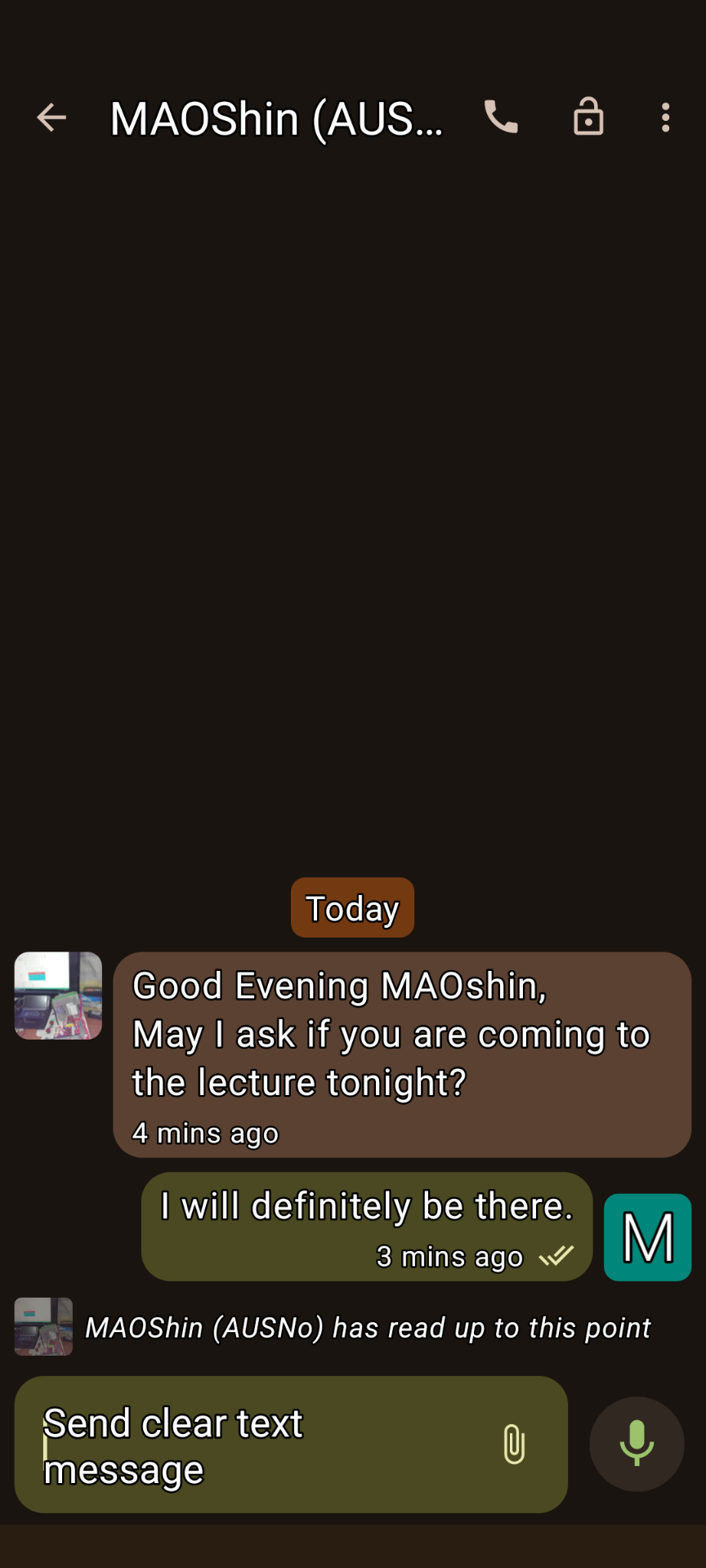
XMPP Conversations 1
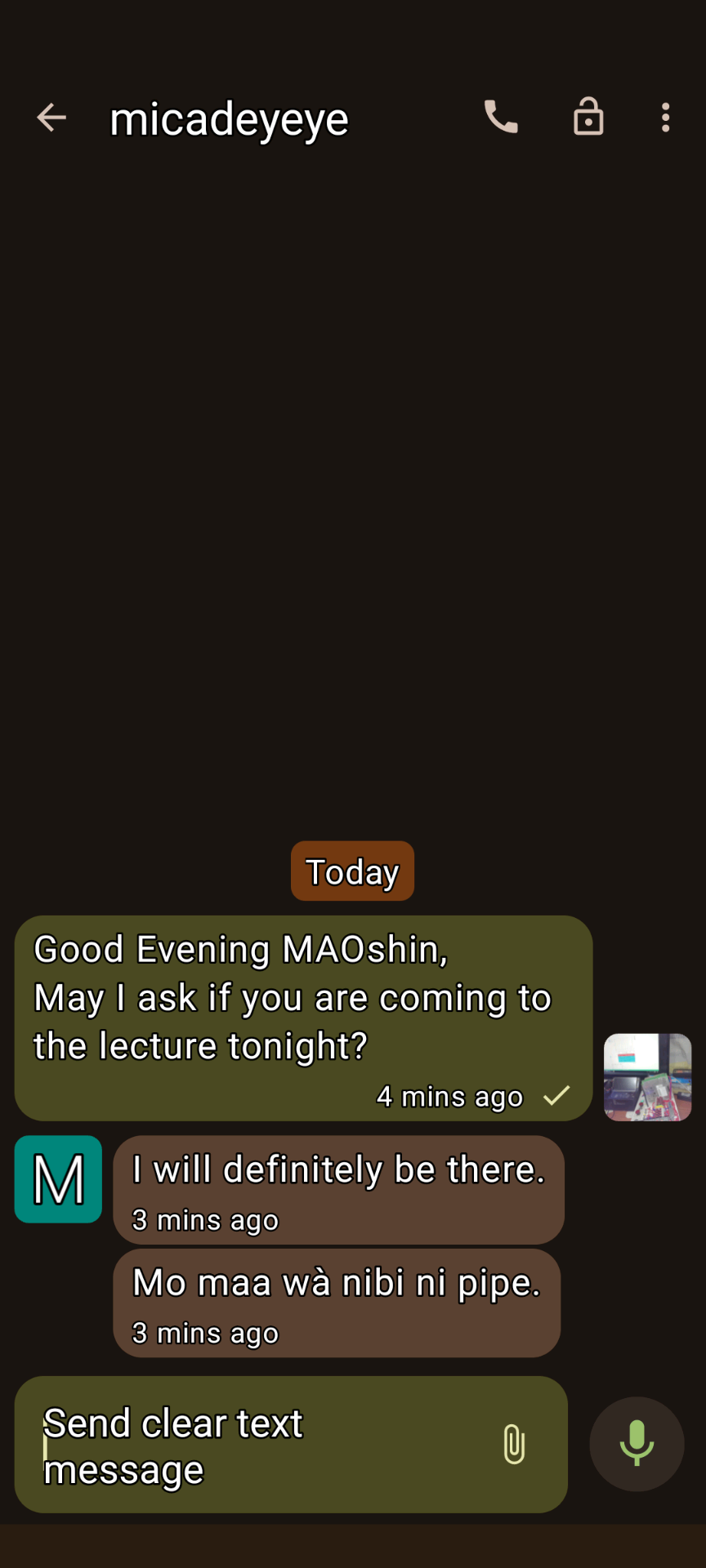
XMPP Conversations 2
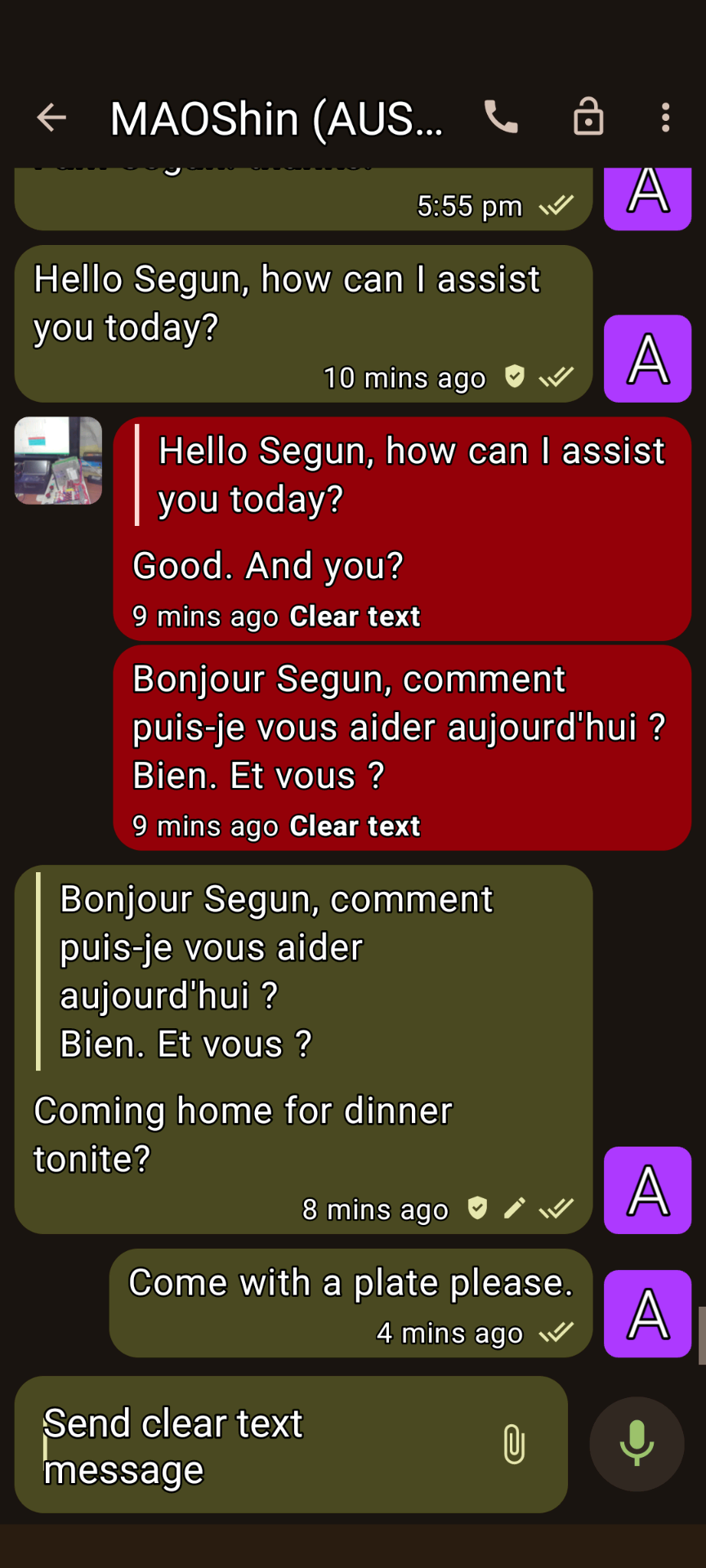
XMPP Conversations 3
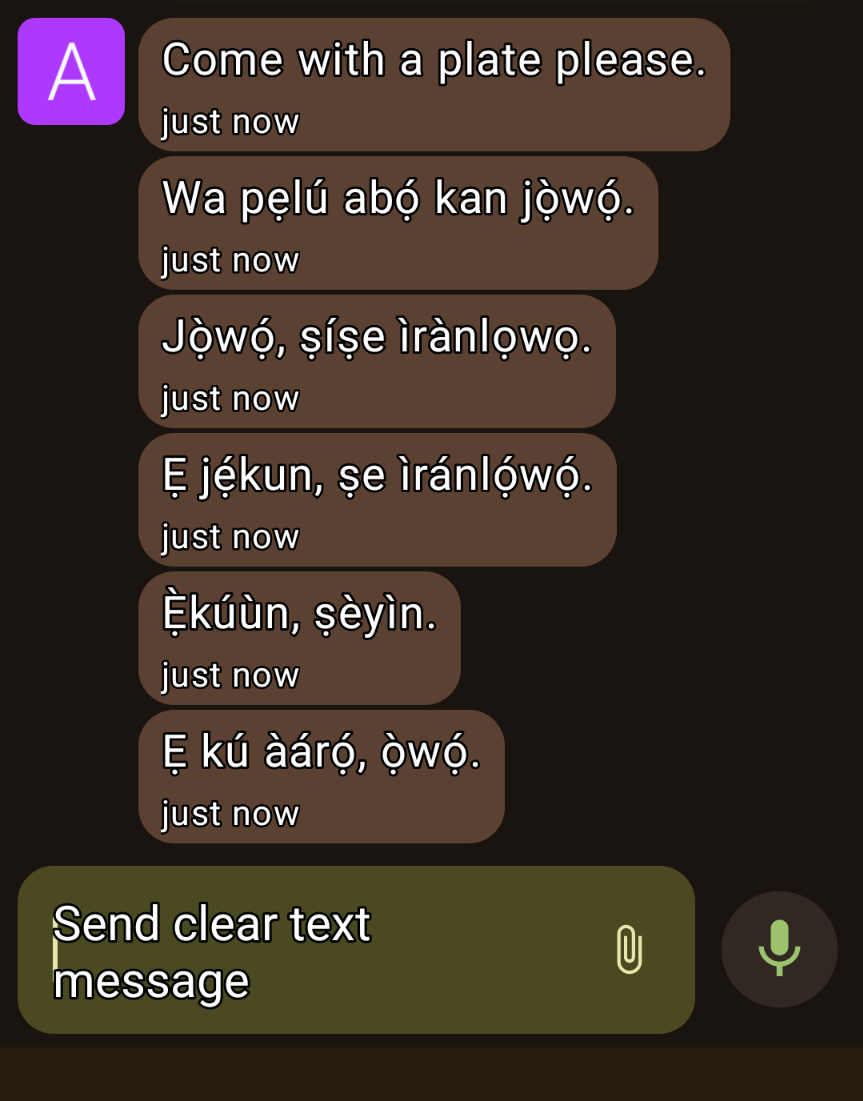
XMPP Conversations 4
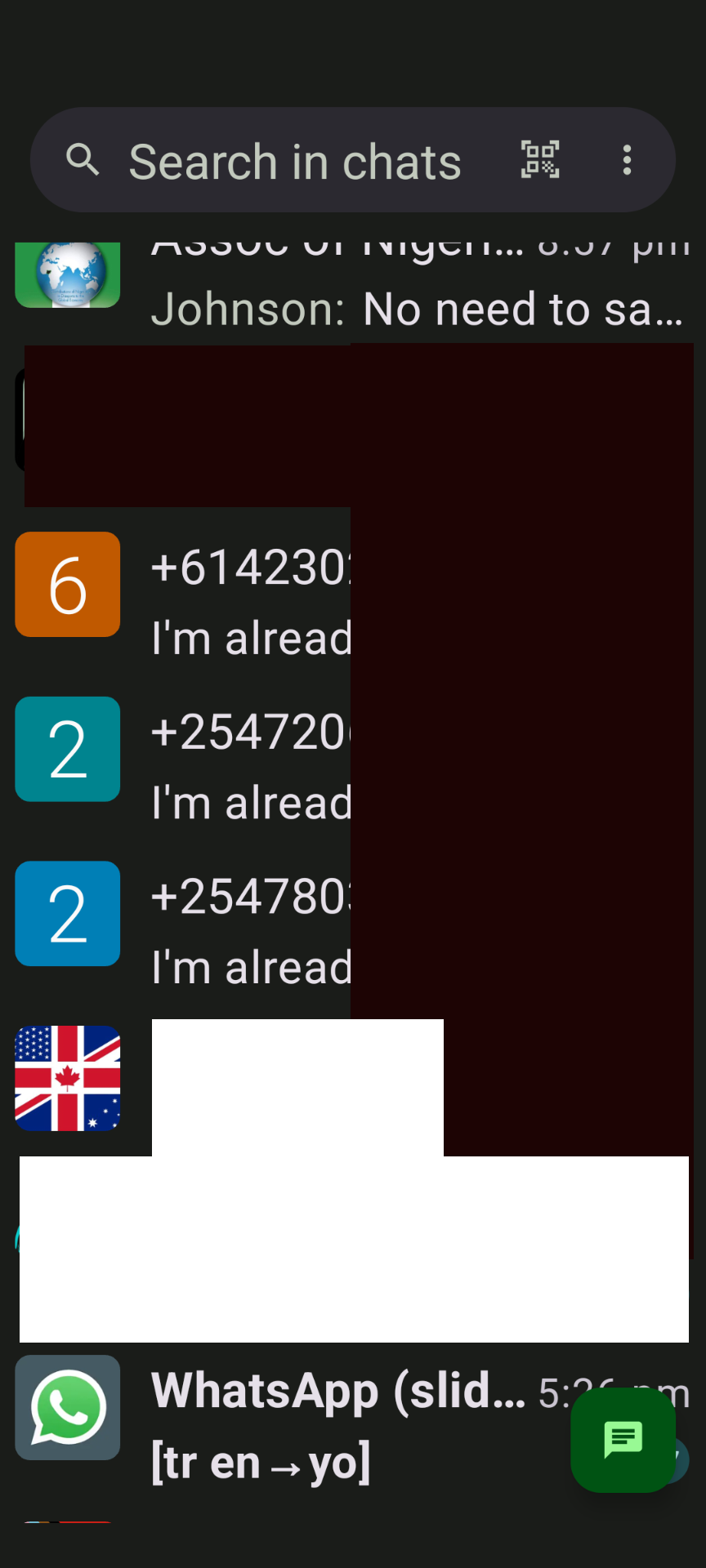
محادثات XMPP 5
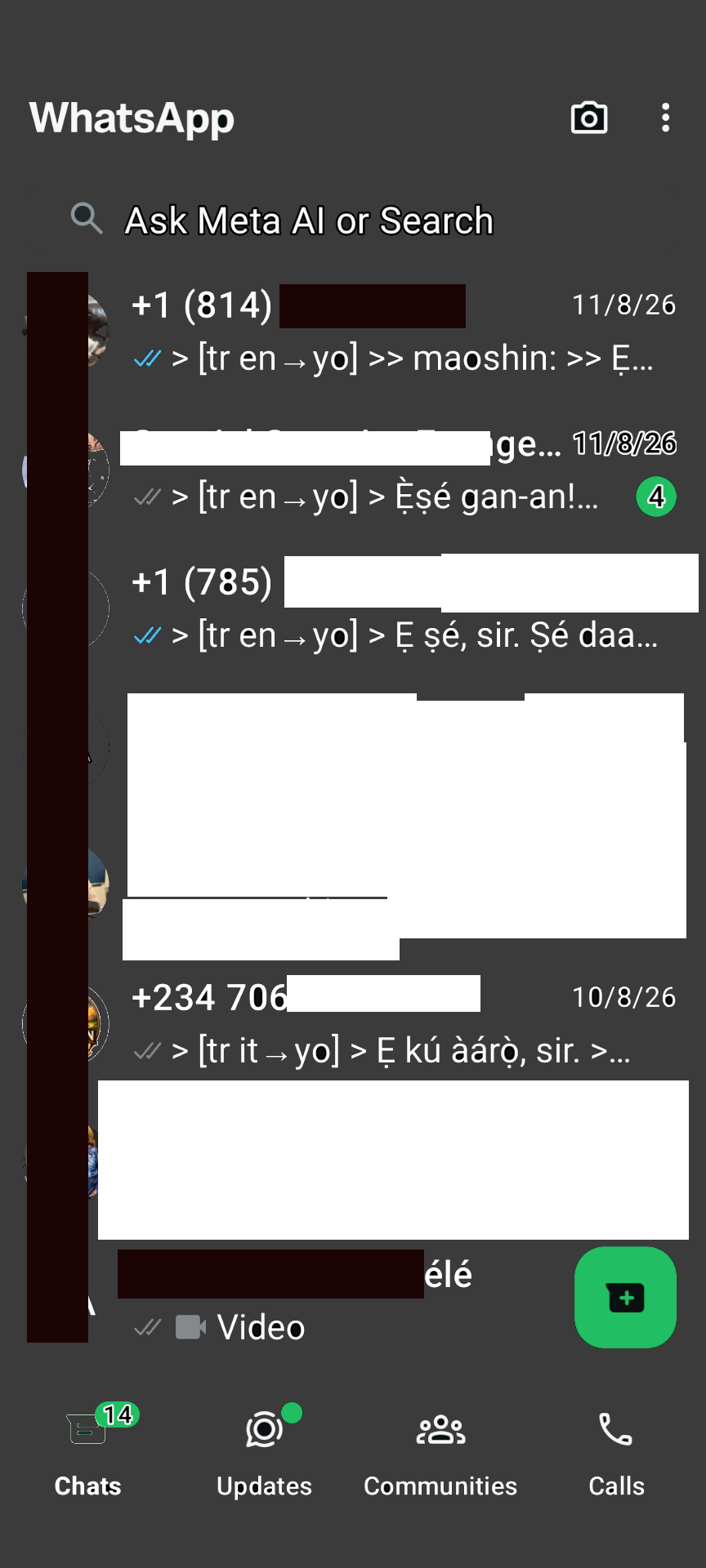
جسر الواتساب
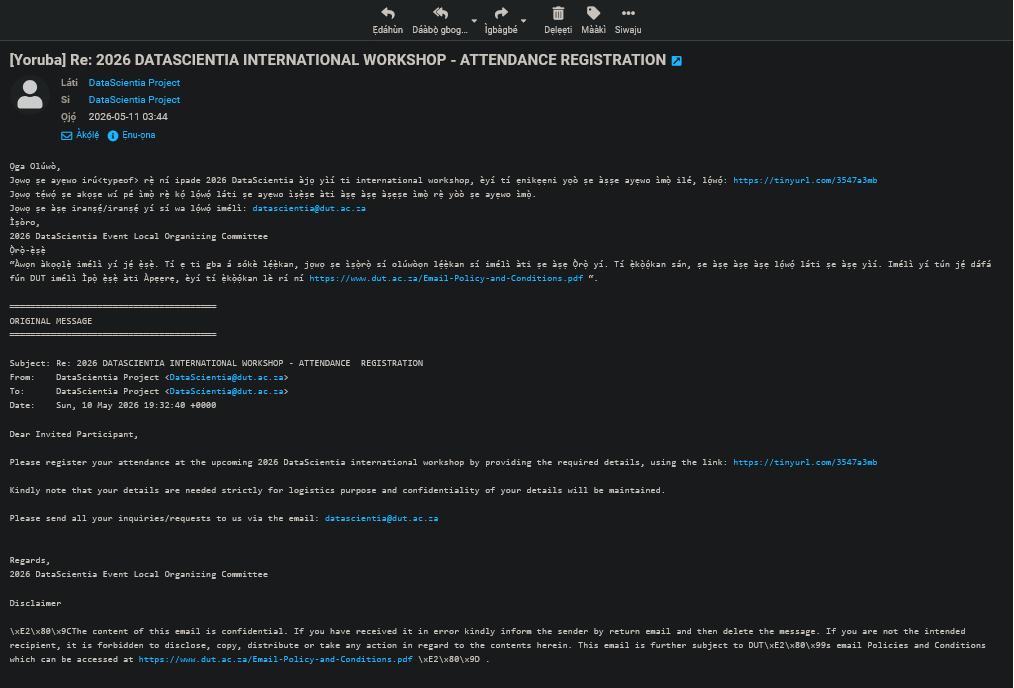
Roundcube email translation
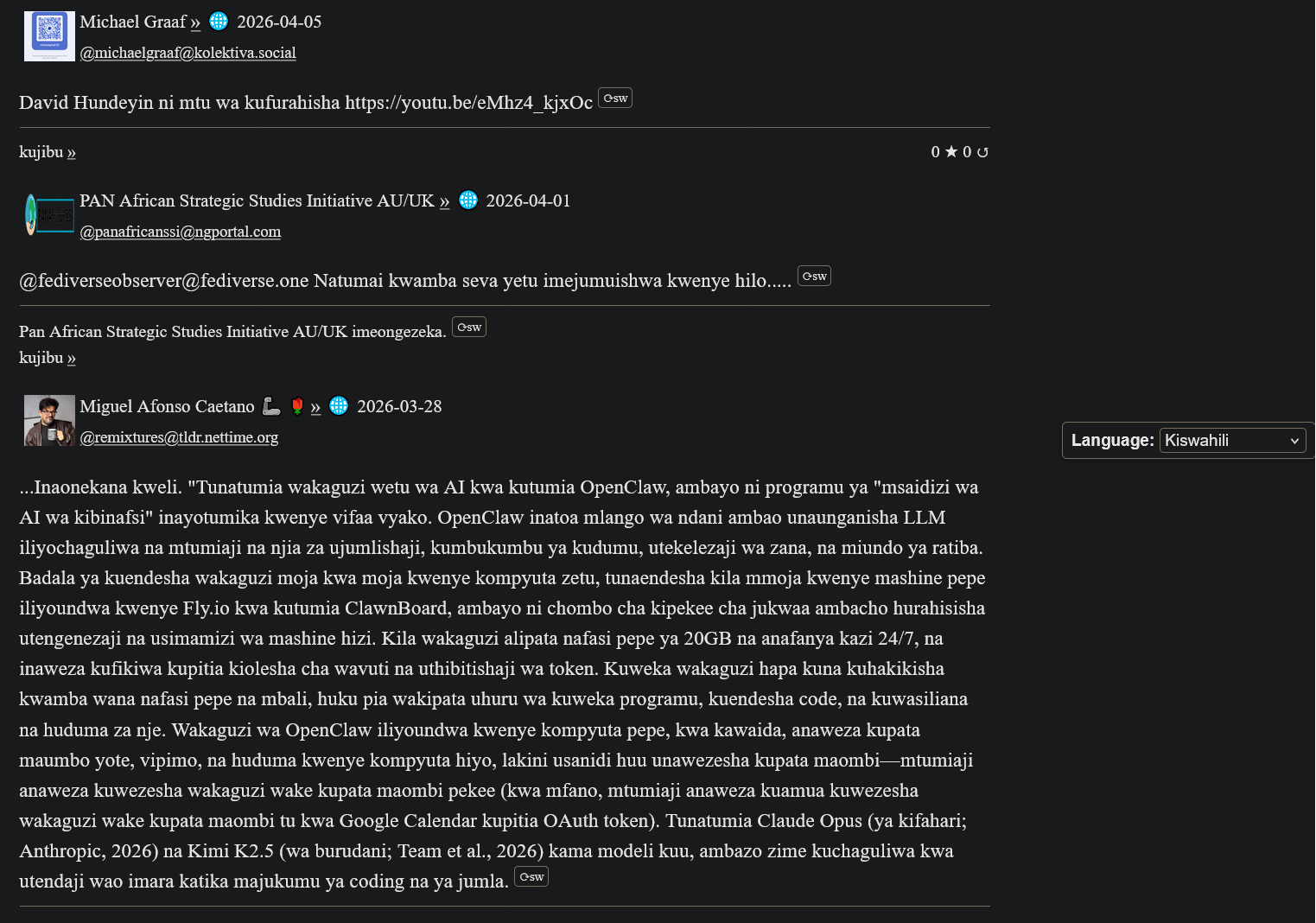
ترجمة ActivityPub بالسواحيلية
شهادات My(A)SyncComms
"Thanks for the translation to Yoruba. Lol. Remain blessed. Amen"
— Nkechi (Prof.)

(Animated Image Response to Arabic)
— Sbraheem (Engr.)
"I think my phone has been hacked, when did you learn Igbo"
— Emmanuel (CPEng)
ابدء
1. قم بتسجيل حساب XMPP
Create a free account on our XMPP server at ngportal.com via the Web Registration Form or the request form below, then sign in with any client:
For security, you cannot create an account directly inside the chat apps. The easiest way is the request form below — a single request creates all your accounts at once, including your email.
Creating a chat account automatically creates your email account too — with email translation, semantic analysis, and offline messages from your chats delivered straight to your inbox.
طلب حساب
Step 1 - Create your account here FIRST, then download an app. Apps cannot sign you up.
املأ النموذج لطلب حساب دردشة XMPP. سنقوم أيضًا بإنشاء حساب بريد إلكتروني مطابق لك - يتم توفيره تلقائيًا على الفور.
PANAfricanSSI Chat for Tablets & Phones (Android)
المحادثات (أندرويد)

مدفوع على Google Play، لكنه مجاني على F-Droid
Monocles (أندرويد)
Also available on F-Droid or via QR download at monocles.chat
aTalk (أندرويد)
Yaxim (أندرويد)
PANAfricanSSI Chat for iPhone & iPad (Apple iOS)
ChatSecure (آبل iOS/آيفون)

Monal (آبل iOS/آيفون)
Astral (آبل iOS/آيفون)
Currently in beta testing
PANAfricanSSI Chat — Unified Communication & Suite of Apps
- Start here — create your account with the request form below on this page: one single request creates all your accounts together — chat, email and the WhatsApp/Telegram bridges
- IMPORTANT: create your account FIRST — before you download or sign in to any app. The apps have nothing to connect to until your account exists.
- You can also create your account with our web registration form (works in your browser, no app needed — no port number: use this if your network blocks non-standard ports)
- Then sign in — open the PANAfricanSSI Chat APP — your unified communication & suite of apps for tablets, phones and desktop: chat, email, SMS, voice, WhatsApp/Telegram bridges and the Translator, all in one place, no installation needed
- The same app, no port needed — use this if some networks block ports
- Chat in your browser: Our Converse.js or Our Converse.js — no port needed (use this if your network blocks ports) — as an alternative, there is also the public Converse.js web app
ثبّت تطبيقنا للهاتف المحمول
الدردشة والترجمة والمراسلة بلغتك الأم — تطبيق واحد لجميع خدماتنا.
PANAfricanSSI Chat APP for tablets and phones — our Android app (APK file)
PANAfricanSSI Chat APP for iPhone and iPad — our iPhone/iPad support project
The app is currently available to users installing from source, e.g. F-Droid (Android) or our app project download (iPhone/iPad). It has been submitted and is under review for inclusion in both the Google Play Store and the Apple App Store.
سطح المكتب (اختياري): Windows/Linux desktop app, another Windows/Linux desktop app (سطح المكتب)
For phones and tablets we recommend the mobile app above. On a desktop or laptop, our web app is the best choice — no installation needed.
Advanced: connect a desktop app
Host: xmsgs.ngportal.com
Port: 5222
2. Set Your Cell Phone Number
To use voice calls and SMS via the translator bot, register your cell phone number once. This number is used as the callback when placing a call — your phone rings first, and when you answer, the call connects to your destination.
Open a chat with translator@ngportal.com and send: mycell:+614XXXXXXXX
Replace with your full cell number including country code. The bot confirms your number is saved. You can update it anytime.
3. Voice Calls & SMS via the Translator Bot
Once your cell number is set (Step 2), you can place calls and send SMS to any phone number directly from your XMPP chat:
- Open a chat with
translator@ngportal.com - Send a phone number (e.g.
+61434428714) or a contact's chat address - The bot replies with a menu: 1 Voice call, 2 Video call, 3 Send SMS, 4 Cancel
- Reply with your choice. For voice calls, your cell phone rings first — answer to connect. For SMS, type your message when prompted.
- Video calls work between XMPP users only (phone numbers cannot receive video).
Your Numbers
Your registered XMPP accounts and their associated phone numbers are managed in the account portal at myaccount.ngportal.com. When you add or update a phone number there, it is automatically available for voice calls and SMS via the translator bot.