Mawasiliano Yangu
On-the-fly translation for XMPP Chat, Email, SMS, Fediverse Social Networks, WhatsApp, and Telegram — in your native language. One account, one app: your unified communication & suite of apps.
Tafsiri ya Gumzo ya XMPP
Real-time message translation in any group or one-to-one chat — in our web app or the mobile and desktop apps.
Tafsiri ya Barua Pepe
Barua pepe zinazoingia zimetafsiriwa kiotomatiki kwa lugha unayopendelea kupitia Roundcube na SnappyMail.
Daraja la WhatsApp
WhatsApp messages bridged to XMPP with translation via the XMPP/SIP/WebRTC Gateway.
Daraja la Telegraph
Telegram messages bridged to XMPP with translation via the XMPP/SIP/WebRTC Gateway.
Fediverse Social Networks
Post and follow across Fediverse social networks (Mastodon, ActivityPub) with on-the-fly translation, bridged to XMPP.
Sauti na Picha
Tuma kidokezo cha sauti na kinukuu na kutafsiriwa. Tuma picha na usome maandishi ndani yake. Majibu yanaweza kurudi kama sauti inayozungumzwa.
Voice Calls & SMS
Make voice calls and send SMS to any phone number from your XMPP chat. Send a number to the translator bot and choose call or SMS. Your cell rings first, then connects via the PSTN gateway.
Uchambuzi wa Kisemantiki (RAG)
Kila barua pepe iliyotafsiriwa pia hupokea barua pepe ya ziada yenye uchambuzi wa kisemantiki. Uzalishaji unaoboreshwa kwa utafutaji wa taarifa (RAG) katika Langflow huainisha maudhui — kwa mfano Sheria ya Afrika, Usalama, Utawala, na mengineyo — ili uweze kuona kwa mtazamo wa kwanza mada halisi ya barua pepe yako.
- Hakuna wafuatiliaji wa watumiaji au vifaa — 0 kati ya 432 za alama za wafuatiliaji zinazojulikana zimegunduliwa
- Kadirio la hatari ya faragha: hakuna — hakuna SDK za matangazo au uundaji wa wasifu zilizowekwa
- Hakuna kasoro kubwa za usalama zilizopatikana katika uchambuzi wa kodi tuli
- Hakuna makosa ya usanidi wa usalama wa mtandao
- Hakuna hifadhidata ya Firebase au ya wingu iliyo wazi
- Hakuna siri, nywila au funguo za API zilizowekwa moja kwa moja kwenye kodi
- Hakuna majina ya kikoa yanayohusiana na programu hasara zinazojulikana
- Ruhusa chache tu: intaneti, kamera na maikrofoni tu — hakuna ufikiaji wa eneo, anwani, SMS au hifadhi ya faili
- Kifurushi cha usakinishaji kilichosainiwa kidijitali (APK Signature Scheme v2)
Email Security & Standards Compliance (internet.nl)
Imepangishwa Ndani ya Nyumba - Data Yako Inabaki Yako
Kila sehemu ya huduma hii inaendeshwa na seva zetu wenyewe: seva ya XMPP, seva ya barua, madaraja ya WhatsApp na Telegraph, injini ya kutafsiri, na miundo ya hotuba na picha. Ujumbe wako hautumwi kwa mtoa huduma wa wingu wa watu wengine ili kutafsiriwa.
- Mamlaka ya data: mazungumzo yako na barua pepe hukaa kwenye miundombinu tunayomiliki na tunayoendesha, chini ya sheria zetu za utawala.
- Tafsiri inayojiendesha yenyewe: miundo yetu ya lugha hufanya tafsiri ndani ya nyumba, kwa hivyo maudhui ya ujumbe hayakabidhiwi kwa huduma ya nje.
- Hakuna wasifu wa mtu wa tatu: hatuuzi, hatuuzi, wala hatushiriki ujumbe wako, na hakuna vifuatiliaji vya utangazaji.
- Viwango vilivyo wazi: XMPP na barua pepe ni itifaki wazi, kwa hivyo hutafungiwa kamwe kuwa mchuuzi mmoja.
- Usimbaji fiche kutoka mwanzo hadi mwisho unapatikana kwa OMEMO katika mteja wowote wa XMPP unaoutumia.
- Kujiondoa kwenye huduma ni rahisi: hutenganisha tu daraja lako la WhatsApp au Telegram na akaunti yako — na kufuta data zako za mtumiaji (ujumbe, tafsiri na mapendeleo ya lugha) kutoka kwenye seva zetu.
Translation Quality & Training Transparency
Tafsiri zako za moja kwa moja huendeshwa kabisa kwenye seva zetu kwa kutumia miundo ya lugha inayopangishwa yenyewe. Ujumbe wako hauachi kamwe miundombinu yetu wakati wa operesheni ya kawaida.
Ili kuendelea kuboresha usahihi wa tafsiri, tunaboresha miundo yetu mara kwa mara kupitia usanifu wa QLoRA. Wakati wa vipindi hivi vya mafunzo ambavyo havifanyiki mara kwa mara, sampuli za ujumbe ambazo hazikutambulisha zitachakatwa na watoa huduma wa lugha ya nje salama na wenye ubora zaidi ili kutoa data ya mafunzo ya ubora wa juu. Hii hutokea tu wakati wa awamu za uboreshaji wa muundo, si wakati wa matumizi yako ya kila siku.
- Tafsiri ya moja kwa moja: 100% ya kujipangisha. Ujumbe wako hukaa kwenye seva zetu.
- Mafunzo ya kielelezo: hufanyika mara kwa mara, hutumia data isiyojulikana, na huajiri watoa huduma wa nje salama kwa matokeo bora zaidi.
- Data ya mafunzo hutumiwa tu kuboresha usahihi wa tafsiri kwa lugha za Kiafrika.
- Hatuuzi, wasifu, au kushiriki maudhui yako na wahusika wengine kwa madhumuni ya utangazaji au kibiashara.
- Mara nyingi, ujumbe wako huchakatwa na miundombinu yetu pekee.
Single Sign-On & Two-Factor Authentication
Sign in once to securely access mycloud (Nextcloud), email via SnappyMail & Roundcube webmail, and the Learning Management System (Moodle). One account, protected by Two-Factor Authentication, covers all of these services.
- Kuingia Mara Moja kunatolewa na Authelia kwa kutumia OpenID Connect (OIDC).
- Dhibiti akaunti yako na mipangilio ya kuingia kupitia tovuti ya akaunti iliyo
myaccount.ngportal.com. - Uthibitishaji wa Mambo Mbili (2FA) hutumia manenosiri ya wakati mmoja (TOTP) na inaoana na programu yoyote ya uthibitishaji.
- Mtoa huduma za utambulisho amejipangisha mwenyewe kikamilifu, kwa hivyo kitambulisho chako hubaki kwenye miundombinu yetu wenyewe.
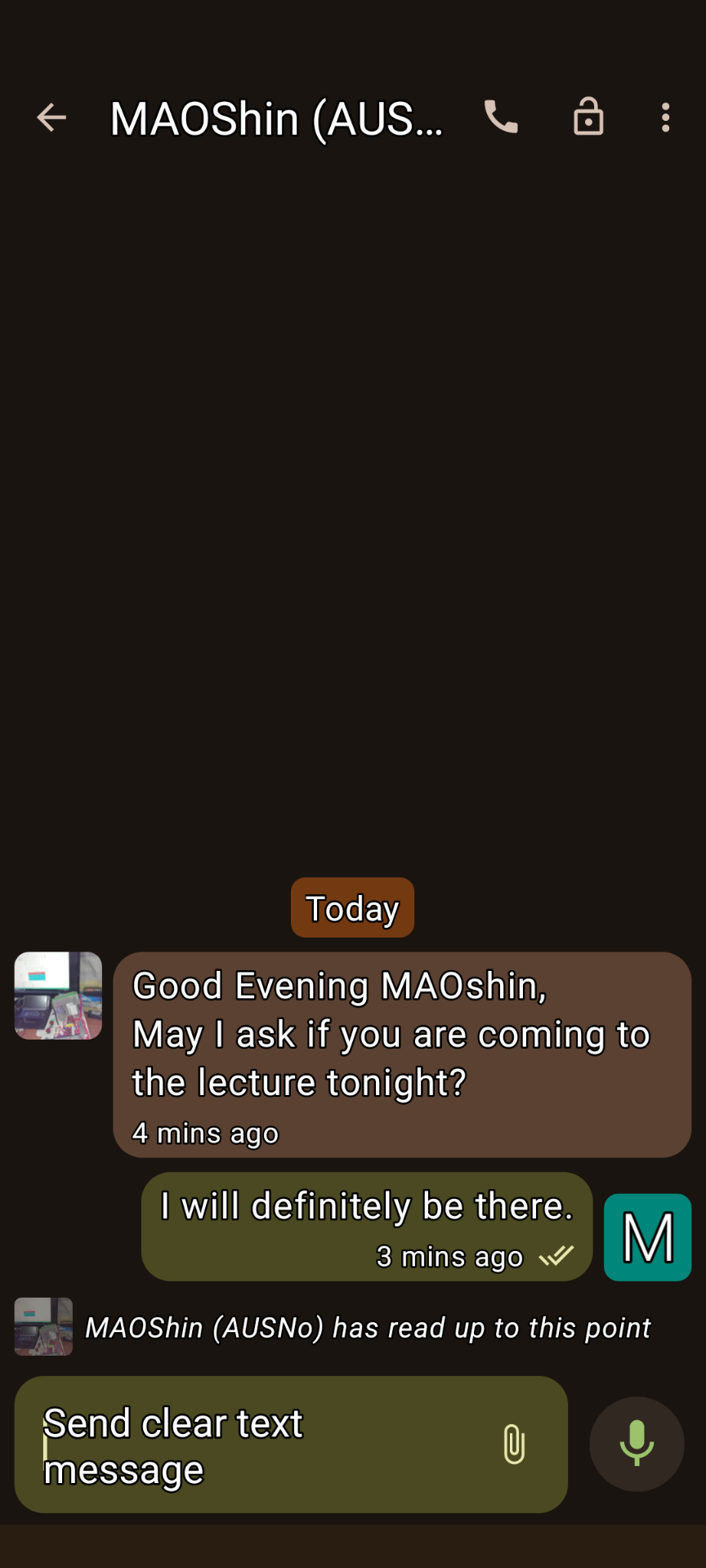
XMPP Conversations 1
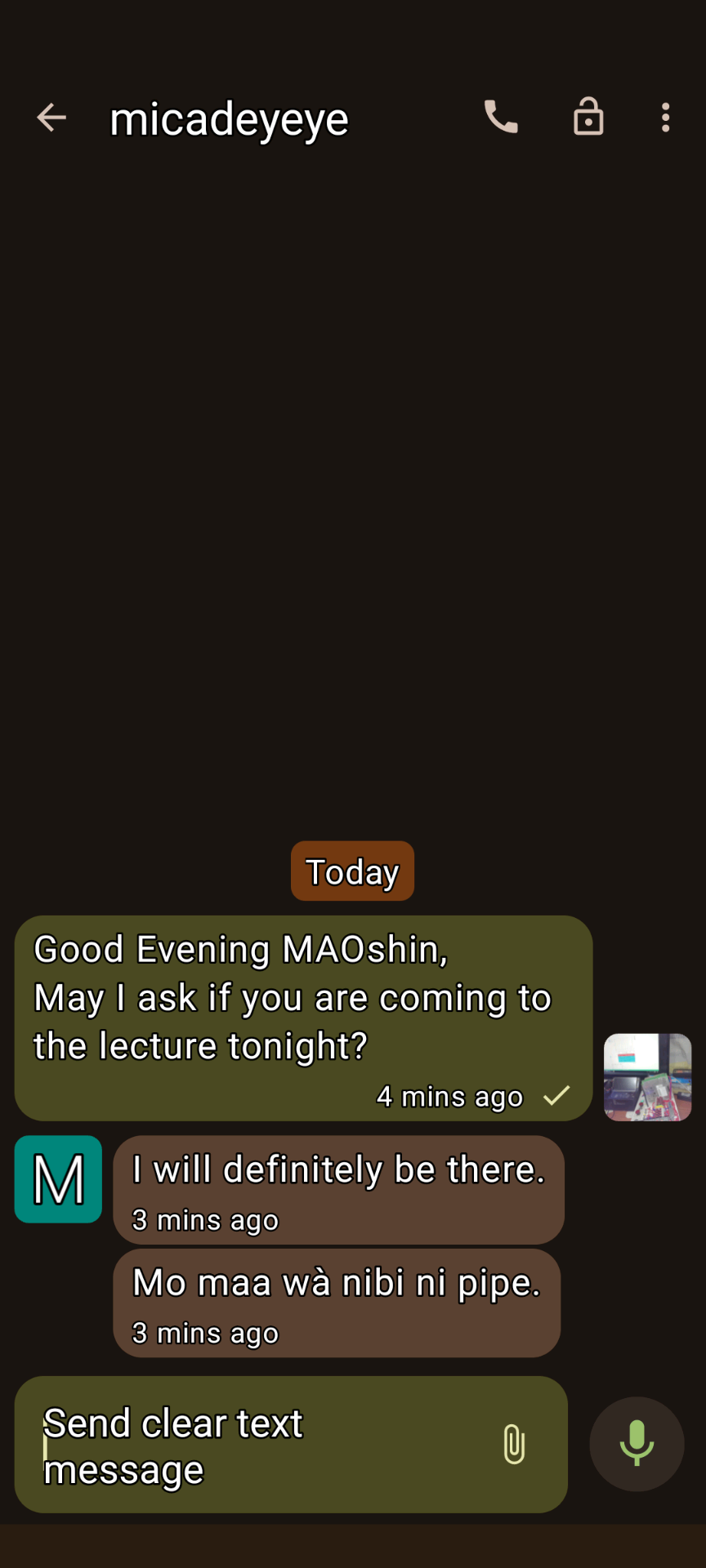
XMPP Conversations 2
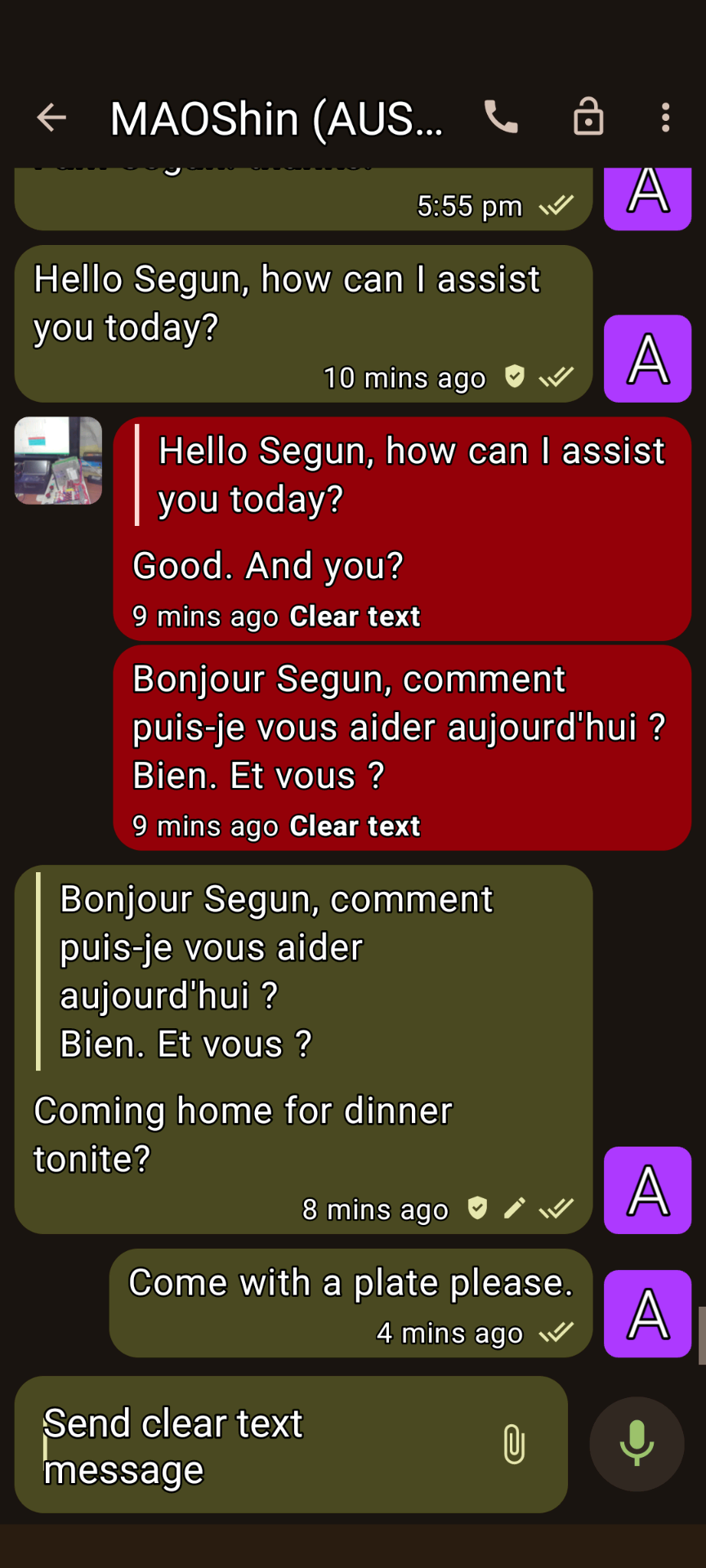
XMPP Conversations 3
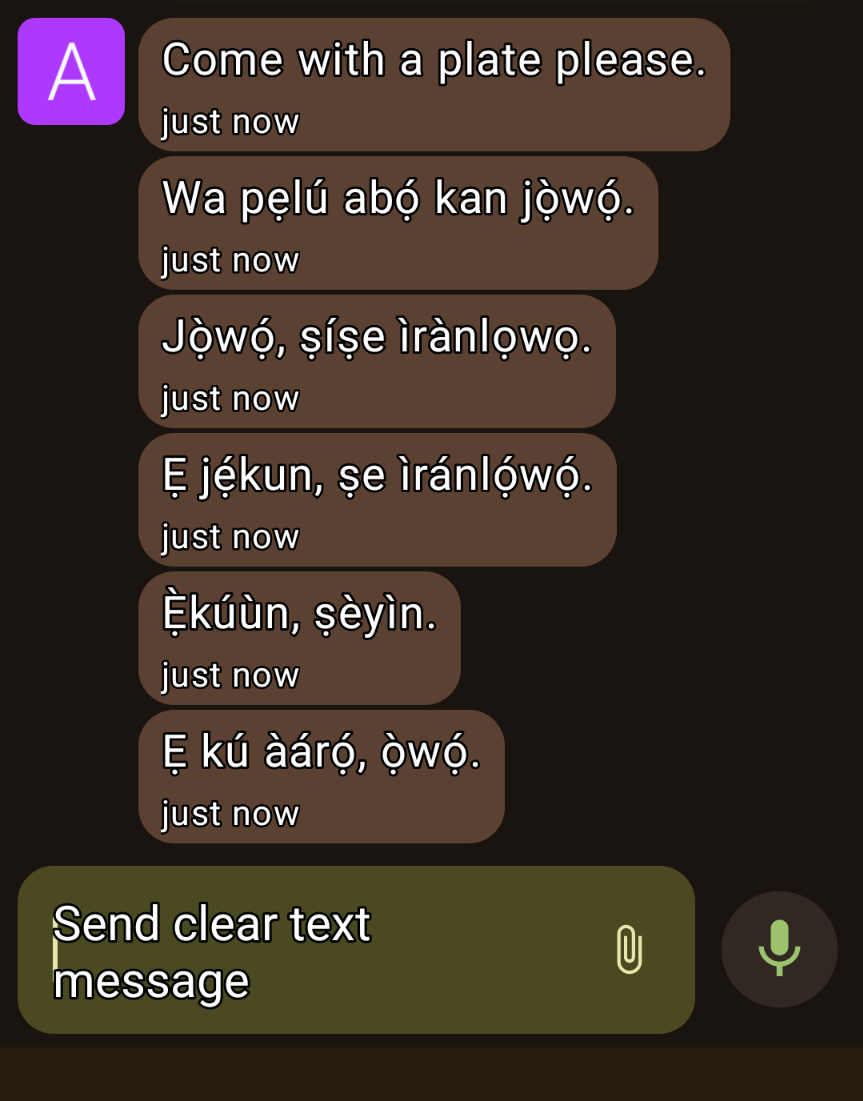
XMPP Conversations 4
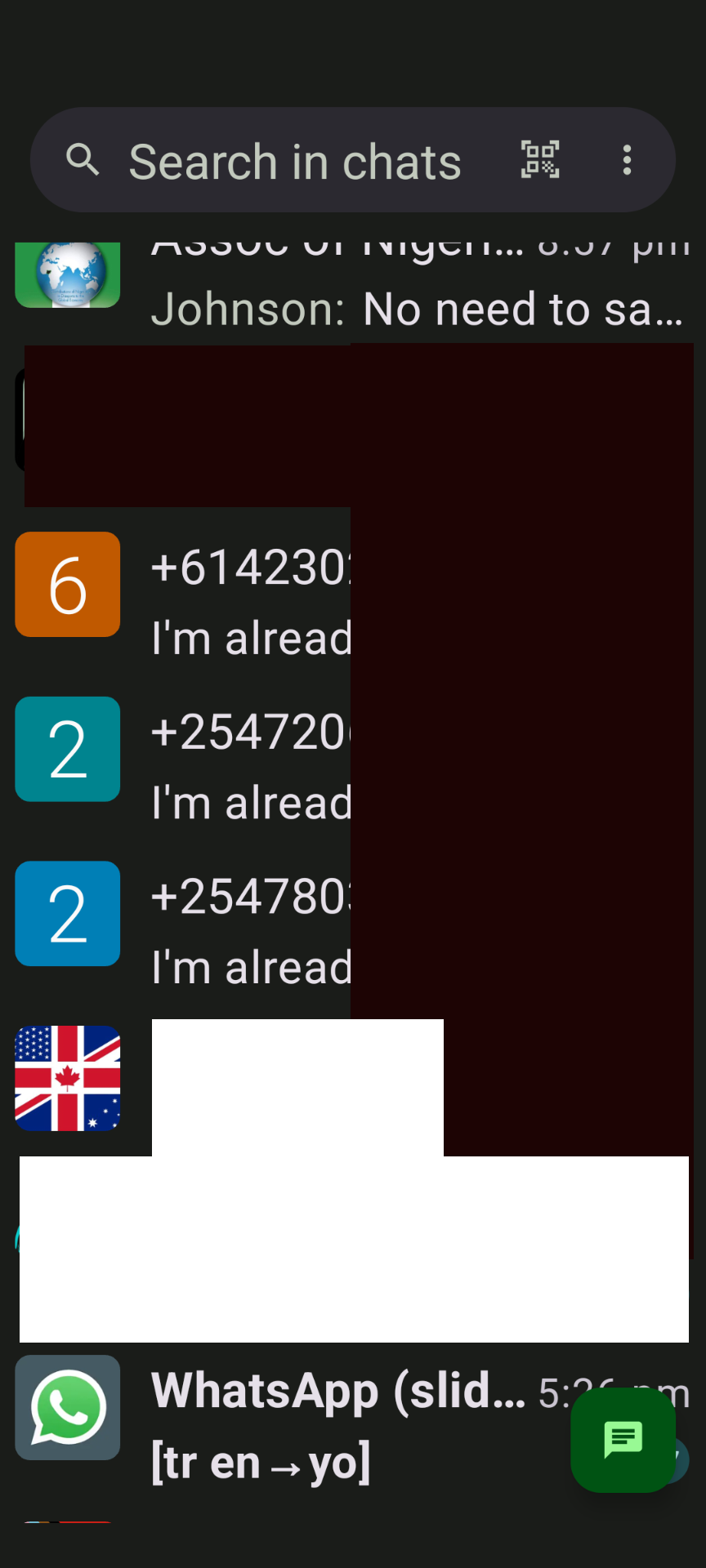
Mazungumzo ya XMPP 5
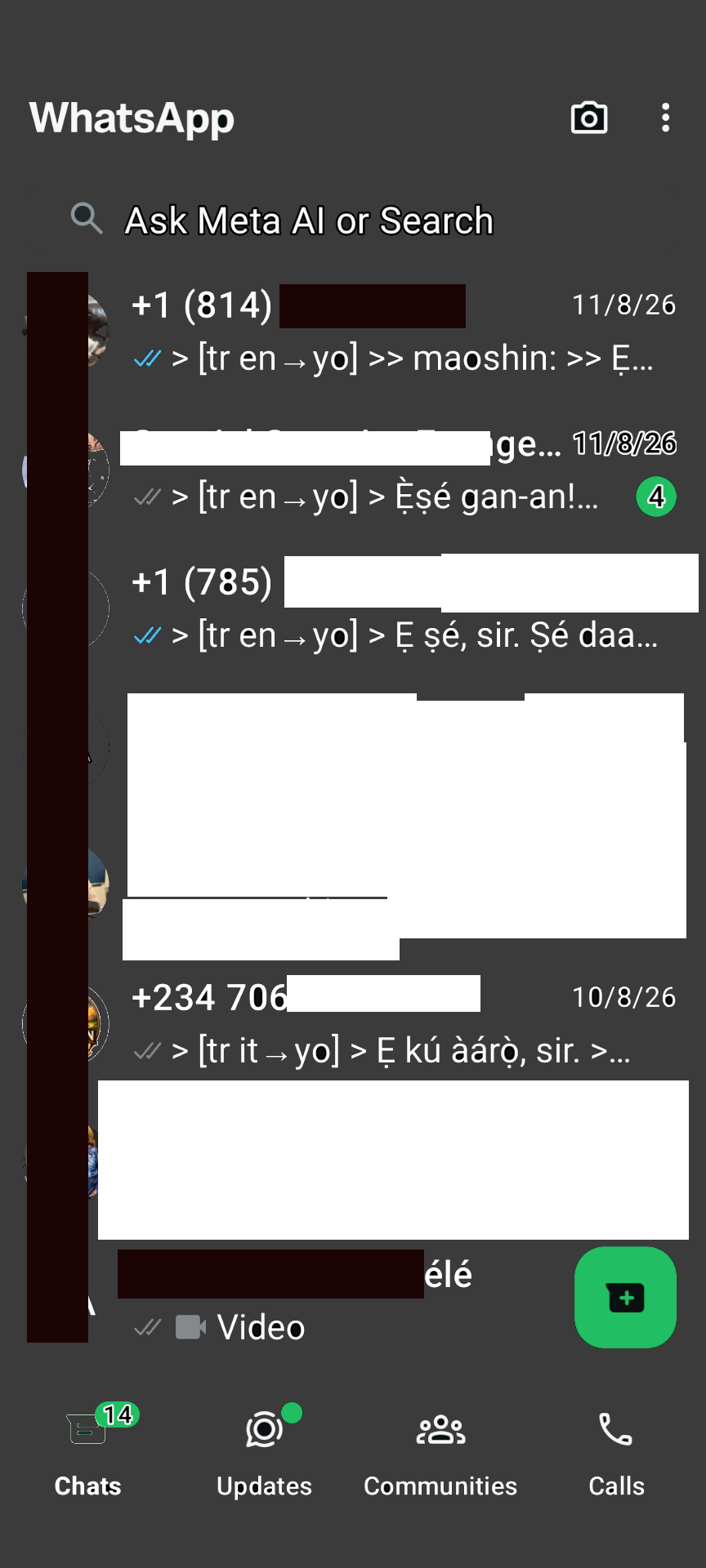
Daraja la WhatsApp
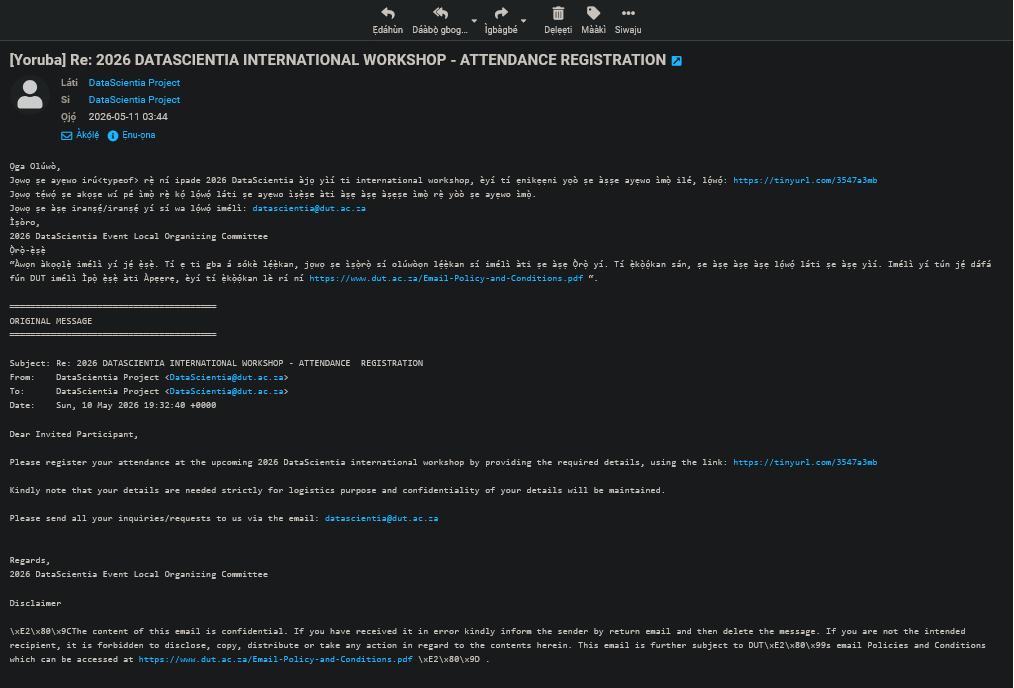
Roundcube email translation
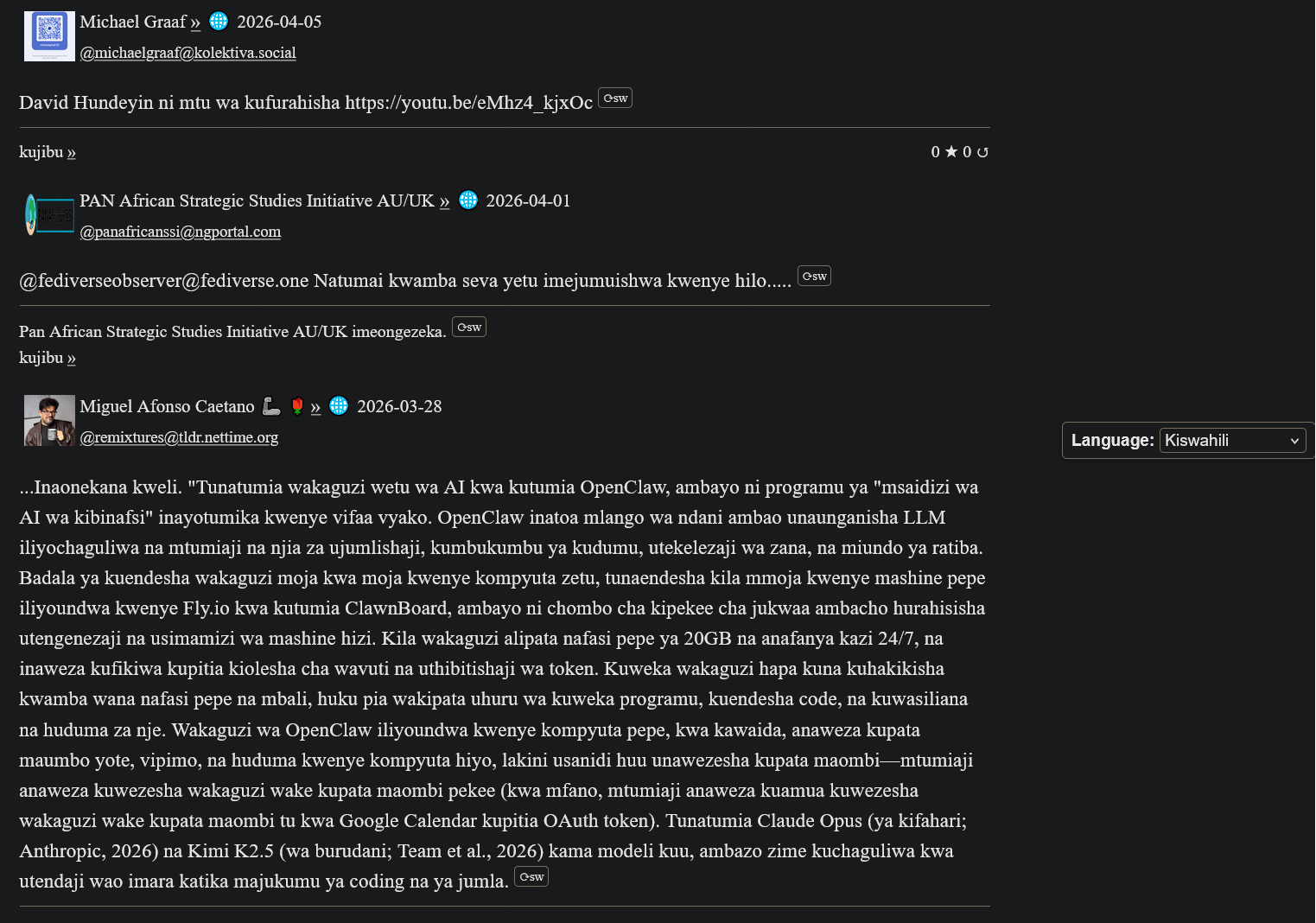
Tafsiri ya ActivityPub kwa Kiswahili
Mapendekezo ya My(A)SyncComms
"Thanks for the translation to Yoruba. Lol. Remain blessed. Amen"
— Nkechi (Prof.)

(Animated Image Response to Arabic)
— Sbraheem (Engr.)
"I think my phone has been hacked, when did you learn Igbo"
— Emmanuel (CPEng)
Kuanza
1. Sajili Akaunti ya XMPP
Create a free account on our XMPP server at ngportal.com via the Web Registration Form or the request form below, then sign in with any client:
For security, you cannot create an account directly inside the chat apps. The easiest way is the request form below — a single request creates all your accounts at once, including your email.
Creating a chat account automatically creates your email account too — with email translation, semantic analysis, and offline messages from your chats delivered straight to your inbox.
Omba Akaunti
Step 1 - Create your account here FIRST, then download an app. Apps cannot sign you up.
Jaza fomu ili kuomba akaunti ya gumzo ya XMPP. Pia tutakuundia akaunti ya barua pepe inayolingana - imetolewa kiotomatiki papo hapo.
PANAfricanSSI Chat for Tablets & Phones (Android)
Mazungumzo (Android)

inalipwa kwenye Google Play, lakini bila malipo kwenye F-Droid
Monocles (Android)
Also available on F-Droid or via QR download at monocles.chat
aTalk (Android)
Yaxim (Android)
PANAfricanSSI Chat for iPhone & iPad (Apple iOS)
ChatSecure (Apple iOS/iPhone)

Monal (Apple iOS/iPhone)
Astral (Apple iOS/iPhone)
Currently in beta testing
PANAfricanSSI Chat — Unified Communication & Suite of Apps
- Start here — create your account with the request form below on this page: one single request creates all your accounts together — chat, email and the WhatsApp/Telegram bridges
- IMPORTANT: create your account FIRST — before you download or sign in to any app. The apps have nothing to connect to until your account exists.
- You can also create your account with our web registration form (works in your browser, no app needed — no port number: use this if your network blocks non-standard ports)
- Then sign in — open the PANAfricanSSI Chat APP — your unified communication & suite of apps for tablets, phones and desktop: chat, email, SMS, voice, WhatsApp/Telegram bridges and the Translator, all in one place, no installation needed
- The same app, no port needed — use this if some networks block ports
- Chat in your browser: Our Converse.js or Our Converse.js — no port needed (use this if your network blocks ports) — as an alternative, there is also the public Converse.js web app
Sakinisha Programu Yetu ya Simu
Kuzungumza, kutafsiri na kutuma ujumbe kwa lugha yako ya asili — programu moja kwa huduma zetu zote.
PANAfricanSSI Chat APP for tablets and phones — our Android app (APK file)
PANAfricanSSI Chat APP for iPhone and iPad — our iPhone/iPad support project
The app is currently available to users installing from source, e.g. F-Droid (Android) or our app project download (iPhone/iPad). It has been submitted and is under review for inclusion in both the Google Play Store and the Apple App Store.
Kompyuta ya mezani (si lazima): Windows/Linux desktop app, another Windows/Linux desktop app (Eneo-kazi)
For phones and tablets we recommend the mobile app above. On a desktop or laptop, our web app is the best choice — no installation needed.
Advanced: connect a desktop app
Host: xmsgs.ngportal.com
Port: 5222
2. Set Your Cell Phone Number
To use voice calls and SMS via the translator bot, register your cell phone number once. This number is used as the callback when placing a call — your phone rings first, and when you answer, the call connects to your destination.
Open a chat with translator@ngportal.com and send: mycell:+614XXXXXXXX
Replace with your full cell number including country code. The bot confirms your number is saved. You can update it anytime.
3. Voice Calls & SMS via the Translator Bot
Once your cell number is set (Step 2), you can place calls and send SMS to any phone number directly from your XMPP chat:
- Open a chat with
translator@ngportal.com - Send a phone number (e.g.
+61434428714) or a contact's chat address - The bot replies with a menu: 1 Voice call, 2 Video call, 3 Send SMS, 4 Cancel
- Reply with your choice. For voice calls, your cell phone rings first — answer to connect. For SMS, type your message when prompted.
- Video calls work between XMPP users only (phone numbers cannot receive video).
Your Numbers
Your registered XMPP accounts and their associated phone numbers are managed in the account portal at myaccount.ngportal.com. When you add or update a phone number there, it is automatically available for voice calls and SMS via the translator bot.