My Communications
On-the-fly translation for XMPP Chat, Email, SMS, Fediverse Social Networks, WhatsApp, and Telegram — in your native language. One account, one app: your unified communication & suite of apps.
XMPP Chat Translation
Real-time message translation in any group or one-to-one chat — in our web app or the mobile and desktop apps.
Email Translation
Incoming emails auto-translated to your preferred language via Roundcube & SnappyMail.
WhatsApp Bridge
WhatsApp messages bridged to XMPP with translation via the XMPP/SIP/WebRTC Gateway.
Telegram Bridge
Telegram messages bridged to XMPP with translation via the XMPP/SIP/WebRTC Gateway.
Fediverse Social Networks
Post and follow across Fediverse social networks (Mastodon, ActivityPub) with on-the-fly translation, bridged to XMPP.
Voice & Image
Send a voice note and get it transcribed and translated. Send a photo and get the text in it read out. Replies can come back as spoken audio.
Voice Calls & SMS
Make voice calls and send SMS to any phone number from your XMPP chat. Send a number to the translator bot and choose call or SMS. Your cell rings first, then connects via the PSTN gateway.
Semantic Analysis (RAG)
Every translated email also receives a companion email with semantic analysis. Retrieval-augmented generation (RAG) in Langflow classifies the content — for example Africa Law, Security, Governance, and more — so you can see at a glance what your email is really about.
- No user or device trackers — 0 of 432 known tracker signatures detected
- Privacy risk rating: none — no advertising or profiling SDKs embedded
- No high-severity vulnerabilities found in static code analysis
- No network security misconfigurations
- No exposed Firebase or cloud database
- No hardcoded secrets, passwords or API keys
- No web domains associated with known malware
- Minimal permissions: internet, camera and microphone only — no location, contacts, SMS or file-storage access
- Digitally signed install package (APK Signature Scheme v2)
Email Security & Standards Compliance (internet.nl)
Hosted In-House — Your Data Stays Yours
Every part of this service runs on our own servers: the XMPP server, the mail server, the WhatsApp and Telegram bridges, the translation engine, and the speech and image models. Your messages are not sent to a third-party cloud provider to be translated.
- Data sovereignty: your conversations and email stay on infrastructure we own and operate, under our own governance rules.
- Self-hosted translation: our own language models do the translation in-house, so message content is not handed to an external service.
- No third-party profiling: we do not sell, mine, or share your messages, and there are no advertising trackers.
- Open standards: XMPP and email are open protocols, so you are never locked into one vendor.
- End-to-end encryption is available with OMEMO in any XMPP client that supports it.
- Unsubscribing is simple: it just unlinks your WhatsApp or Telegram bridge from your account — and deletes your user data (messages, translations, and language preferences) from our servers.
Translation Quality & Training Transparency
Your live translations run entirely on our own servers using self-hosted language models. Your messages never leave our infrastructure during normal operation.
To continuously improve translation accuracy, we periodically refine our models through QLoRA fine-tuning. During these infrequent training cycles, anonymized message samples may be processed by secure, best-quality external language model providers to generate high-quality training data. This happens only during model improvement phases, not during your day-to-day use.
- Live translation: 100% self-hosted. Your messages stay on our servers.
- Model training: happens infrequently, uses anonymized data, and employs secure external providers for best-quality results.
- Training data is used solely to improve translation accuracy for African languages.
- We never sell, profile, or share your content with third parties for advertising or commercial purposes.
- The vast majority of the time, your messages are processed exclusively by our own infrastructure.
Single Sign-On & Two-Factor Authentication
Sign in once to securely access mycloud (Nextcloud), email via SnappyMail & Roundcube webmail, and the Learning Management System (Moodle). One account, protected by Two-Factor Authentication, covers all of these services.
- Single Sign-On is provided by Authelia using OpenID Connect (OIDC).
- Manage your account and sign-in settings through the account portal at
myaccount.ngportal.com. - Two-Factor Authentication (2FA) uses time-based one-time passwords (TOTP) and is compatible with any authenticator app.
- The identity provider is fully self-hosted, so your credentials remain on our own infrastructure.
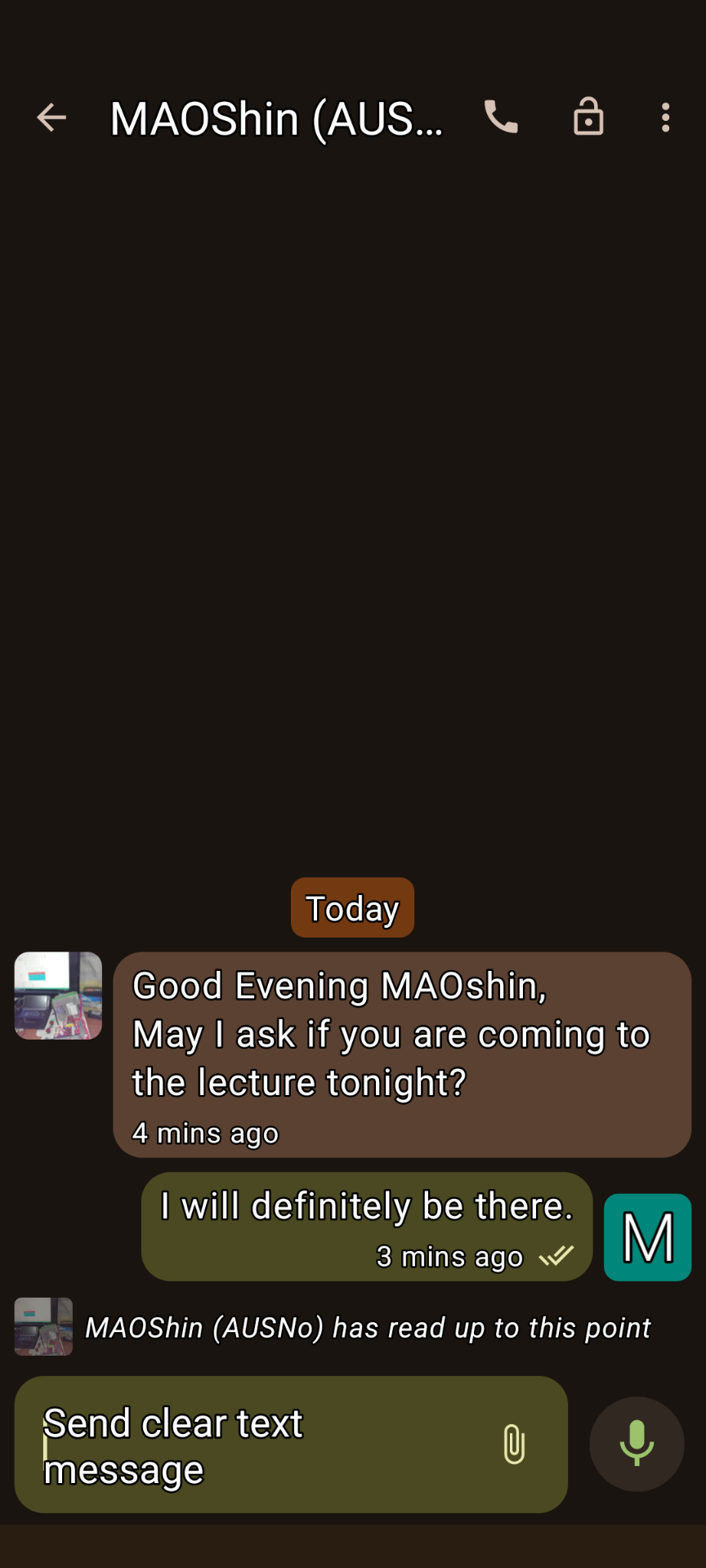
XMPP Conversations 1
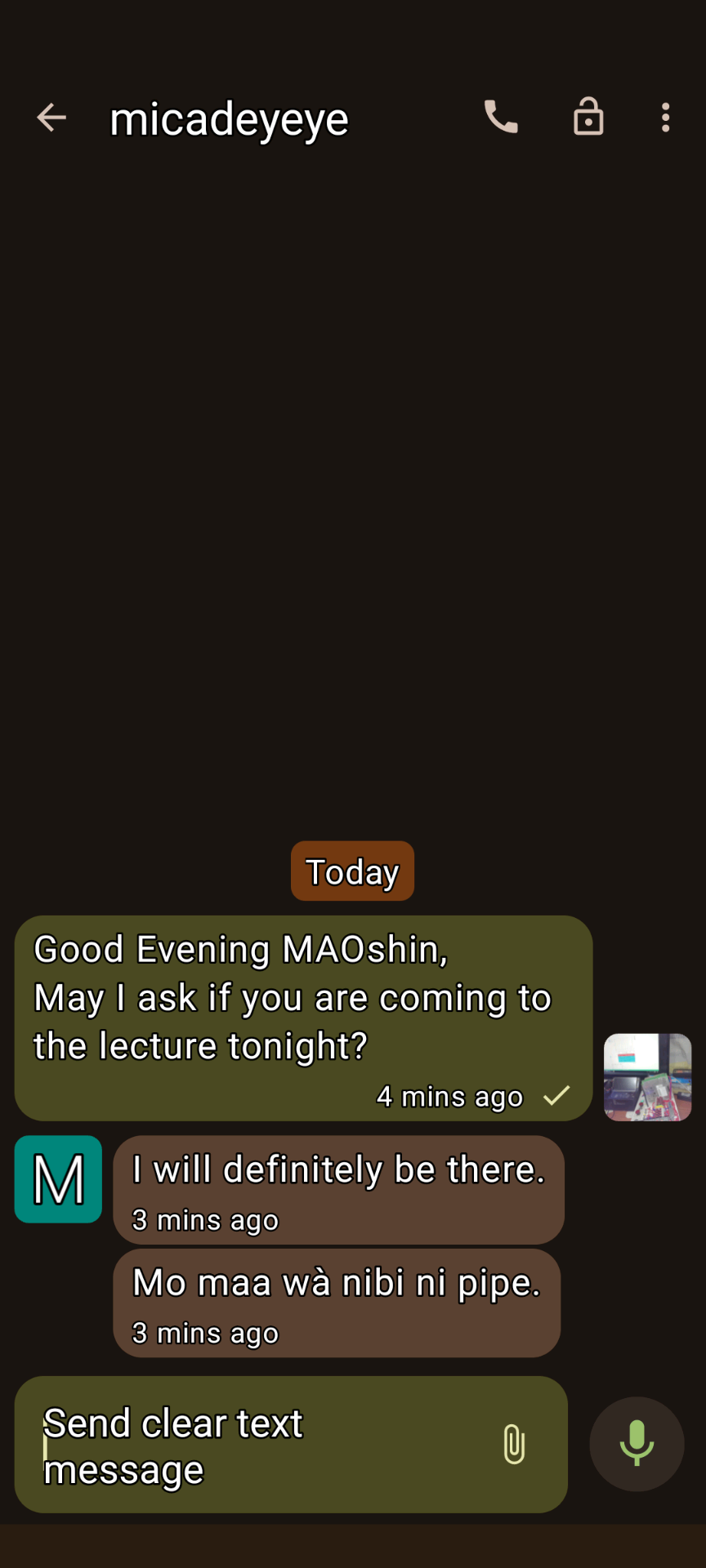
XMPP Conversations 2
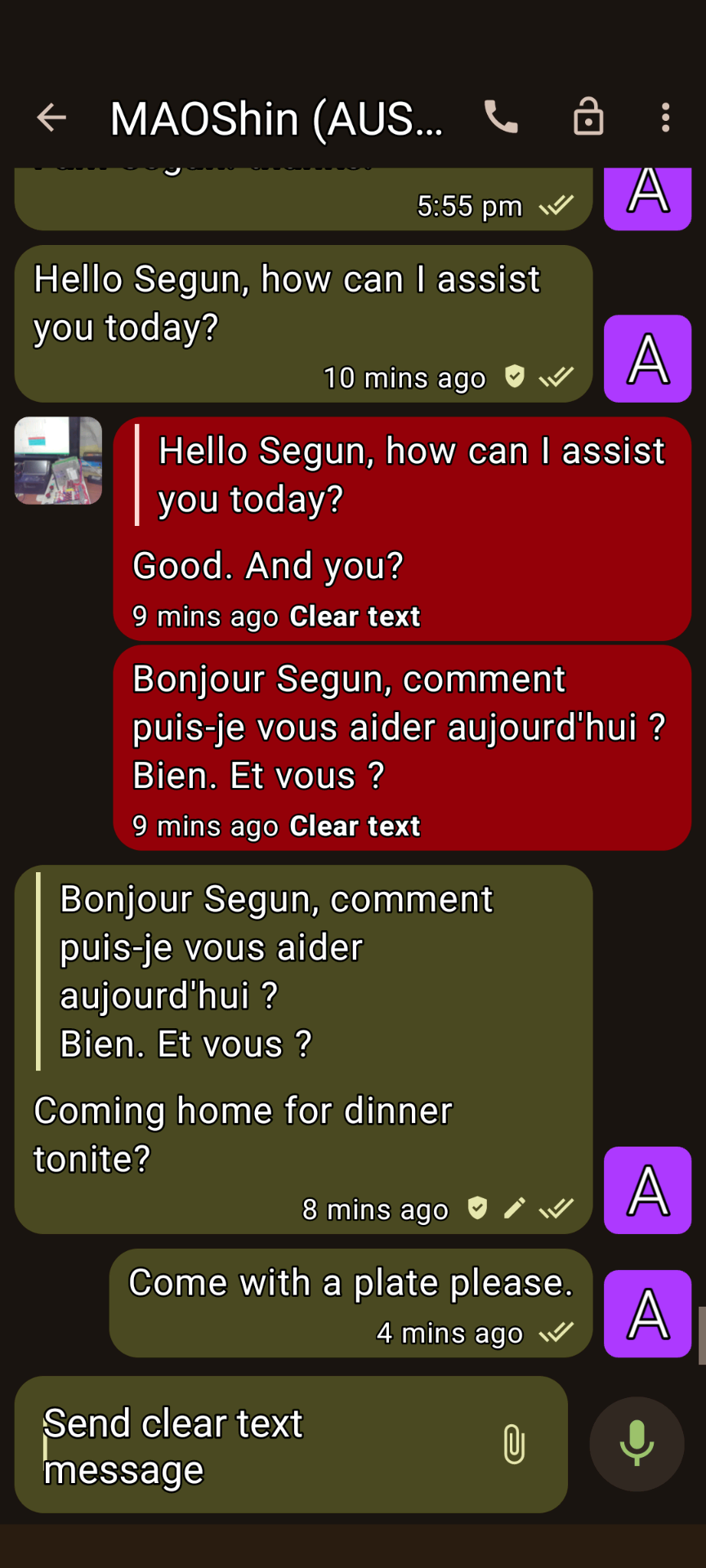
XMPP Conversations 3
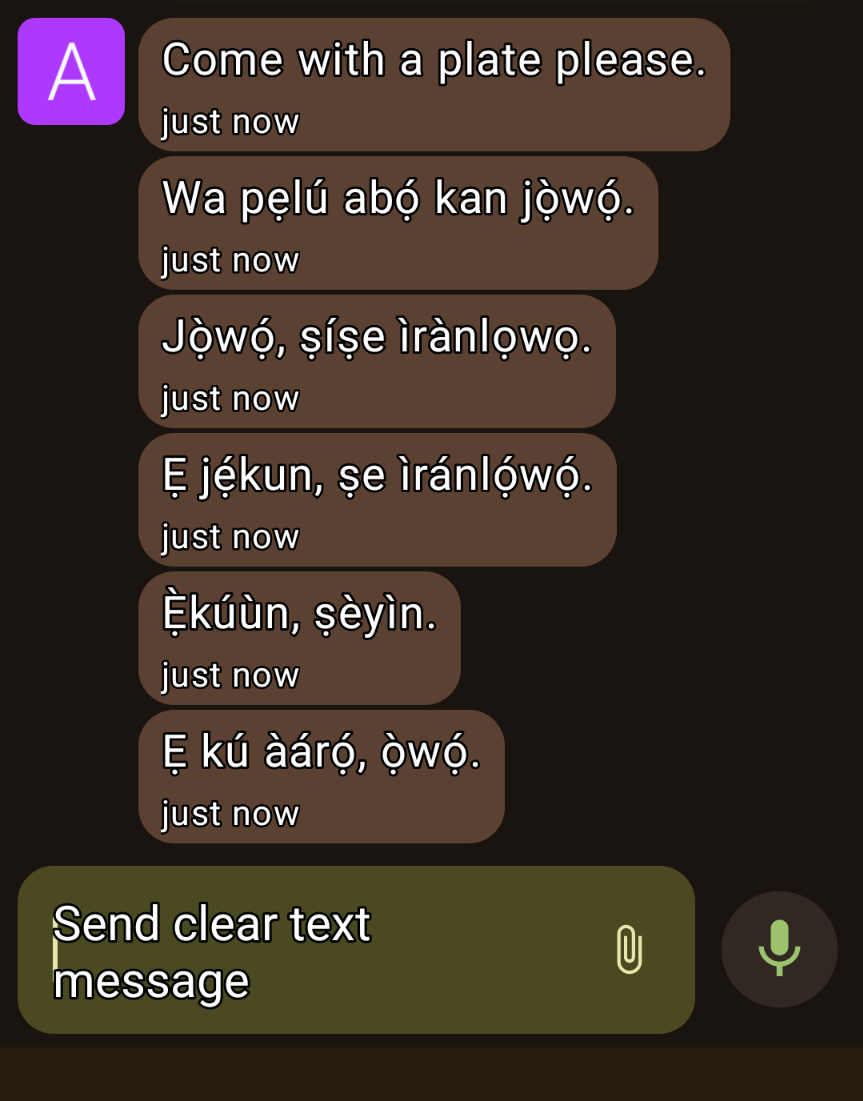
XMPP Conversations 4
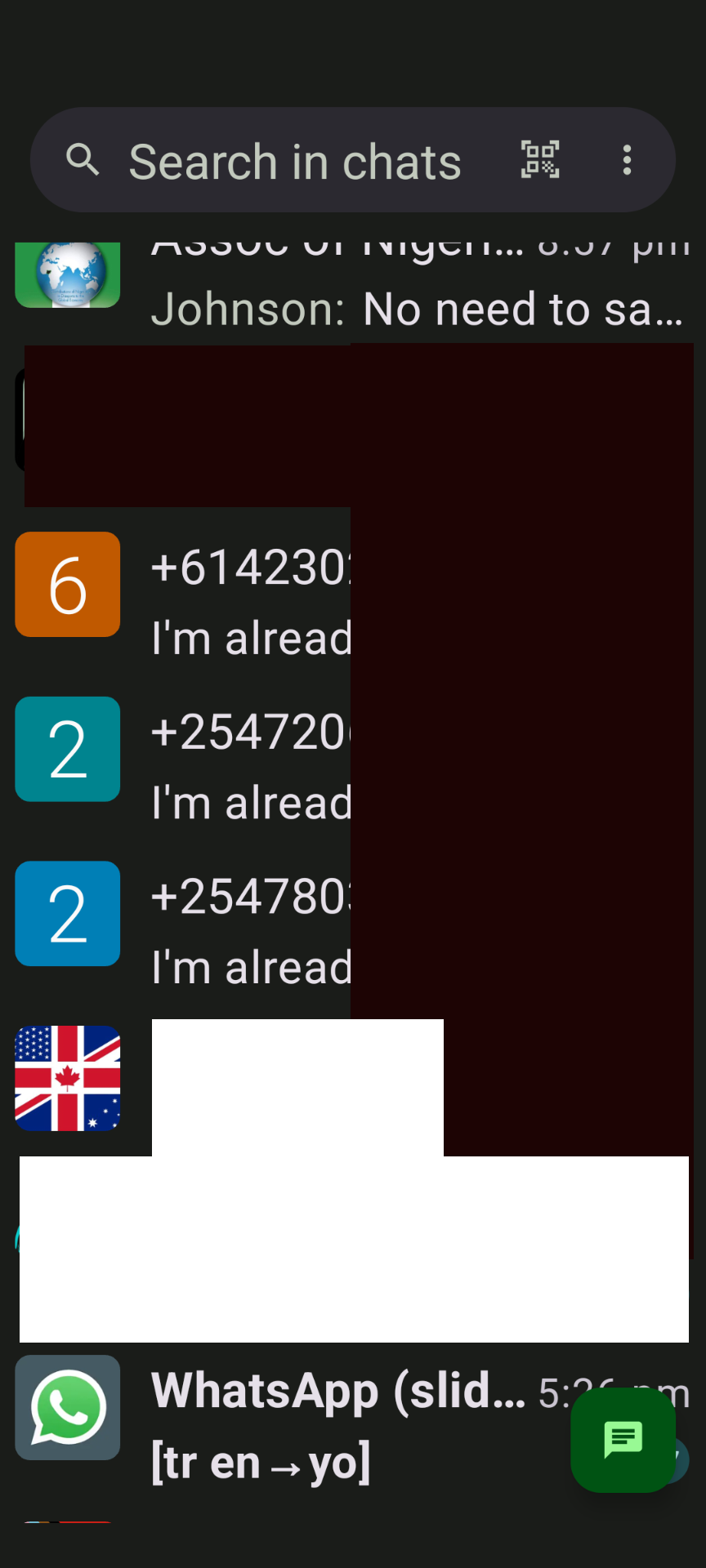
XMPP Conversations 5
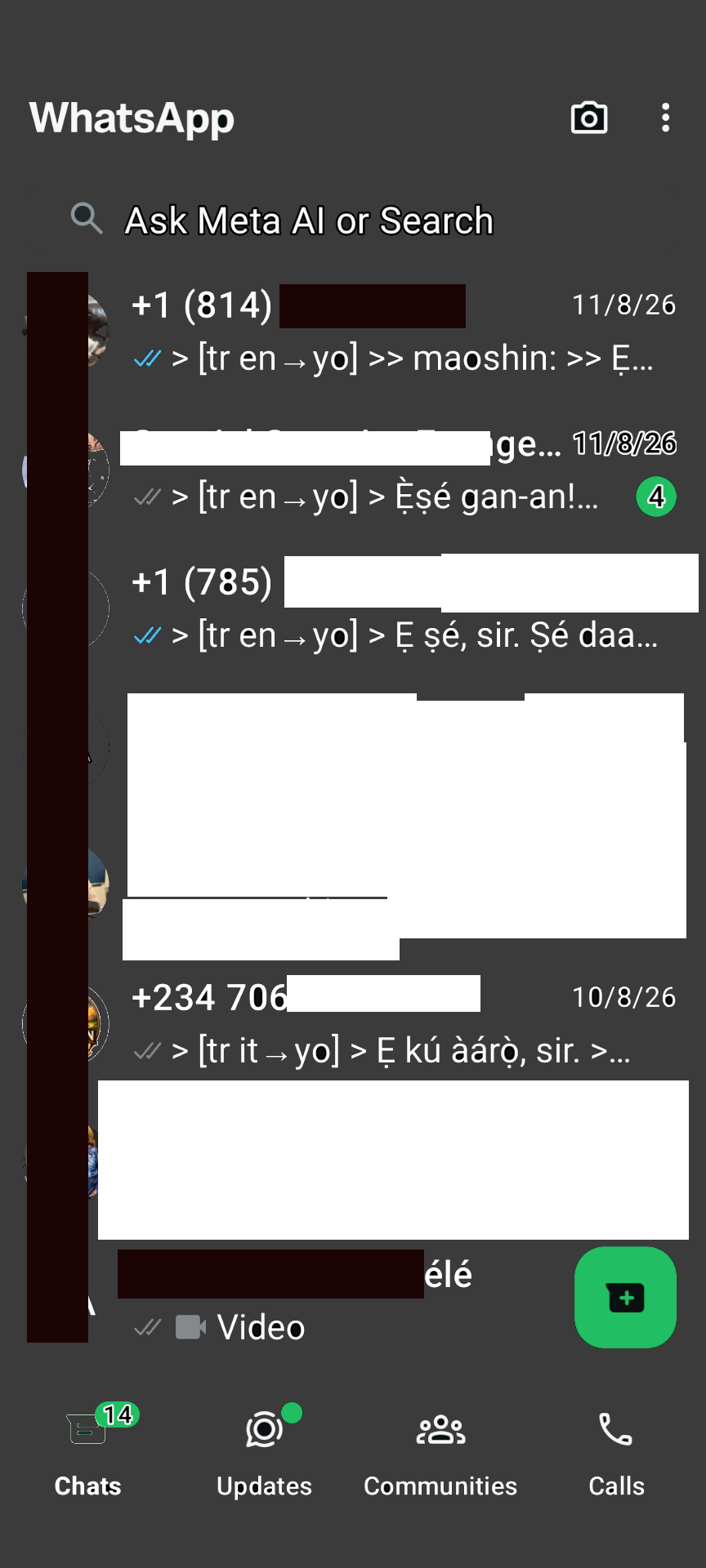
WhatsApp Bridge
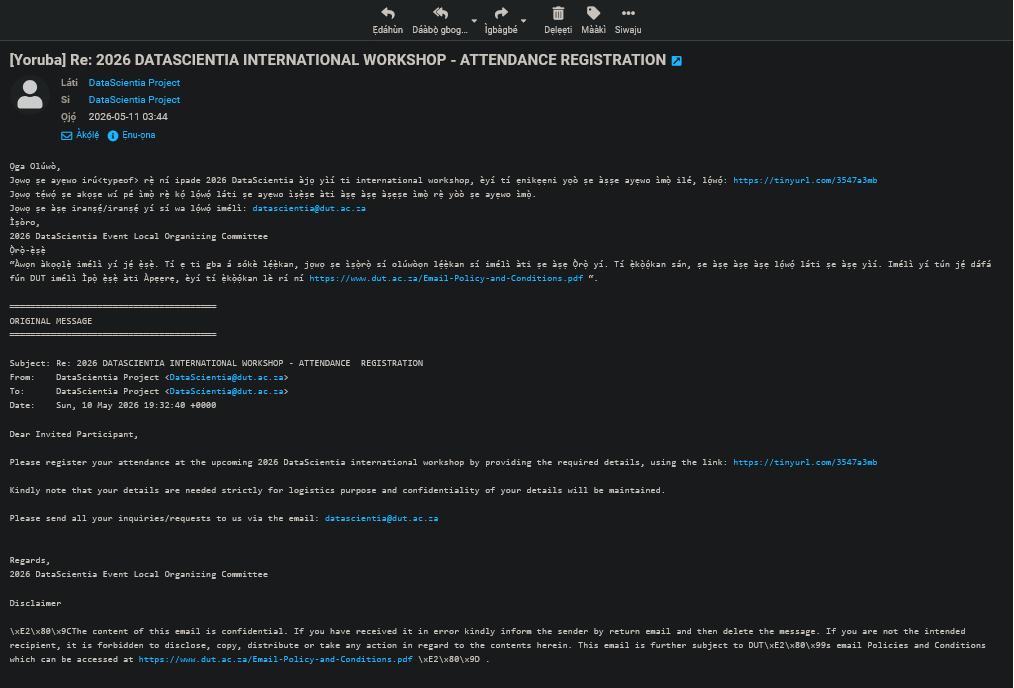
Roundcube email translation
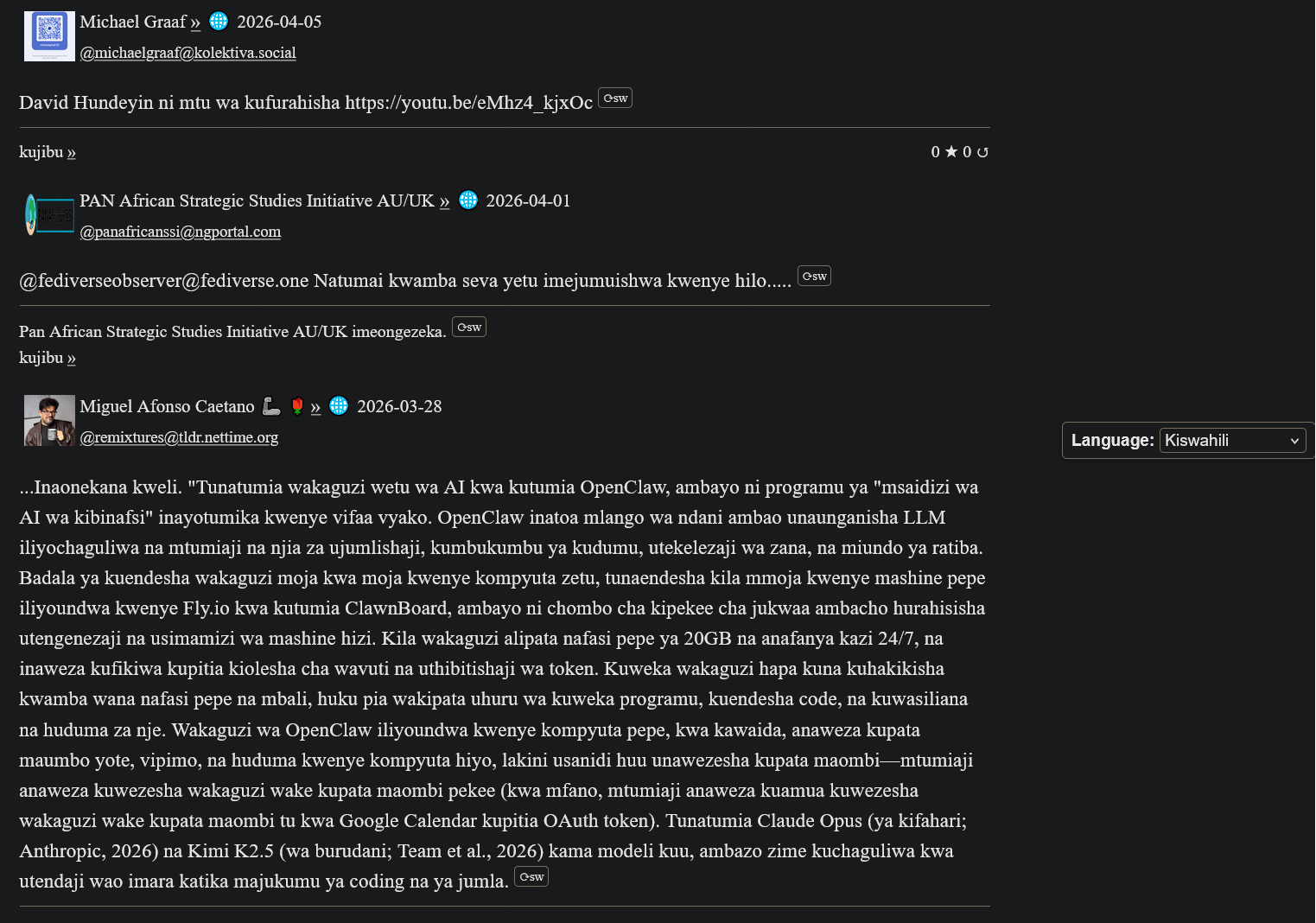
ActivityPub Swahili translation
My(A)SyncComms Testimonials
"Thanks for the translation to Yoruba. Lol. Remain blessed. Amen"
— Nkechi (Prof.)

(Animated Image Response to Arabic)
— Sbraheem (Engr.)
"I think my phone has been hacked, when did you learn Igbo"
— Emmanuel (CPEng)
Getting Started
1. Register an XMPP Account
Create a free account on our XMPP server at ngportal.com via the Web Registration Form or the request form below, then sign in with any client:
For security, you cannot create an account directly inside the chat apps. The easiest way is the request form below — a single request creates all your accounts at once, including your email.
Creating a chat account automatically creates your email account too — with email translation, semantic analysis, and offline messages from your chats delivered straight to your inbox.
Request an Account
Step 1 - Create your account here FIRST, then download an app. Apps cannot sign you up.
Fill in the form to request an XMPP chat account. We will also create a matching email account for you — auto-provisioned instantly.
PANAfricanSSI Chat for Tablets & Phones (Android)
Conversations (Android)

paid on Google Play, but free on F-Droid
Monocles (Android)
Also available on F-Droid or via QR download at monocles.chat
aTalk (Android)
Yaxim (Android)
PANAfricanSSI Chat for iPhone & iPad (Apple iOS)
ChatSecure (Apple iOS/iPhone)

Monal (Apple iOS/iPhone)
Astral (Apple iOS/iPhone)
Currently in beta testing
PANAfricanSSI Chat — Unified Communication & Suite of Apps
- Start here — create your account with the request form below on this page: one single request creates all your accounts together — chat, email and the WhatsApp/Telegram bridges
- IMPORTANT: create your account FIRST — before you download or sign in to any app. The apps have nothing to connect to until your account exists.
- You can also create your account with our web registration form (works in your browser, no app needed — no port number: use this if your network blocks non-standard ports)
- Then sign in — open the PANAfricanSSI Chat APP — your unified communication & suite of apps for tablets, phones and desktop: chat, email, SMS, voice, WhatsApp/Telegram bridges and the Translator, all in one place, no installation needed
- The same app, no port needed — use this if some networks block ports
- Chat in your browser: Our Converse.js or Our Converse.js — no port needed (use this if your network blocks ports) — as an alternative, there is also the public Converse.js web app
Install Our Mobile App
Chat, translation, and messaging in your native language — one app for all our services.
PANAfricanSSI Chat APP for tablets and phones — our Android app (APK file)
PANAfricanSSI Chat APP for iPhone and iPad — our iPhone/iPad support project
The app is currently available to users installing from source, e.g. F-Droid (Android) or our app project download (iPhone/iPad). It has been submitted and is under review for inclusion in both the Google Play Store and the Apple App Store.
Desktop (optional): Windows/Linux desktop app, another Windows/Linux desktop app (Desktop)
For phones and tablets we recommend the mobile app above. On a desktop or laptop, our web app is the best choice — no installation needed.
Advanced: connect a desktop app
Host: xmsgs.ngportal.com
Port: 5222
2. Set Your Cell Phone Number
To use voice calls and SMS via the translator bot, register your cell phone number once. This number is used as the callback when placing a call — your phone rings first, and when you answer, the call connects to your destination.
Open a chat with translator@ngportal.com and send: mycell:+614XXXXXXXX
Replace with your full cell number including country code. The bot confirms your number is saved. You can update it anytime.
3. Voice Calls & SMS via the Translator Bot
Once your cell number is set (Step 2), you can place calls and send SMS to any phone number directly from your XMPP chat:
- Open a chat with
translator@ngportal.com - Send a phone number (e.g.
+61434428714) or a contact's chat address - The bot replies with a menu: 1 Voice call, 2 Video call, 3 Send SMS, 4 Cancel
- Reply with your choice. For voice calls, your cell phone rings first — answer to connect. For SMS, type your message when prompted.
- Video calls work between XMPP users only (phone numbers cannot receive video).
Your Numbers
Your registered XMPP accounts and their associated phone numbers are managed in the account portal at myaccount.ngportal.com. When you add or update a phone number there, it is automatically available for voice calls and SMS via the translator bot.