Awọn ibaraẹnisọrọ mi
On-the-fly translation for XMPP Chat, Email, SMS, Fediverse Social Networks, WhatsApp, and Telegram — in your native language. One account, one app: your unified communication & suite of apps.
Itumọ Iwiregbe XMPP
Real-time message translation in any group or one-to-one chat — in our web app or the mobile and desktop apps.
Itumọ Imeeli
Awọn imeeli ti nwọle ni aladaaṣe tumọ si ede ayanfẹ rẹ nipasẹ Roundcube & SnappyMail.
WhatsApp Afara
WhatsApp messages bridged to XMPP with translation via the XMPP/SIP/WebRTC Gateway.
Telegram Afara
Telegram messages bridged to XMPP with translation via the XMPP/SIP/WebRTC Gateway.
Fediverse Social Networks
Post and follow across Fediverse social networks (Mastodon, ActivityPub) with on-the-fly translation, bridged to XMPP.
Ohùn & Aworan
Fi akọsilẹ ohun ranṣẹ ki o jẹ ki a kọ ati tumọ rẹ. Fi fọto ranṣẹ ki o gba ọrọ inu rẹ ka jade. Awọn idahun le pada wa bi ohun ti a sọ.
Voice Calls & SMS
Make voice calls and send SMS to any phone number from your XMPP chat. Send a number to the translator bot and choose call or SMS. Your cell rings first, then connects via the PSTN gateway.
Ììtúpalẹ̀ Ìtumọ̀ Ọ̀rọ̀ (RAG)
Imeeli tí a tú ọ̀kọ̀ọ̀kan yóò tún gba imeeli ẹlẹgbẹ́ tí ó ní ìtúpalẹ̀ ìtumọ̀ ọ̀rọ̀. Ètò ìṣẹ̀dá ọ̀rọ̀ tí ìmọ̀ tí a gbàsílẹ̀ ń ṣe ìgbélárugẹ (RAG) nínu Langflow ń pín àkótán sí àwọn ẹ̀ka — bí àpẹẹrẹ Òfin Áfíríkà, Ààbọ̀, Ìṣàkóso Ìjọba, àti bẹ́ẹ̀ bẹ́ẹ̀ lọ — kí o lè rí lẹ́sẹ̀kẹ̀sẹ̀ ohun tí imeeli rẹ ń sọ ní tòótọ́.
- Kò sí olètò ìlòwó tàbí ti ẹrọ — a kò rí àmì olètò kankan nínú 432 tí a mọ̀
- Ìṣirò ewu àṣírí: kò sí — kò sí SDK ìpolówọ̀ tàbí ìwádìí ènìyàn tí a fi pọ̀ mọ́ ọ́
- A kò rí ẹ̀rù ìṣòro pàtàkì nínú àyẹ̀wò kóòdù tí kò ṣiṣẹ́
- Kò sí aṣìṣe àtòjọ ààbọ́ àgbálà ayélujára
- Kò sí data Firebase tàbí cloud tí a fi hàn
- Kò sí ọ̀rọ̀ aṣírí, ọ̀rọ̀-ìjìnbà tàbí kókó API tí a fi kún kóòdù
- Kò sí orúkọ ààyàn ayélujára tí ó jọ mọ́ ọ̀daràn dígbí tí a mọ̀
- Ìyọ̀ndà díẹ̀: intánẹ́ẹ̀tì, kámẹ́rà àti mìíròfòònì nìkan — kò sí ìwọlé sí ipò, àwọn alábàápàdé, SMS tàbí ibi ìpamọ́ fáìlì
- Pàkẹ̀tì ìgbékalẹ̀ tí a fi ọwọ́ ìsàmì díjítálì ṣàmì (APK Signature Scheme v2)
Email Security & Standards Compliance (internet.nl)
Ti gbalejo Ninu Ile - Data Rẹ Duro Tirẹ
Gbogbo apakan ti iṣẹ yii nṣiṣẹ lori olupin tiwa: olupin XMPP, olupin meeli, awọn afara WhatsApp ati Telegram, ẹrọ itumọ, ati awọn awoṣe ọrọ ati aworan. Awọn ifiranṣẹ rẹ ko ranṣẹ si olupese awọsanma ti ẹnikẹta lati tumọ.
- Data nupojipetọ: awọn ibaraẹnisọrọ rẹ ati imeeli duro lori awọn amayederun ti a ni ati ṣiṣẹ, labẹ awọn ofin ijọba tiwa.
- Itumọ ti ara ẹni: Awọn awoṣe ede tiwa ṣe itumọ ni ile, nitorinaa akoonu ifiranṣẹ ko ni fi si iṣẹ ita.
- Ko si profaili ẹni-kẹta: a ko ta, temi, tabi pin awọn ifiranṣẹ rẹ, ati pe ko si awọn olutọpa ipolowo.
- Awọn iṣedede ṣiṣi: XMPP ati imeeli jẹ awọn ilana ṣiṣi, nitorinaa o ko ni titiipa si olutaja kan rara.
- Ipilẹṣẹ ipari-si-opin wa pẹlu OMEMO ni eyikeyi alabara XMPP ti o ṣe atilẹyin.
- Ìyọ kúrò nínú ìfọwọ́sílẹ̀ rorùn: ó kan tú àsọpọ̀ WhatsApp tàbí Telegram rẹ nútì kúrò nínú àkántì rẹ — ó sì pa àwọn dátà olùlo rẹ (àwọn ìbánisọ̀rọ̀, àwọn ìtumọ̀, àti ìfẹ́ èdè) rẹ́ kúrò nínú àwọn sẹ́fà wa.
Translation Quality & Training Transparency
Awọn itumọ ifiwe laaye rẹ nṣiṣẹ patapata lori awọn olupin tiwa ni lilo awọn awoṣe ede ti ara ẹni ti gbalejo. Awọn ifiranṣẹ rẹ ko fi awọn amayederun wa silẹ lakoko iṣẹ deede.
Lati ṣe ilọsiwaju deedee itumọ nigbagbogbo, a ṣe atunṣe awọn awoṣe wa lorekore nipasẹ ṣiṣe atunṣe itanran QLoRA. Lakoko awọn akoko ikẹkọ loorekoore wọnyi, awọn ayẹwo ifiranṣẹ ailorukọ le ni ilọsiwaju nipasẹ aabo, awọn olupese awoṣe ede ita ti o dara julọ lati ṣe agbekalẹ data ikẹkọ didara ga. Eyi n ṣẹlẹ nikan lakoko awọn ipele ilọsiwaju awoṣe, kii ṣe lakoko lilo lojoojumọ.
- Itumọ laaye: 100% ti gbalejo. Awọn ifiranṣẹ rẹ duro lori olupin wa.
- Idanileko awoṣe: ṣẹlẹ loorekoore, nlo data ailorukọ, ati gba awọn olupese ita to ni aabo fun awọn abajade didara to dara julọ.
- Awọn data ikẹkọ jẹ lilo nikan lati mu ilọsiwaju itumọ fun awọn ede Afirika.
- A ko ta, profaili, tabi pin akoonu rẹ pẹlu awọn ẹgbẹ kẹta fun ipolowo tabi awọn idi iṣowo.
- Pupọ julọ ti akoko naa, awọn ifiranṣẹ rẹ ti ni ilọsiwaju ni iyasọtọ nipasẹ awọn amayederun tiwa.
Single Sign-On & Two-Factor Authentication
Sign in once to securely access mycloud (Nextcloud), email via SnappyMail & Roundcube webmail, and the Learning Management System (Moodle). One account, protected by Two-Factor Authentication, covers all of these services.
- Wọlé ẹyọkan ni a pese nipasẹ Authelia ni lilo OpenID Connect (OIDC).
- Ṣakoso akọọlẹ rẹ ati awọn eto iwọle nipasẹ ọna abawọle akọọlẹ ni
myaccount.ngportal.com. - Ijeri-ifosiwewe-meji (2FA) nlo awọn ọrọ igbaniwọle akoko kan ti o da lori akoko (TOTP) ati pe o ni ibamu pẹlu eyikeyi ohun elo ijẹrisi.
- Olupese idanimọ ti gbalejo ni kikun, nitorinaa awọn iwe-ẹri rẹ wa lori awọn amayederun tiwa.
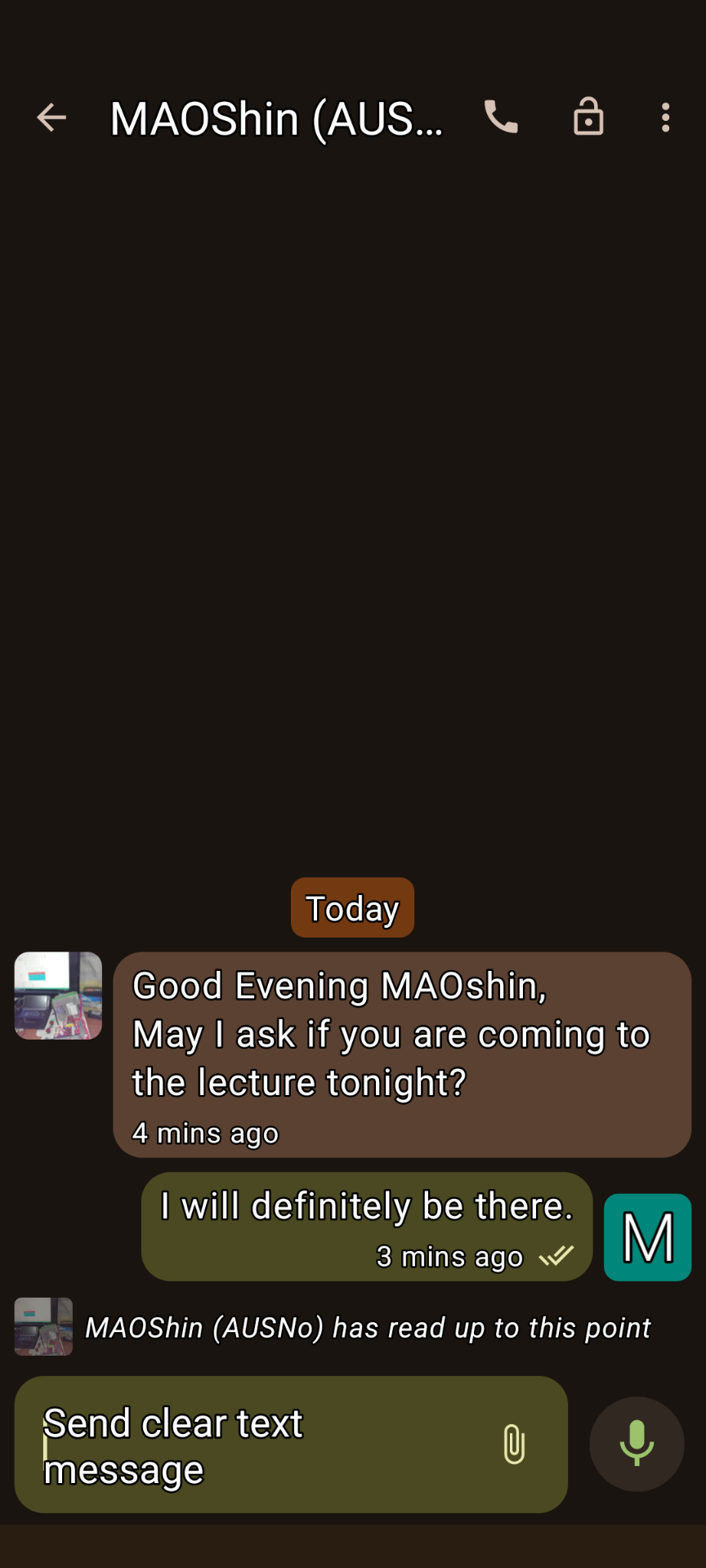
XMPP Conversations 1
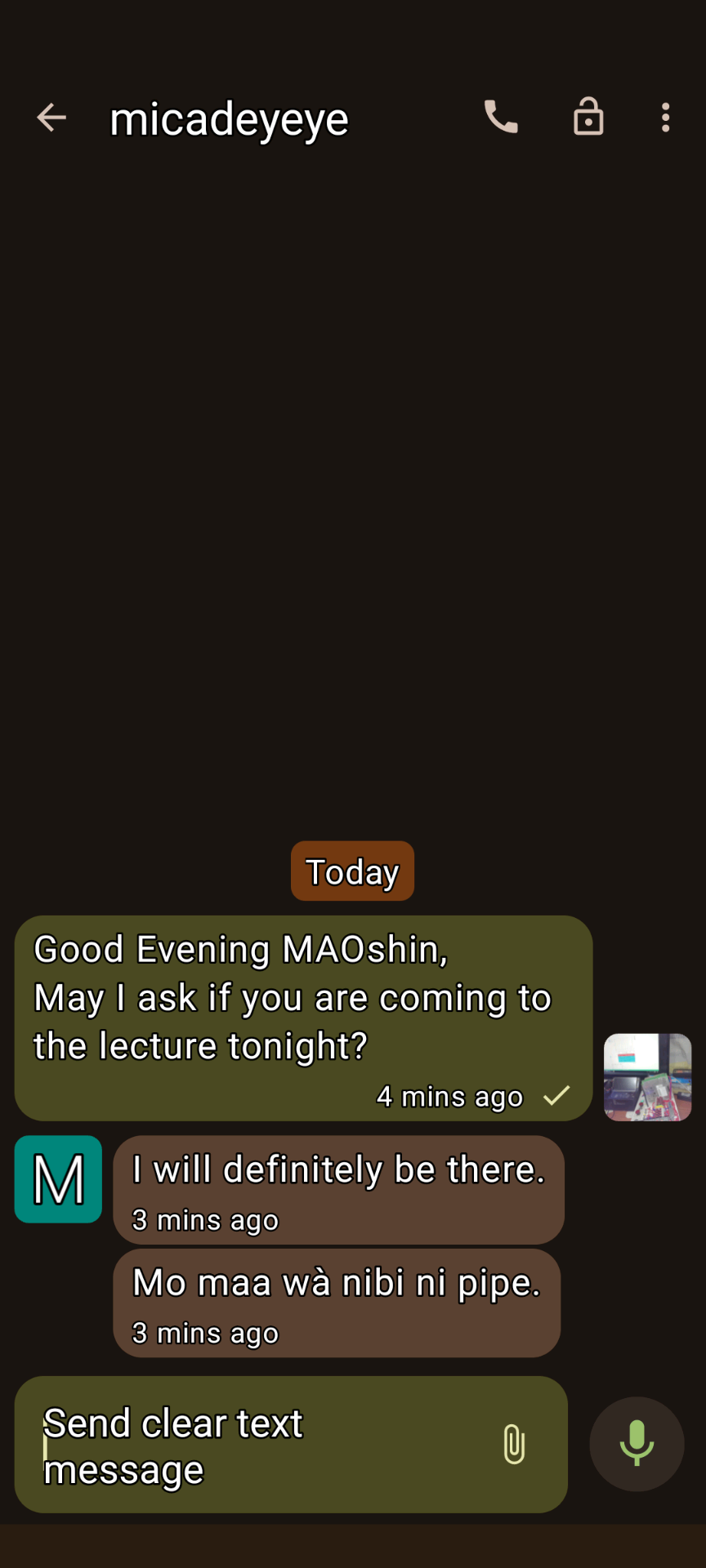
XMPP Conversations 2
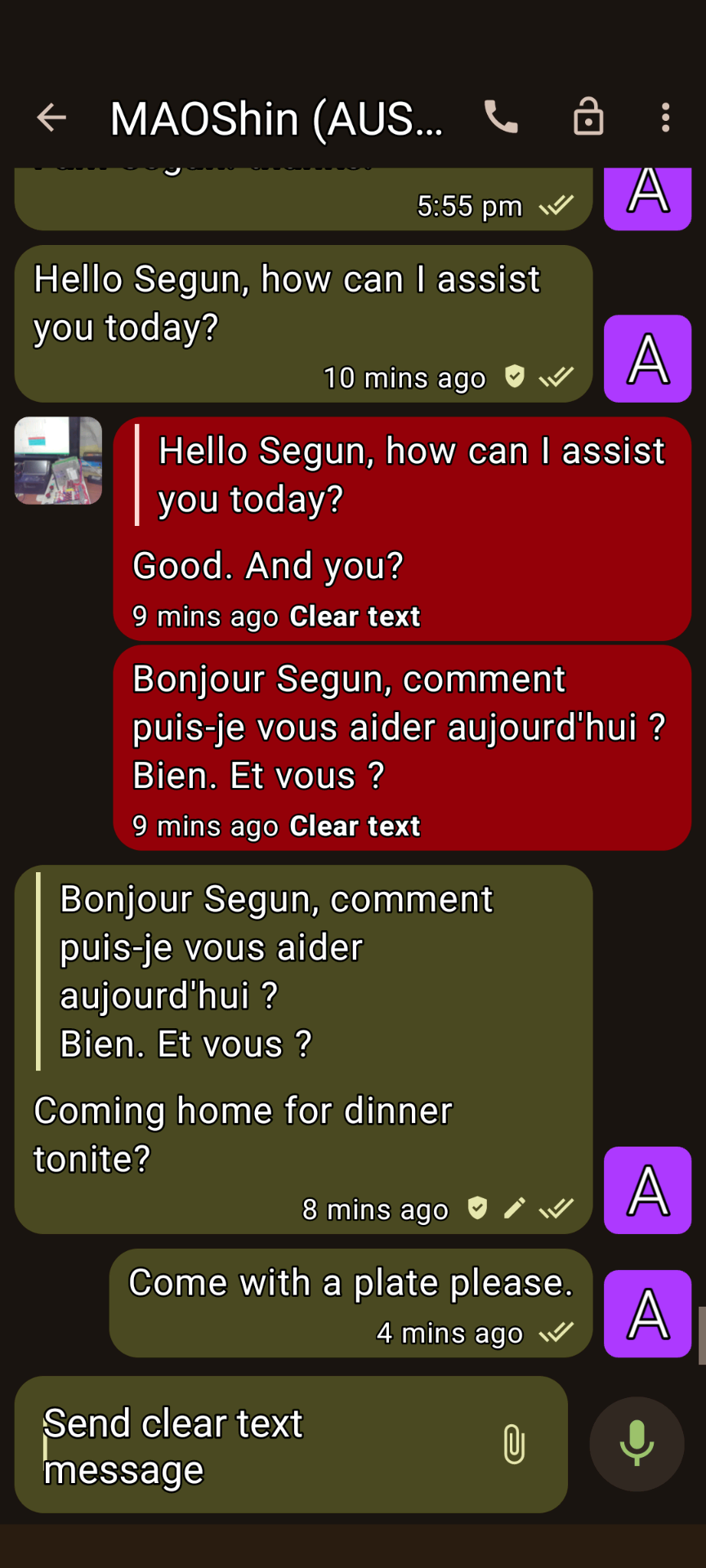
XMPP Conversations 3
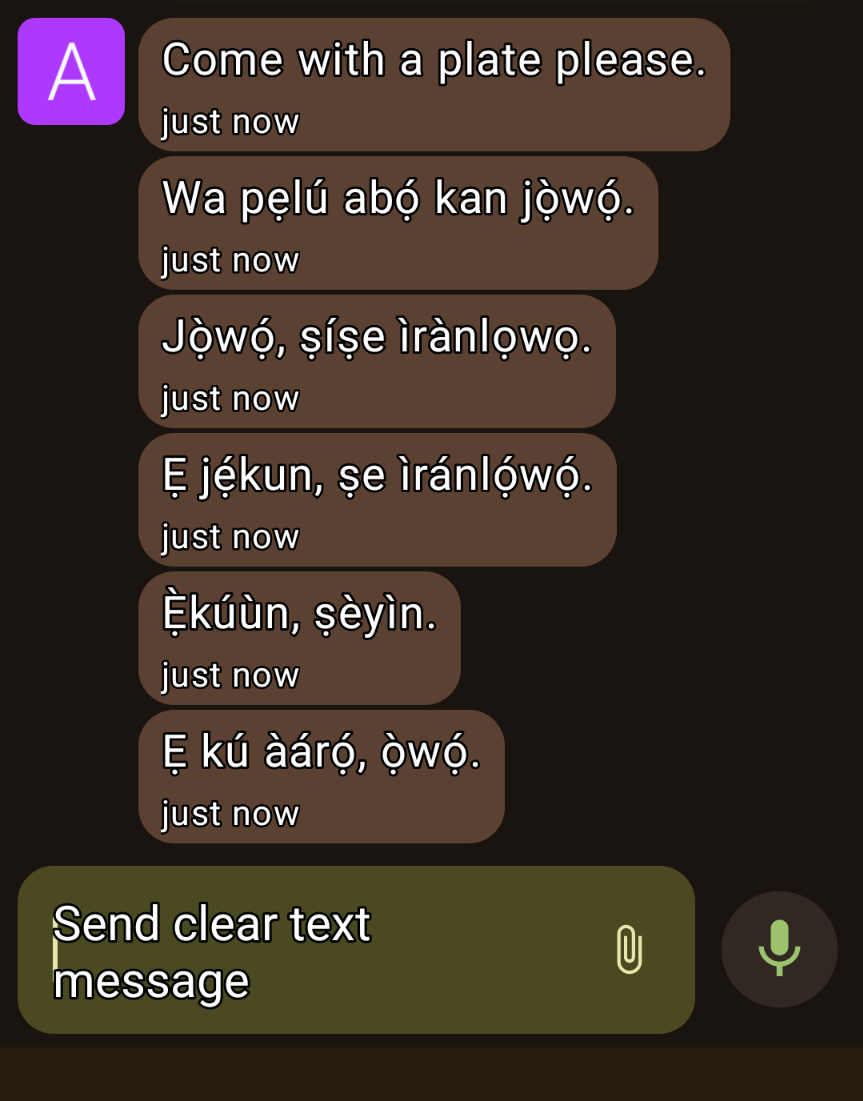
XMPP Conversations 4
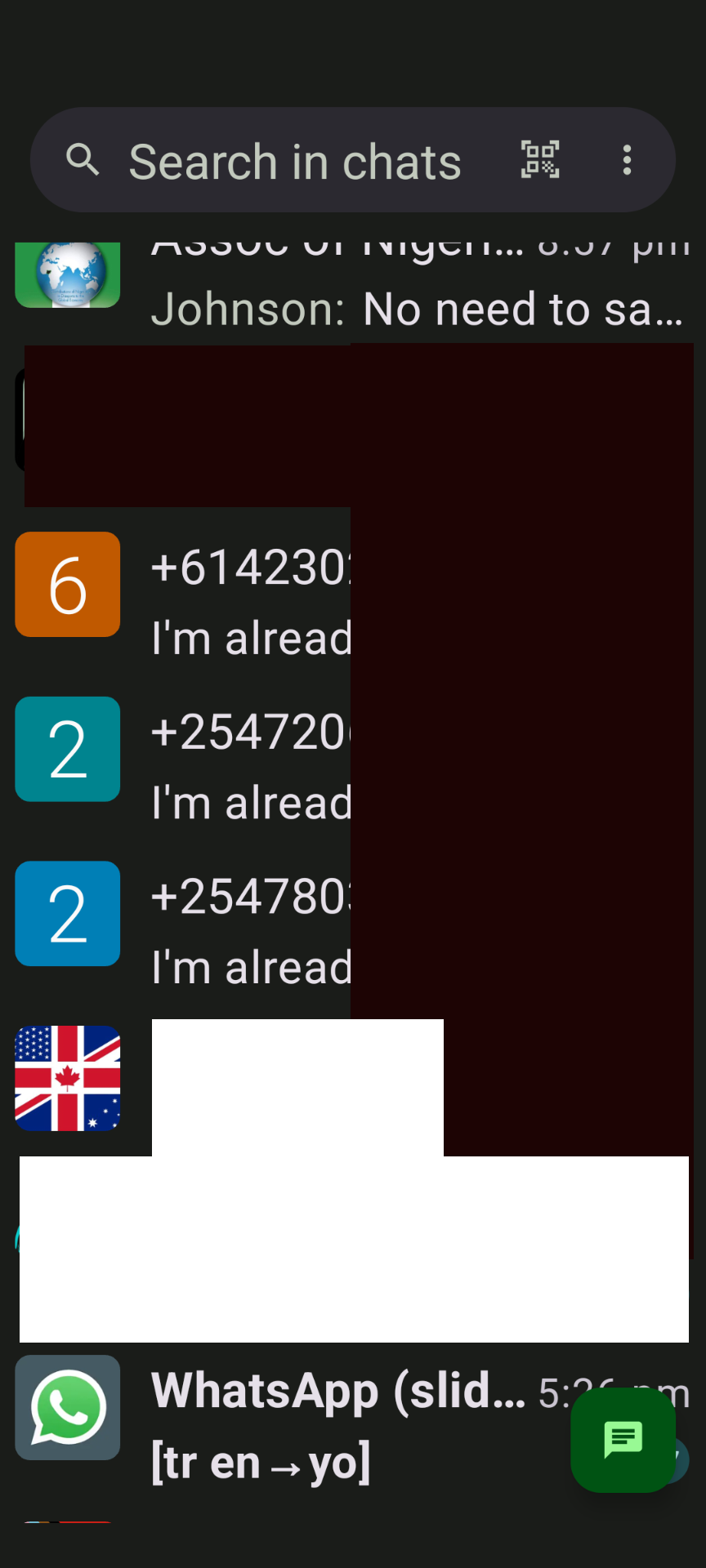
Awọn ibaraẹnisọrọ XMPP 5
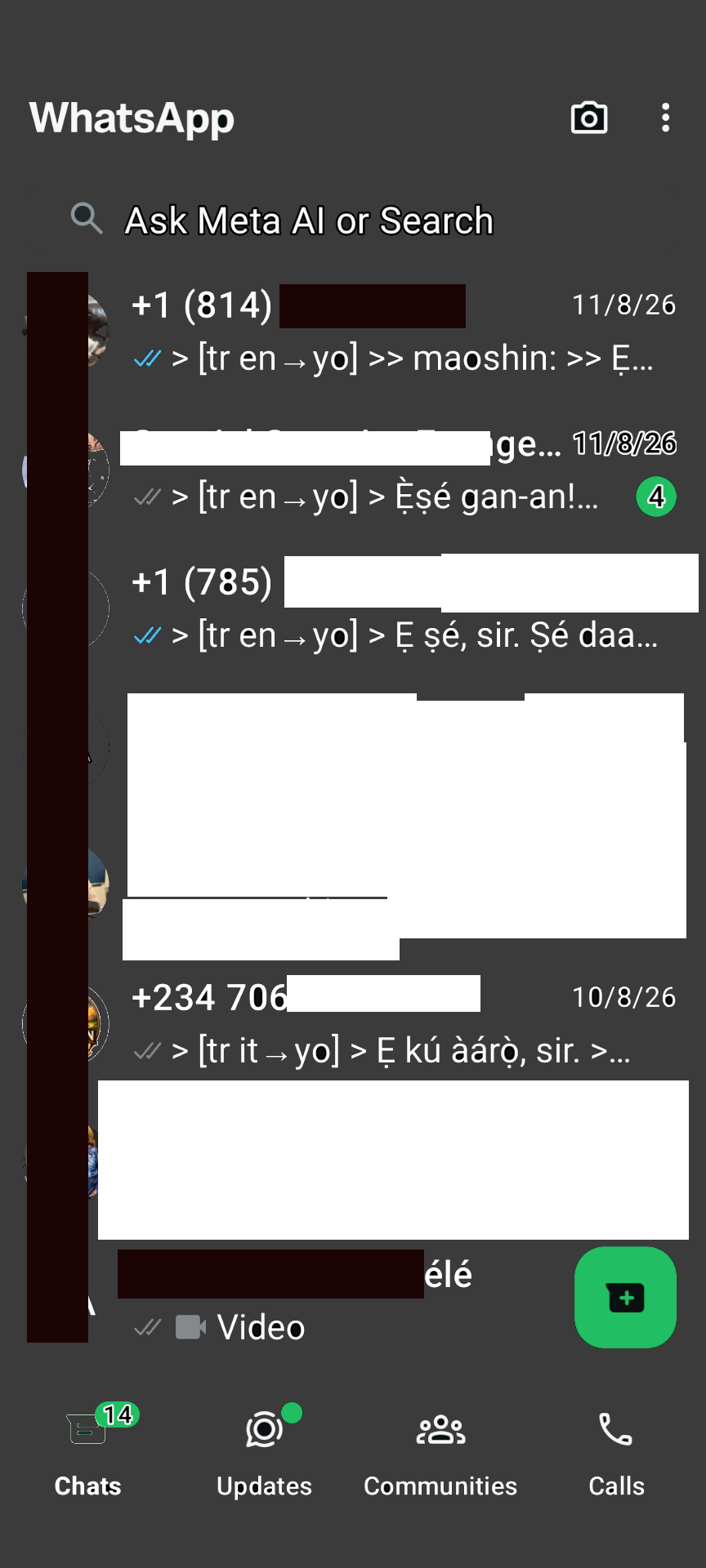
WhatsApp Afara
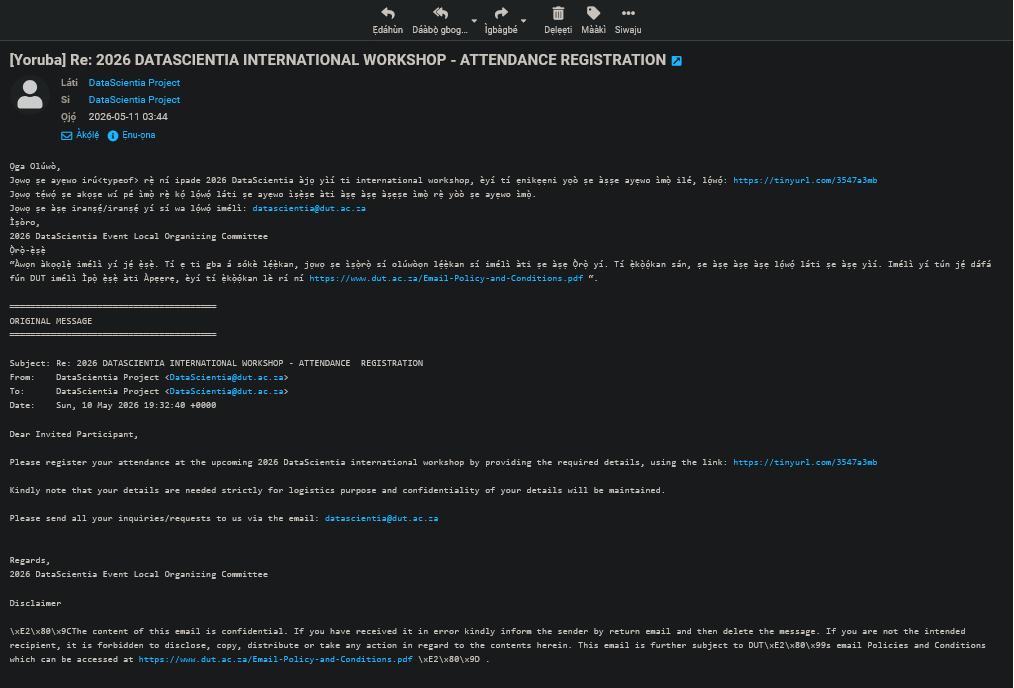
Roundcube email translation
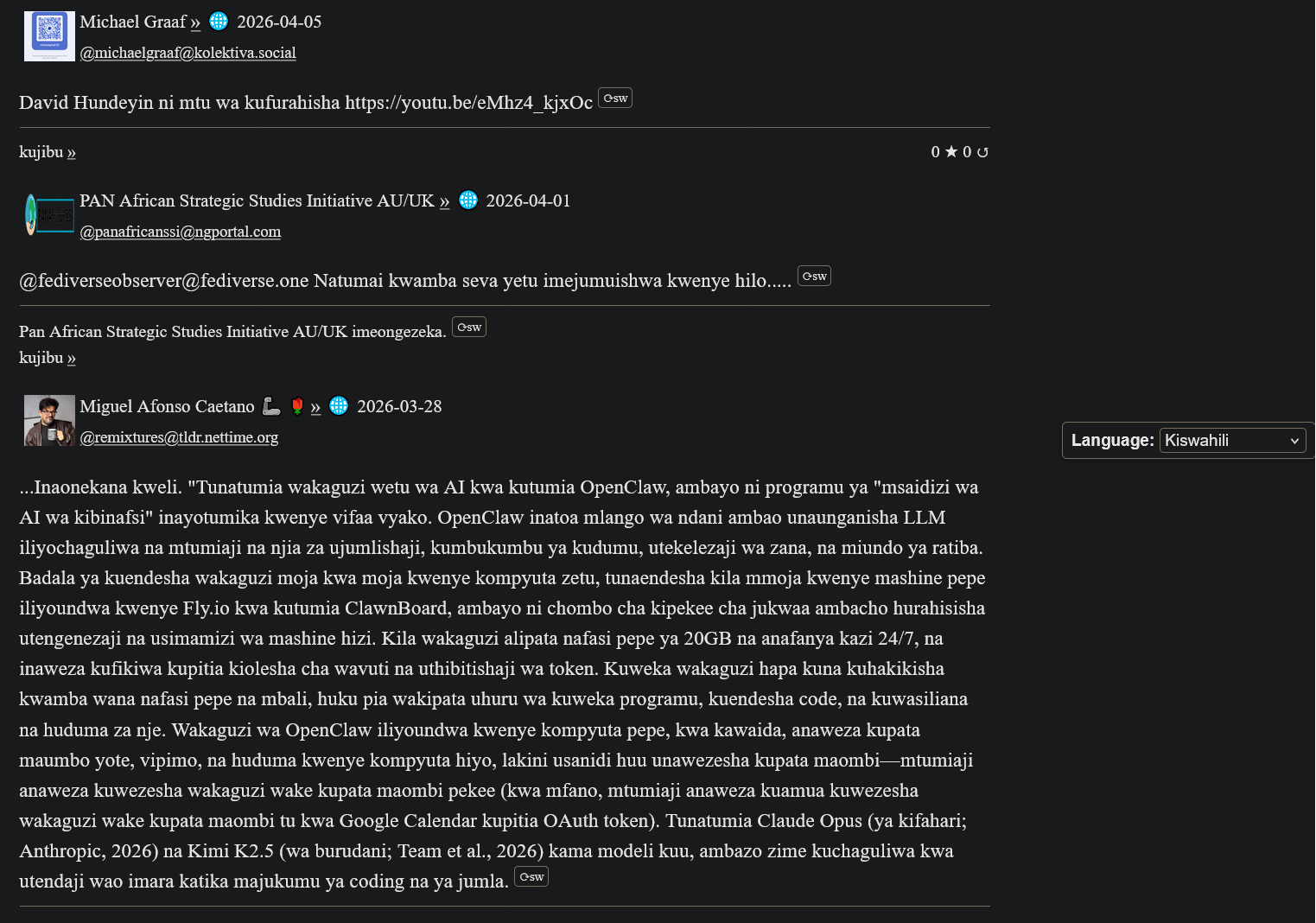
Ìtumọ̀ ActivityPub ní Swahili
Ìwádìí Àwọn Olùránlọ́wọ́ My(A)SyncComms
"Thanks for the translation to Yoruba. Lol. Remain blessed. Amen"
— Nkechi (Prof.)

(Animated Image Response to Arabic)
— Sbraheem (Engr.)
"I think my phone has been hacked, when did you learn Igbo"
— Emmanuel (CPEng)
Bibẹrẹ
1. Forukọsilẹ XMPP Account
Create a free account on our XMPP server at ngportal.com via the Web Registration Form or the request form below, then sign in with any client:
For security, you cannot create an account directly inside the chat apps. The easiest way is the request form below — a single request creates all your accounts at once, including your email.
Creating a chat account automatically creates your email account too — with email translation, semantic analysis, and offline messages from your chats delivered straight to your inbox.
Beere Account
Step 1 - Create your account here FIRST, then download an app. Apps cannot sign you up.
Fọwọsi fọọmu naa lati beere akọọlẹ iwiregbe XMPP kan. A yoo tun ṣẹda iwe apamọ imeeli ti o baamu fun ọ - ti pese ni aifọwọyi lẹsẹkẹsẹ.
PANAfricanSSI Chat for Tablets & Phones (Android)
Awọn ibaraẹnisọrọ (Android)

wọ́n ń san owó rẹ̀ lórí Google Play, ṣùgbọ́n ọ̀fẹ́ lórí F-Droid
Monocles (Android)
Also available on F-Droid or via QR download at monocles.chat
aTalk (Android)
Yaxim (Android)
PANAfricanSSI Chat for iPhone & iPad (Apple iOS)
ChatSecure (Apple iOS/iPhone)

Monal (Apple iOS/iPhone)
Astral (Apple iOS/iPhone)
Currently in beta testing
PANAfricanSSI Chat — Unified Communication & Suite of Apps
- Start here — create your account with the request form below on this page: one single request creates all your accounts together — chat, email and the WhatsApp/Telegram bridges
- IMPORTANT: create your account FIRST — before you download or sign in to any app. The apps have nothing to connect to until your account exists.
- You can also create your account with our web registration form (works in your browser, no app needed — no port number: use this if your network blocks non-standard ports)
- Then sign in — open the PANAfricanSSI Chat APP — your unified communication & suite of apps for tablets, phones and desktop: chat, email, SMS, voice, WhatsApp/Telegram bridges and the Translator, all in one place, no installation needed
- The same app, no port needed — use this if some networks block ports
- Chat in your browser: Our Converse.js or Our Converse.js — no port needed (use this if your network blocks ports) — as an alternative, there is also the public Converse.js web app
Gbé Àpamọ́wá Wa Sí Ẹrọ Rẹ
Ìbánisọ̀rọ̀, ìtumọ̀ àti ìfiránṣẹ́ ní èdè abínibí rẹ — àpamọ́wá kan fún gbogbo iṣẹ́ wa.
PANAfricanSSI Chat APP for tablets and phones — our Android app (APK file)
PANAfricanSSI Chat APP for iPhone and iPad — our iPhone/iPad support project
The app is currently available to users installing from source, e.g. F-Droid (Android) or our app project download (iPhone/iPad). It has been submitted and is under review for inclusion in both the Google Play Store and the Apple App Store.
Tabili (aṣayan): Windows/Linux desktop app, another Windows/Linux desktop app (Ojú-iṣẹ)
For phones and tablets we recommend the mobile app above. On a desktop or laptop, our web app is the best choice — no installation needed.
Advanced: connect a desktop app
Host: xmsgs.ngportal.com
Port: 5222
2. Set Your Cell Phone Number
To use voice calls and SMS via the translator bot, register your cell phone number once. This number is used as the callback when placing a call — your phone rings first, and when you answer, the call connects to your destination.
Open a chat with translator@ngportal.com and send: mycell:+614XXXXXXXX
Replace with your full cell number including country code. The bot confirms your number is saved. You can update it anytime.
3. Voice Calls & SMS via the Translator Bot
Once your cell number is set (Step 2), you can place calls and send SMS to any phone number directly from your XMPP chat:
- Open a chat with
translator@ngportal.com - Send a phone number (e.g.
+61434428714) or a contact's chat address - The bot replies with a menu: 1 Voice call, 2 Video call, 3 Send SMS, 4 Cancel
- Reply with your choice. For voice calls, your cell phone rings first — answer to connect. For SMS, type your message when prompted.
- Video calls work between XMPP users only (phone numbers cannot receive video).
Your Numbers
Your registered XMPP accounts and their associated phone numbers are managed in the account portal at myaccount.ngportal.com. When you add or update a phone number there, it is automatically available for voice calls and SMS via the translator bot.