Unxibelelwano lwam
On-the-fly translation for XMPP Chat, Email, SMS, Fediverse Social Networks, WhatsApp, and Telegram — in your native language. One account, one app: your unified communication & suite of apps.
XMPP iNcoko yoGuqulelo
Real-time message translation in any group or one-to-one chat — in our web app or the mobile and desktop apps.
Inguqulelo ye-imeyile
Ii-imeyile ezingenayo ziguqulelwe ngokuzenzekelayo kulwimi olukhethayo nge-Roundcube kunye ne-SnappyMail.
WhatsApp Bridge
WhatsApp messages bridged to XMPP with translation via the XMPP/SIP/WebRTC Gateway.
Ibhulorho yeTelegram
Telegram messages bridged to XMPP with translation via the XMPP/SIP/WebRTC Gateway.
Fediverse Social Networks
Post and follow across Fediverse social networks (Mastodon, ActivityPub) with on-the-fly translation, bridged to XMPP.
Ilizwi kunye nomfanekiso
Thumela inqaku lelizwi kwaye libhalwe kwaye liguqulelwe. Thumela ifoto kwaye ufumane umbhalo kuyo ufundwe. Iimpendulo zinokubuya njengesandi esithethiweyo.
Voice Calls & SMS
Make voice calls and send SMS to any phone number from your XMPP chat. Send a number to the translator bot and choose call or SMS. Your cell rings first, then connects via the PSTN gateway.
Uhlalutyo lweSemantic (RAG)
I-imeyile nganye etolikiweyo ifumana nayo i-imeyile eqelelanayo enoUhlalutyo lweSemantic. Inkqubo ye-RAG kwi-Langflow ihlela okuqulethweyo ngokweendidi — umzekelo uMthetho weAfrika, uKhuseleko, uLawulo, nokunye — ukuze ukwazi ukubona ngokujonga kanye ukuba i-imeyile yakho malunga nantoni ngokwenene.
- Akukho zilandeli zabasebenzisi okanye zeexhobo — akukho phawu lolandela olwaziwayo kwezi-432 alufunyaniswanga
- Ulingo lomngcipheko wobumfihlo: akukho — akukho ii-SDK zokuthengisa okanye zokwenza iprofayile ezifakiweyo
- Akukho ziphene ezinkulu zokhuseleko ezifunyenwe kuhlalutyo olungatshintshiyo lwekhowudi
- Akukho iimpazamo zolungelelwaniso lokhuseleko lwenethiwekhi
- Akukho idatabase ye-Firebase okanye yewolifu evulekileyo
- Akukho ziimfihlo, amagama okungena okanye iikii ye-API ezibhaliweyo kwikhowudi
- Akukho magama edomeyini ewebhu ahlobene ne-malaware esaziwayo
- Iimvume ezincinci: i-intanethi, ikhamera nomthwali wezandi kuphela — akukho phunyelelo kwindawo, kwiintlanganiswa, kwi-SMS okanye kwindawo yokugcina iifayile
- Iphakheji yokufakela esayinwe ngedijithali (APK Signature Scheme v2)
Email Security & Standards Compliance (internet.nl)
Ibanjwe Ngaphakathi-Idatha Yakho Ihlala Yeyakho
Inxalenye nganye yale nkonzo isebenza kwiiseva zethu: iseva ye-XMPP, iseva yeposi, ibhulorho ye-WhatsApp kunye neTelegram, injini yokuguqulela, kunye neemodeli zentetho kunye nemifanekiso. Imiyalezo yakho ayithunyelwanga kumboneleli welifu lomntu wesithathu ukuba aguqulelwe.
- Ulawulo lwedatha: iincoko zakho kunye ne-imeyile zihlala kwiziseko ezingundoqo esinazo kwaye sisebenza, phantsi kwemithetho yethu yolawulo.
- Uguqulelo oluzibambele ngokwakho: iimodeli zethu zeelwimi zenza uguqulelo lwangaphakathi, ngoko umxholo womyalezo awunikezelwanga kwinkonzo yangaphandle.
- Akukho phrofayili yomntu wesithathu: asithengisi, yam, okanye yabelana ngemiyalezo yakho, kwaye akukho zintengiso zentengiso.
- Vula imigangatho: I-XMPP kunye ne-imeyile ziprothokholi ezivulekileyo, ukuze ungaze utshixelwe kumthengisi omnye.
- Uguqulelo oluntsonkothileyo oluya esiphelweni luyafumaneka nge-OMEMO nakuwuphi na umxhasi we-XMPP oyixhasayo.
- Ukurhoxisa ubhaliso kulula: kukhuphela nje isibhulorho sakho seWhatsApp okanye iTelegram kwi-akhawunti yakho — kucime idatha yakho yomsebenzisi (imyalezo, iitoliko, nokukhetha ulwimi) kwiiseva zethu.
Translation Quality & Training Transparency
Iinguqulelo zakho zangoku zisebenza ngokupheleleyo kwiiseva zethu zisebenzisa imifuziselo yolwimi oluzibambeleyo. Imiyalezo yakho ayisoze ishiye isiseko sethu ngexesha lokusebenza okuqhelekileyo.
Ukuphucula ukuchaneka koguqulo rhoqo, siphucula imifuziselo yethu ngohlengahlengiso lwe-QLoRA. Ngexesha lale mijikelo yoqeqesho ingaqhelekanga, iisampulu zemiyalezo engaziwa zisenokwenziwa ngababoneleli bemodeli yolwimi lwangaphandle ekhuselekileyo, ekumgangatho ogqwesileyo ukuvelisa idatha yoqeqesho olukumgangatho ophezulu. Oku kwenzeka kuphela ngexesha lezigaba zokuphucula imodeli, kungekhona ngexesha lokusetyenziswa kwakho kwemihla ngemihla.
- Uguqulo olukhoyo: 100% uzibambele ngokwakho. Imiyalezo yakho ihlala kwiiseva zethu.
- Uqeqesho lwemodeli: luyenzeka ngokungaqhelekanga, lusebenzisa idatha engaziwa, kwaye luqeshe ababoneleli bangaphandle abakhuselekileyo ngeziphumo ezikumgangatho ophezulu.
- Idatha yoqeqesho isetyenziselwa kuphela ukuphucula ukuchaneka koguqulo kwiilwimi zesiNtu.
- Asize sithengise, iprofayile, okanye sabelane ngomxholo wakho namaqela esithathu ngeenjongo zentengiso okanye zorhwebo.
- Uninzi lwexesha, imiyalezo yakho isetyenzwa ngokwethu kuphela.
Single Sign-On & Two-Factor Authentication
Sign in once to securely access mycloud (Nextcloud), email via SnappyMail & Roundcube webmail, and the Learning Management System (Moodle). One account, protected by Two-Factor Authentication, covers all of these services.
- Ukusayinwa okukodwa kubonelelwa yi-Authelia isebenzisa i-OpenID Connect (OIDC).
- Lawula iakhawunti yakho kunye nesetingi zokungena nge-akhawunti portal e
myaccount.ngportal.com. - Ukuqinisekiswa kwezinto ezimbini (i-2FA) isebenzisa i-passwords yexesha elinye (TOTP) kwaye iyahambelana nayo nayiphi na i-app yokuqinisekisa.
- Umboneleli wesazisi uzibambele ngokwakhe ngokupheleleyo, ngoko ke iinkcazi zakho zihlala kwiziseko ezizezethu.
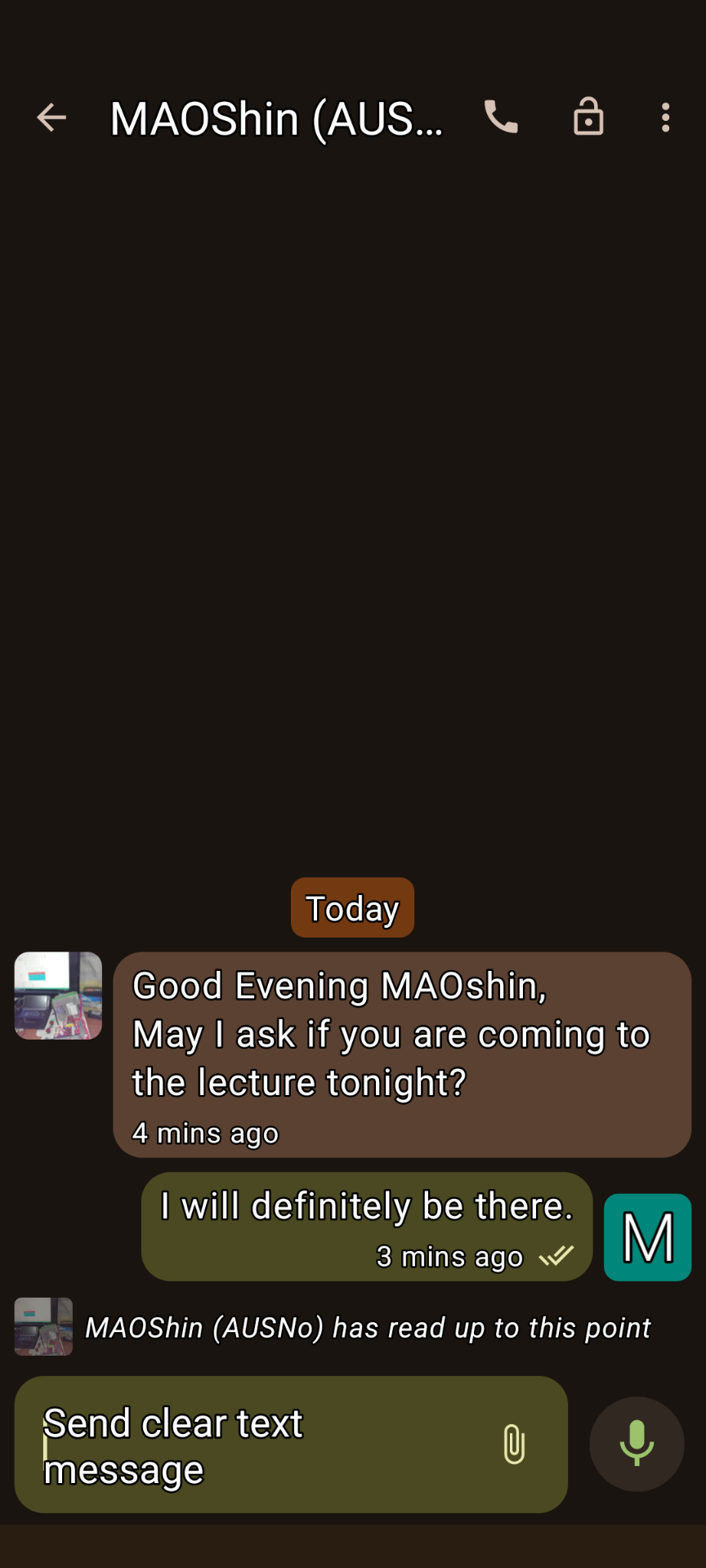
XMPP Conversations 1
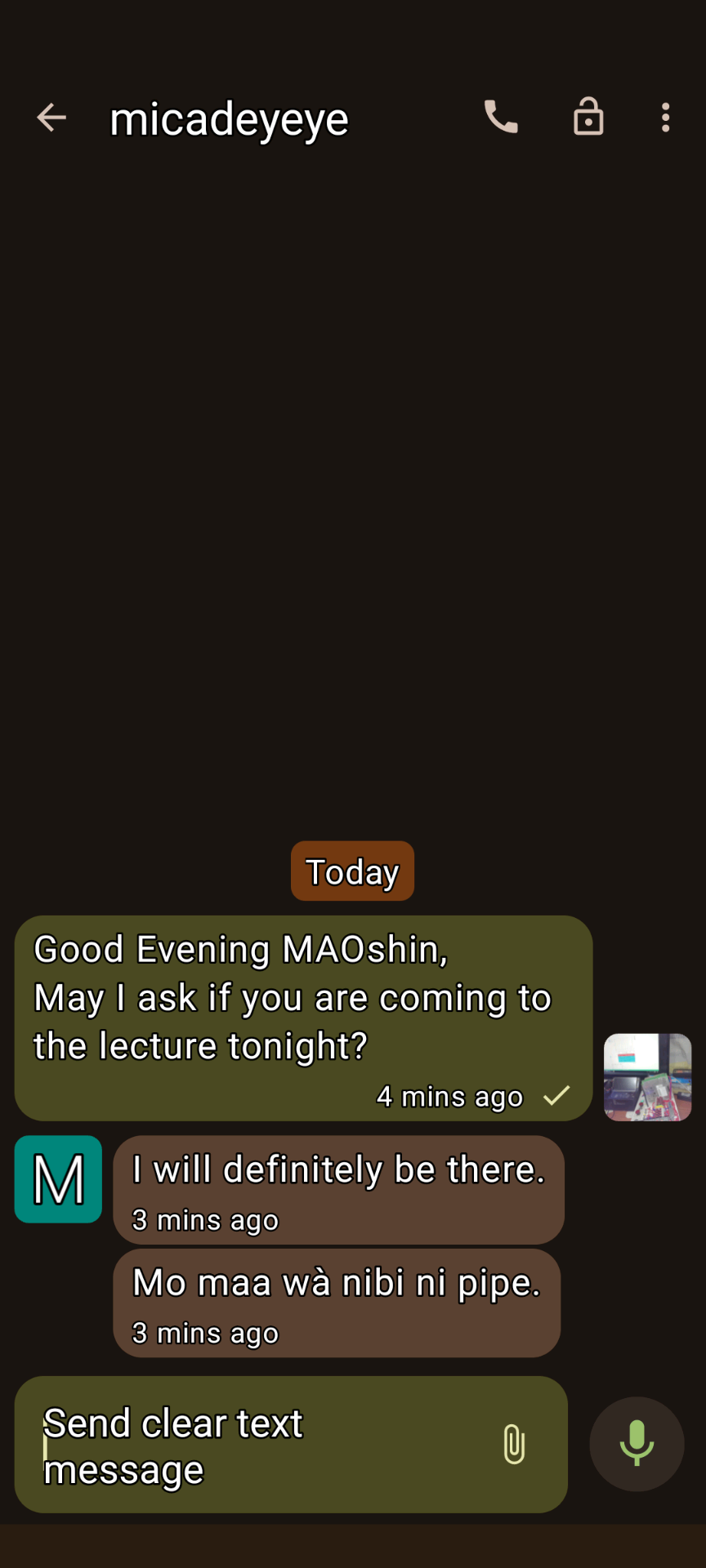
XMPP Conversations 2
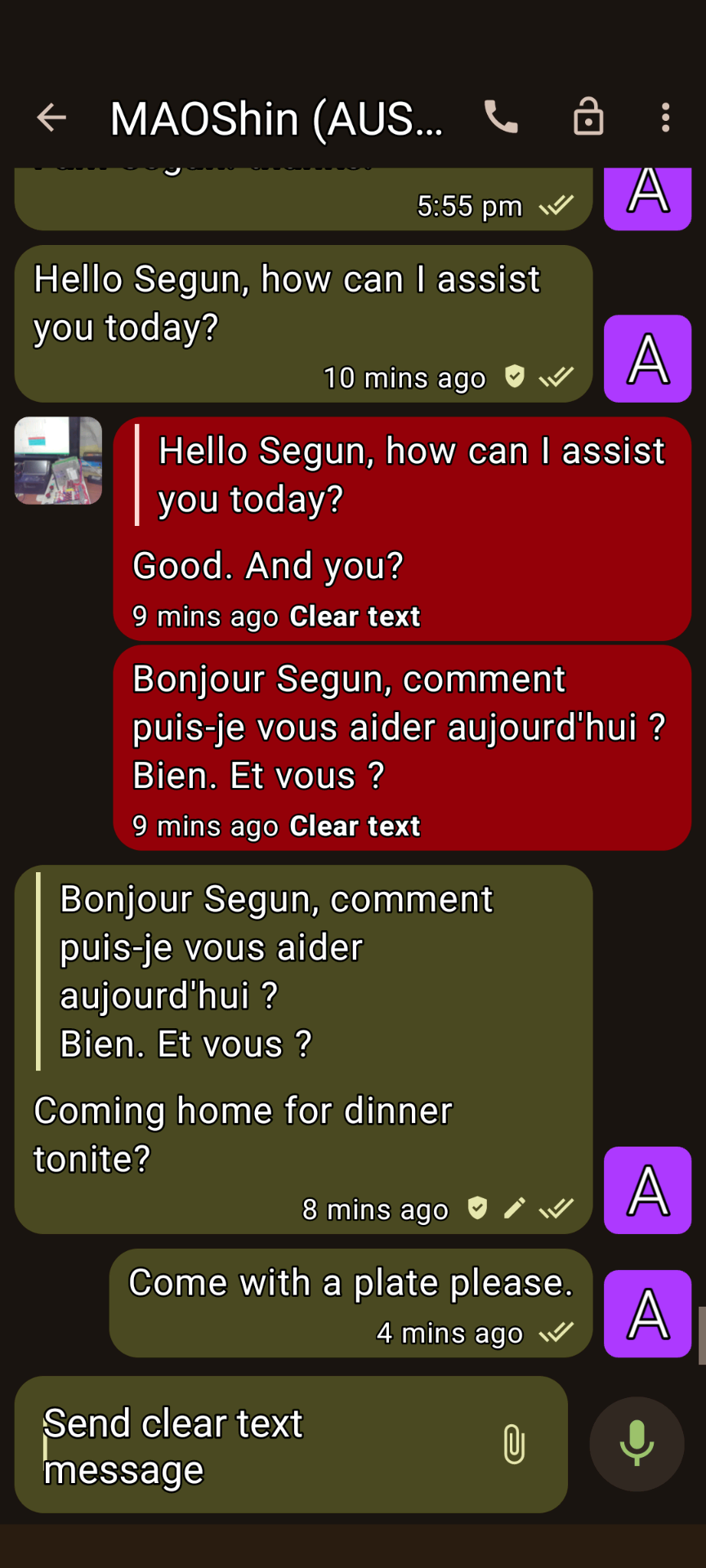
XMPP Conversations 3
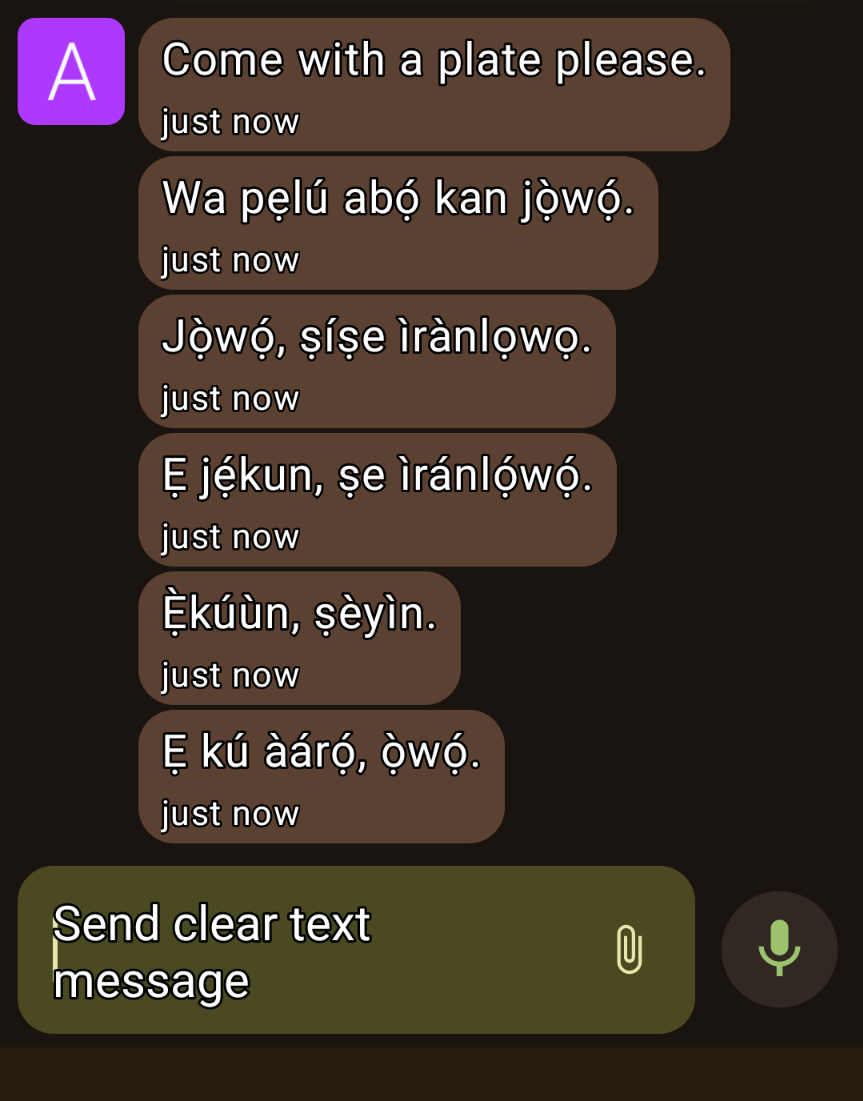
XMPP Conversations 4
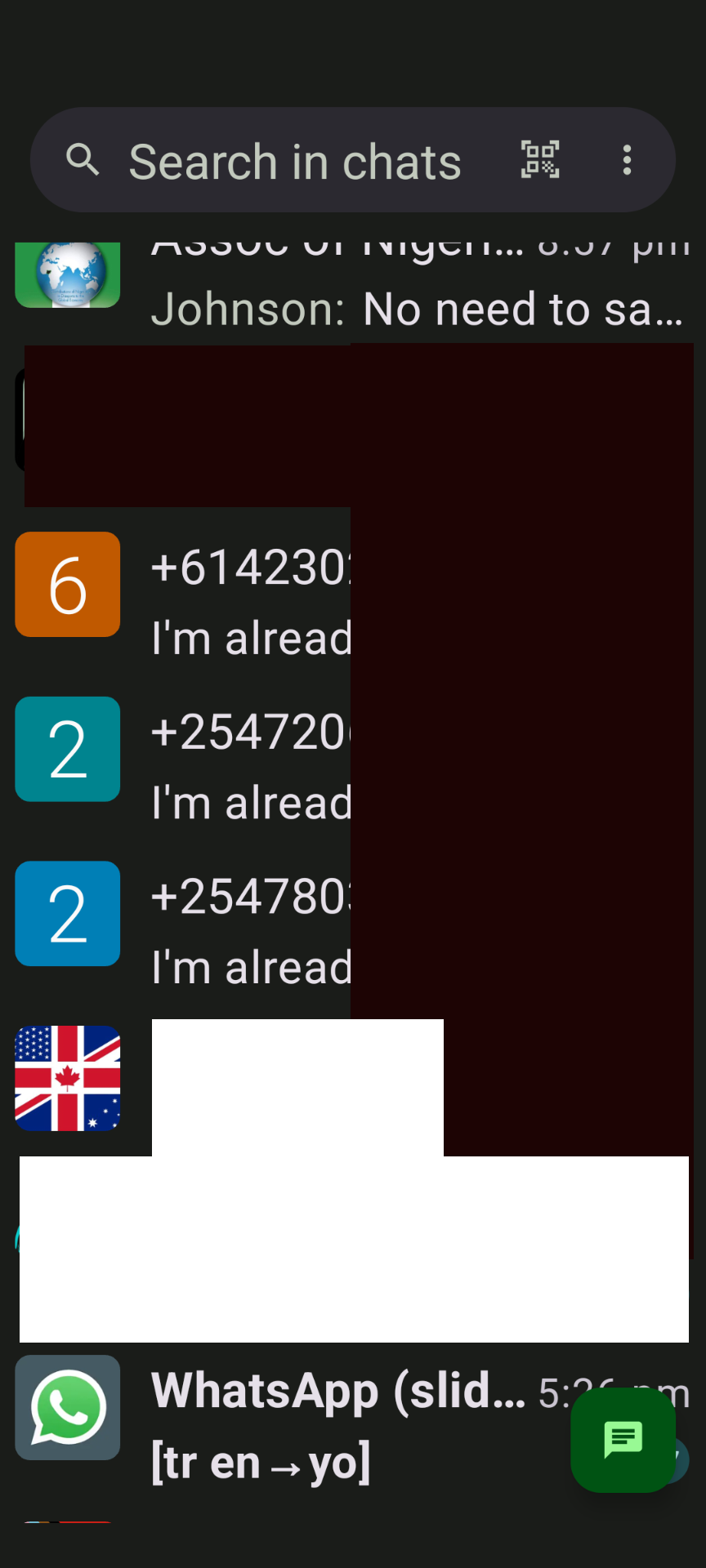
IiNgxoxo ze-XMPP 5
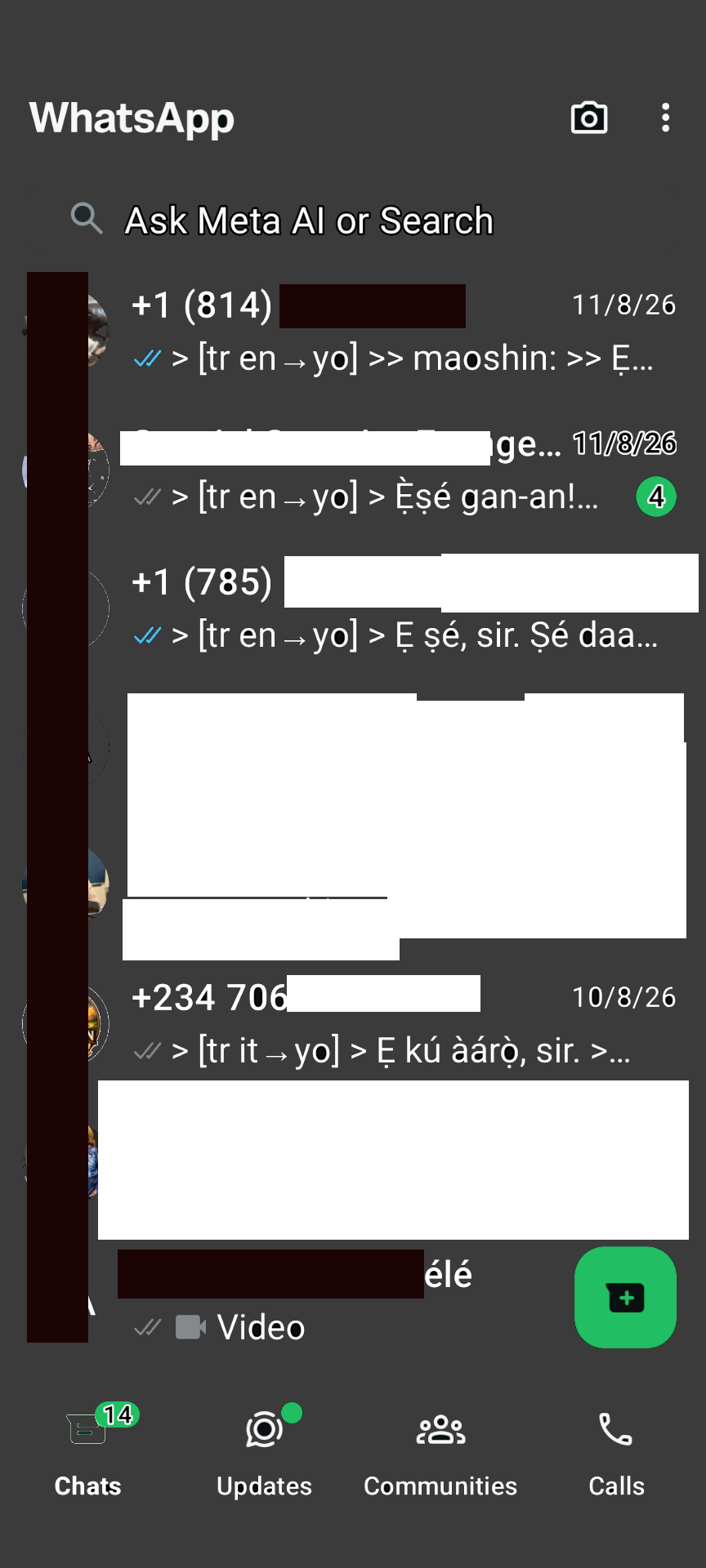
WhatsApp Bridge
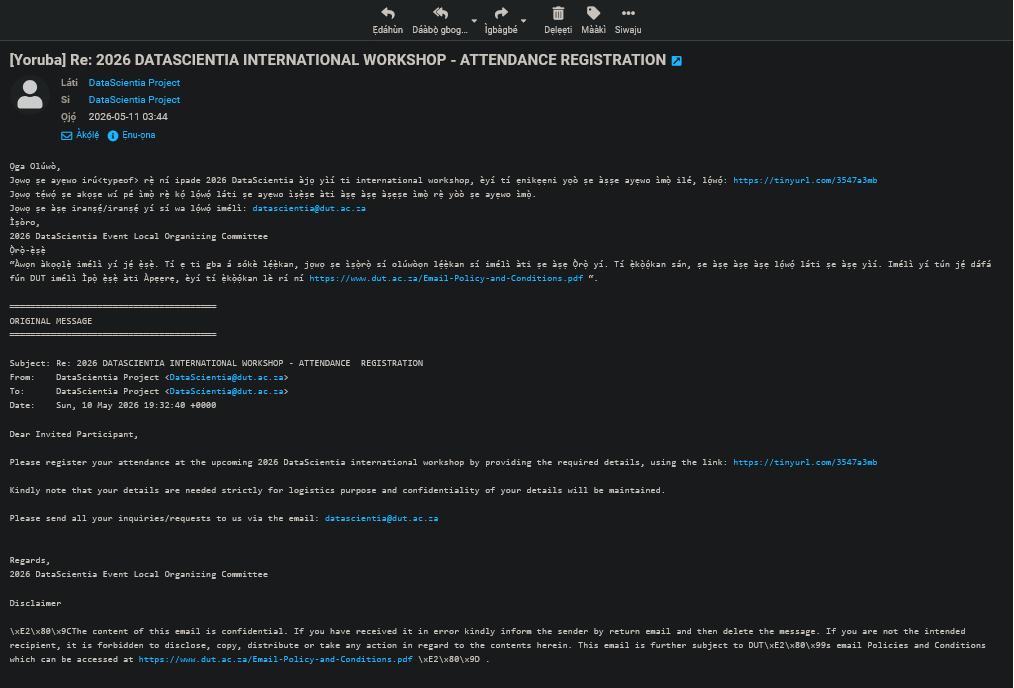
Roundcube email translation
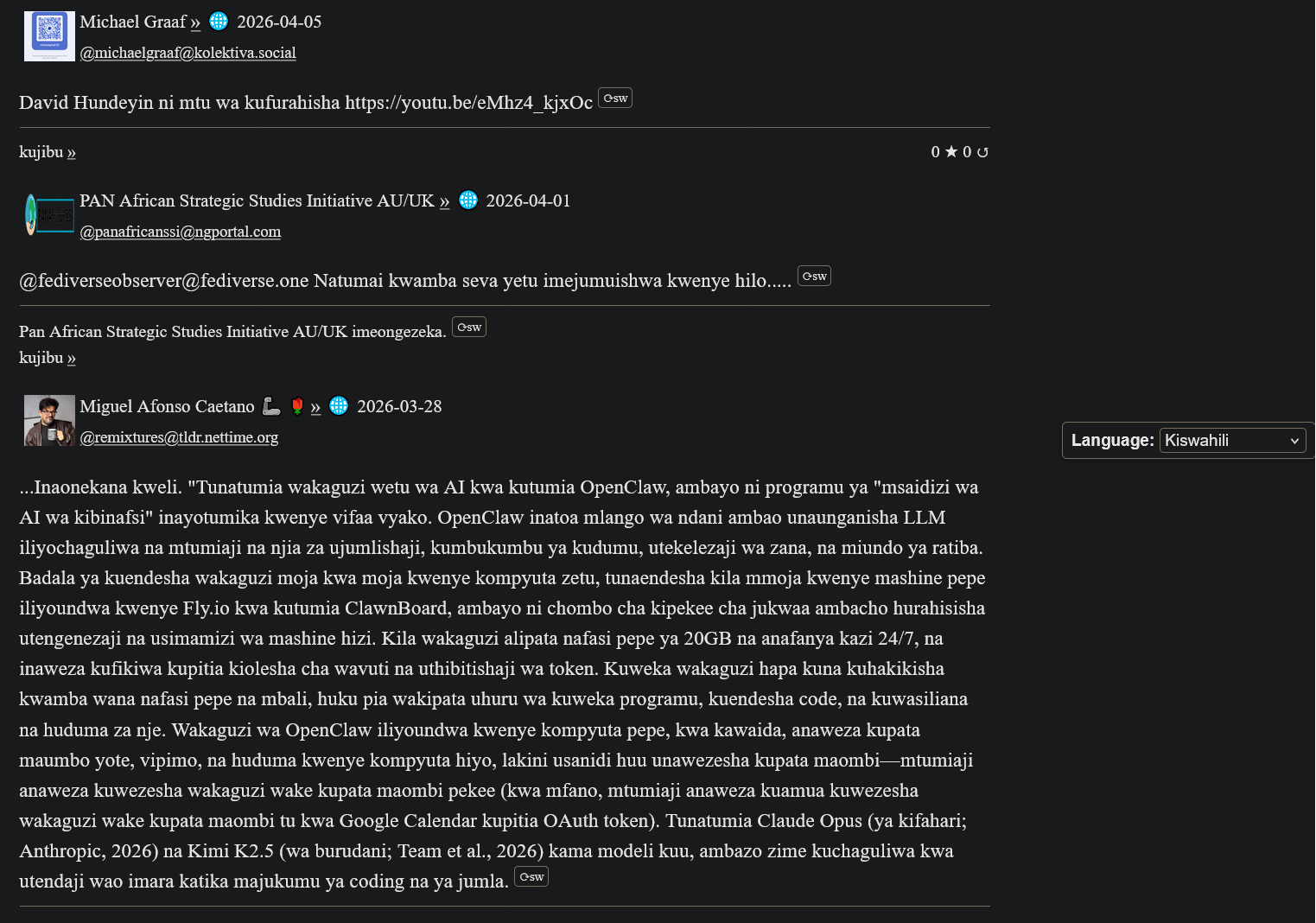
Uguqulelo lwe-ActivityPub ngesiSwahili
Ibungumangalo zeMy(A)SyncComms
"Thanks for the translation to Yoruba. Lol. Remain blessed. Amen"
— Nkechi (Prof.)

(Animated Image Response to Arabic)
— Sbraheem (Engr.)
"I think my phone has been hacked, when did you learn Igbo"
— Emmanuel (CPEng)
Ndiyaqalisa
1. Bhalisa iAkhawunti yeXMPP
Create a free account on our XMPP server at ngportal.com via the Web Registration Form or the request form below, then sign in with any client:
For security, you cannot create an account directly inside the chat apps. The easiest way is the request form below — a single request creates all your accounts at once, including your email.
Creating a chat account automatically creates your email account too — with email translation, semantic analysis, and offline messages from your chats delivered straight to your inbox.
Cela iAkhawunti
Step 1 - Create your account here FIRST, then download an app. Apps cannot sign you up.
Gcwalisa ifom yokucela i-akhawunti yengxoxo ye-XMPP. Siza kukwenzela iakhawunti ye-imeyile ehambelanayo - ibonelelwe ngokuzenzekelayo ngoko nangoko.
PANAfricanSSI Chat for Tablets & Phones (Android)
Iincoko (Android)

iyabhatalwa kwiGoogle Play, kodwa simahla kwi-F-Droid
Monocles (Android)
Also available on F-Droid or via QR download at monocles.chat
aTalk (Android)
Yaxim (Android)
PANAfricanSSI Chat for iPhone & iPad (Apple iOS)
ChatSecure (Apple iOS/iPhone)

Monal (Apple iOS/iPhone)
Astral (Apple iOS/iPhone)
Currently in beta testing
PANAfricanSSI Chat — Unified Communication & Suite of Apps
- Start here — create your account with the request form below on this page: one single request creates all your accounts together — chat, email and the WhatsApp/Telegram bridges
- IMPORTANT: create your account FIRST — before you download or sign in to any app. The apps have nothing to connect to until your account exists.
- You can also create your account with our web registration form (works in your browser, no app needed — no port number: use this if your network blocks non-standard ports)
- Then sign in — open the PANAfricanSSI Chat APP — your unified communication & suite of apps for tablets, phones and desktop: chat, email, SMS, voice, WhatsApp/Telegram bridges and the Translator, all in one place, no installation needed
- The same app, no port needed — use this if some networks block ports
- Chat in your browser: Our Converse.js or Our Converse.js — no port needed (use this if your network blocks ports) — as an alternative, there is also the public Converse.js web app
Fakela i-App yethu yeMobhayili
Thetha, tunjelisa, uthumele imiyalezo ngolwimi lwakho lokuzalwa — i-app enye yonke iinkonzo zethu.
PANAfricanSSI Chat APP for tablets and phones — our Android app (APK file)
PANAfricanSSI Chat APP for iPhone and iPad — our iPhone/iPad support project
The app is currently available to users installing from source, e.g. F-Droid (Android) or our app project download (iPhone/iPad). It has been submitted and is under review for inclusion in both the Google Play Store and the Apple App Store.
Idesktop (uyazikhethela): Windows/Linux desktop app, another Windows/Linux desktop app (Idesktop)
For phones and tablets we recommend the mobile app above. On a desktop or laptop, our web app is the best choice — no installation needed.
Advanced: connect a desktop app
Host: xmsgs.ngportal.com
Port: 5222
2. Set Your Cell Phone Number
To use voice calls and SMS via the translator bot, register your cell phone number once. This number is used as the callback when placing a call — your phone rings first, and when you answer, the call connects to your destination.
Open a chat with translator@ngportal.com and send: mycell:+614XXXXXXXX
Replace with your full cell number including country code. The bot confirms your number is saved. You can update it anytime.
3. Voice Calls & SMS via the Translator Bot
Once your cell number is set (Step 2), you can place calls and send SMS to any phone number directly from your XMPP chat:
- Open a chat with
translator@ngportal.com - Send a phone number (e.g.
+61434428714) or a contact's chat address - The bot replies with a menu: 1 Voice call, 2 Video call, 3 Send SMS, 4 Cancel
- Reply with your choice. For voice calls, your cell phone rings first — answer to connect. For SMS, type your message when prompted.
- Video calls work between XMPP users only (phone numbers cannot receive video).
Your Numbers
Your registered XMPP accounts and their associated phone numbers are managed in the account portal at myaccount.ngportal.com. When you add or update a phone number there, it is automatically available for voice calls and SMS via the translator bot.